
Attendance tracking tools for tutors and educators used to be “nice to have.” Now they’re a core part of how learning programs run smoothly, prove service delivery, and support student success.
Whether you teach one-on-one sessions, run a tutoring center, lead small groups, or support a full classroom, attendance tracking tools for tutors and educators help you answer the questions that matter: Who showed up, when did they arrive, how long did they stay, and what patterns are forming over time?
Modern attendance tracking tools for tutors and educators do far more than mark “present” or “absent.” They can automate reminders, collect reasons for absences, trigger make-up scheduling workflows, sync with billing, and generate reports for families, administrators, or program funders.
The best attendance tracking tools for tutors and educators also reduce disputes because they create a clear, time-stamped record. That matters when sessions are paid, reimbursed, grant-funded, or tied to performance metrics.
At the same time, attendance tracking tools for tutors and educators must be chosen carefully. Attendance is often considered part of a student’s education record, which brings privacy obligations and retention expectations. A tool that is perfect for a fitness studio may not be appropriate for learning environments.
This guide explains how attendance tracking tools for tutors and educators work, what features to prioritize, how to implement them without chaos, and how the space is evolving—especially with QR check-ins, location verification, and biometric options raising privacy questions.
Why attendance tracking matters for learning outcomes and operations

Attendance tracking tools for tutors and educators influence more than administrative efficiency. They shape instructional decisions, family communication, staffing, and even the learning culture.
When you consistently capture attendance, you can identify patterns early—like a student who repeatedly misses sessions on one day of the week, or a group whose attendance drops after assessments. Those insights are hard to spot when attendance data is scattered across texts, sticky notes, and spreadsheets.
Attendance tracking tools for tutors and educators also help protect time and revenue. In tutoring, attendance often connects directly to billing and payroll. If a student is marked absent incorrectly, you may lose income or create conflict.
If a tutor’s session time is not recorded accurately, payroll errors happen. Reliable attendance tracking tools for tutors and educators create a shared, objective record that reduces friction.
Operationally, attendance tracking tools for tutors and educators simplify compliance for programs that require documentation—such as after-school initiatives, intervention services, and certain special education supports.
Good tools can document session dates, durations, and notes in a way that stands up to audits. They also streamline communication by sending automatic notifications when a student is absent or late, so you don’t spend your evening doing manual follow-ups.
Most importantly, attendance tracking tools for tutors and educators can support student success. Chronic absenteeism is often linked to lower academic outcomes, but the real benefit comes from acting on data quickly.
When attendance data is timely and visible, you can intervene earlier with supportive outreach instead of reactive discipline.
What “good” attendance tracking looks like in tutoring and education settings

Attendance tracking tools for tutors and educators should create a consistent, low-effort routine that fits your teaching environment. “Good” attendance tracking is accurate, fast, and tied to real workflows. It should take seconds, not minutes, and it should not disrupt instruction.
Accuracy starts with clear rules. Attendance tracking tools for tutors and educators work best when you define what “present” means: physically in the room, logged into the virtual session, actively participating, or staying for a minimum duration.
Many programs also need a tardy threshold. If you do not standardize definitions, your attendance tracking tools for tutors and educators will collect inconsistent data and your reports will be unreliable.
Speed matters because attendance is usually captured at the busiest part of the session—when students arrive and you are trying to get started. Good attendance tracking tools for tutors and educators support fast marking, bulk actions, and mobile-friendly workflows.
They also handle common real-life issues: students arriving late, leaving early, switching groups, or attending a make-up session.
“Good” also means visibility. Attendance tracking tools for tutors and educators should make it easy to see attendance history by student, by tutor, by class, and by time period. It should be easy to spot trends without exporting data into another system.
Finally, good attendance tracking tools for tutors and educators support trust. They should produce time-stamped logs, preserve edits, and show who recorded attendance. That kind of audit trail helps resolve disputes and improves accountability in a healthy way.
Key features to look for in attendance tracking tools for tutors and educators

Choosing attendance tracking tools for tutors and educators becomes easier when you evaluate features in categories: capture, automation, reporting, security, and integrations. The “best” tool is rarely the one with the most features. It’s the one that matches how you actually run sessions.
For capture, look for flexible options: manual roster marking, student self check-in, QR code scanning, and virtual session presence tracking. Some attendance tracking tools for tutors and educators allow multiple capture methods at once, which is useful if you teach both online and in-person.
QR-based systems are popular because they’re fast and can reduce teacher workload, and vendors actively promote QR check-in speed and workflow benefits.
For automation, the best attendance tracking tools for tutors and educators can send reminders before sessions, trigger absence follow-ups, and log reasons for absences. If you run paid tutoring, automation should also connect to billing rules—like charging for no-shows after a certain window.
For reporting, you want real-time dashboards plus exportable reports. Attendance tracking tools for tutors and educators should provide student-level attendance summaries, tutor performance views, and program-wide metrics. If you work with administrators or external stakeholders, look for scheduled reports and shareable links.
For security, prioritize role-based access, strong authentication, encryption, and clear data retention controls. Attendance tracking tools for tutors and educators should also help you meet student privacy requirements (more on that later).
For integrations, think about the tools you already use: scheduling, payments, learning management, messaging, and video conferencing. If attendance stays trapped in one system, it becomes another manual step instead of a workflow hub.
Types of attendance tracking tools and when to use each
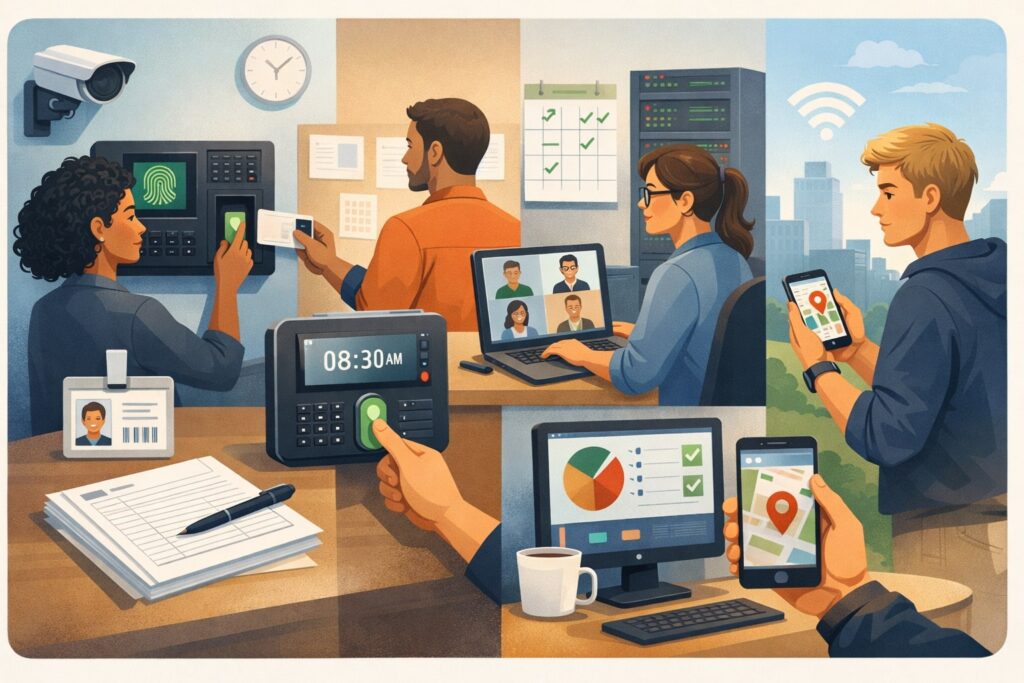
Attendance tracking tools for tutors and educators come in several common types. Each type fits different environments, budgets, and maturity levels. The goal is to pick a tool category that matches your reality today, while still allowing growth.
Spreadsheet-based systems and lightweight apps
Spreadsheet-based attendance tracking tools for tutors and educators are popular because they are cheap and flexible. Many small tutoring operations start here, using templates with dates, student names, and simple present/absent codes. The advantage is total control and no vendor lock-in.
The downside is that spreadsheet attendance tracking tools for tutors and educators can become fragile fast. When multiple tutors update the same sheet, mistakes happen. Version confusion becomes common.
Audit trails are weak, and it is harder to prove who entered what. Spreadsheets also struggle with automation. Reminders, follow-ups, make-up sessions, and billing links are usually manual unless you build complex workflows.
Lightweight attendance apps improve on spreadsheets by offering mobile checklists, basic reporting, and faster data entry. Many “attendance tracker app” roundups highlight apps that target schools and small teams, typically focusing on simplicity and quick setup.
Use this category when you have a small team, limited compliance demands, and you mainly need consistency and speed. If you are growing, treat this as a starting point rather than a long-term destination.
Scheduling and tutoring-platform attendance modules
Many tutoring businesses already use scheduling platforms for bookings, reminders, and tutor calendars. When attendance tracking tools for tutors and educators are built into your scheduling system, adoption is easier because staff stay in one place. This category often supports session-based attendance (per appointment), time tracking, and notes.
These attendance tracking tools for tutors and educators are especially useful when your business model depends on appointments. You can link attendance directly to cancellations, late policies, and billing rules. Some platforms also generate invoices automatically based on attended sessions.
However, scheduling-based attendance tracking tools for tutors and educators may not handle classroom-style rosters well. If you run groups, rotating cohorts, or programs where students flow between sessions, you may need additional flexibility.
Choose this category if your workflow is appointment-driven and you want attendance to connect tightly to payments and staff scheduling.
Classroom and program management systems
Program management attendance tracking tools for tutors and educators are designed for larger operations, multi-site programs, and environments that need consistent reporting. These tools typically support rosters, cohort management, multi-tutor assignment, permissions, and standardized reports.
They often include dashboards that administrators love: attendance by location, by program, by grade band, and by time range. They may also support parent portals, student profiles, and messaging.
The tradeoff is complexity. Program-level attendance tracking tools for tutors and educators can require training and structured setup. If your tutoring operation is small, you may pay for features you never use. But if you manage a growing team or have reporting obligations, this category can save huge time.
Pick this category when you need scalability, multi-role access, and strong reporting that doesn’t require spreadsheet cleanup.
QR code, kiosk, and self check-in systems
QR and kiosk-style attendance tracking tools for tutors and educators are built for speed. Students scan a QR code or sign in on a shared tablet. This reduces teacher workload and creates time-stamped entries. QR check-in is heavily promoted as a way to streamline attendance and reduce manual roll calls.
But self check-in attendance tracking tools for tutors and educators need guardrails. You must prevent “buddy check-ins,” scanning from outside the room, or students checking in too early. Strong systems add rotating QR codes, geofencing, device restrictions, or staff approval steps.
Use this category when you have high student volume, frequent sessions, and limited time for manual roll call. It is especially helpful for after-school programs, tutoring centers, and workshops with quick transitions.
Step-by-step implementation plan for attendance tracking tools for tutors and educators
Implementing attendance tracking tools for tutors and educators is less about software and more about habits. A tool only works if people use it consistently. A good rollout focuses on clarity, simplicity, and accountability.
Start by mapping your attendance rules. Define what counts as present, late, excused, unexcused, and no-show. Decide how make-up sessions are recorded. Decide who can edit attendance and under what conditions. When attendance tracking tools for tutors and educators have clear rules, your data becomes meaningful instead of messy.
Next, design the workflow. Determine when attendance will be recorded: at arrival, five minutes in, or after a warm-up. Decide whether the tutor records it, a front desk staff member records it, or students self check-in. The best attendance tracking tools for tutors and educators support multiple workflows, but you should still standardize across your team to reduce confusion.
Then set up your rosters and sessions carefully. Clean student names, avoid duplicates, and establish a consistent naming convention for groups. If your tool supports identifiers (like student IDs), use them. This helps prevent reporting errors later.
Train staff with real scenarios. Don’t just show buttons. Practice: “Student arrives 12 minutes late,” “Student leaves early,” “Student switches groups,” “Student attends online instead of in person.” Attendance tracking tools for tutors and educators succeed when staff feel confident handling edge cases.
Finally, monitor adoption for the first month. Review attendance logs weekly, correct patterns early, and reinforce expectations. If your attendance tracking tools for tutors and educators provide audit trails, use them to coach supportively—not to shame people.
Privacy, security, and compliance considerations
Because attendance records often connect to a student’s educational participation, attendance tracking tools for tutors and educators must be selected with privacy in mind. Many education settings follow federal student privacy rules that govern access to and disclosure of education records, including personally identifiable information.
Start with data minimization. Attendance tracking tools for tutors and educators should collect only what you need: attendance status, timestamps, and perhaps a reason code. Avoid collecting sensitive data unless it is required and you have clear safeguards.
Next, implement role-based access. Tutors should see only their students. Administrators should see broader reports. Front desk staff may only need check-in screens. Strong attendance tracking tools for tutors and educators allow granular permissions so you don’t have one shared login for everyone.
If you store notes alongside attendance, be careful. Notes can easily drift into sensitive areas. Establish guidance on what should and should not be recorded. If health-related information is involved, understanding whether student records are covered under education privacy rules or health privacy rules becomes important.
Joint guidance from federal agencies has long clarified how education privacy rules and health privacy rules apply to student records in many school contexts.
Be cautious with biometric attendance systems. Facial recognition attendance tools are actively researched and promoted in some settings, but they also raise significant privacy and consent concerns, and public backlash has been reported when governments propose face recognition attendance programs.
For many tutoring and education programs, biometric attendance tracking tools for tutors and educators introduce more risk than benefit.
Finally, confirm vendor security practices: encryption in transit and at rest, incident response commitments, and clear data retention and deletion policies. Your attendance tracking tools for tutors and educators should make it possible to export your data and exit cleanly if needed.
Using attendance data to improve instruction and student engagement
Attendance tracking tools for tutors and educators become far more valuable when you use the data for action, not just recordkeeping. Attendance is often an early indicator of disengagement, scheduling friction, transportation issues, or unmet learning needs. The best programs treat attendance patterns as a signal to support students, not punish them.
Begin with basic trend monitoring. Look at attendance by day of week, time of day, and tutor. If a specific time slot has high no-show rates, adjust the schedule.
If one tutor’s sessions have more absences, explore possible causes: session format, communication style, or student fit. Attendance tracking tools for tutors and educators should make these comparisons easy with filters and dashboards.
Next, connect attendance to learning milestones. If students who attend consistently show faster progress, use that insight to motivate attendance in a positive way.
If some students attend but do not improve, your problem may not be attendance—it may be instructional design. Attendance tracking tools for tutors and educators help you separate these issues with clearer data.
Build a simple intervention ladder. For example: after two absences, send a friendly check-in. After three, offer a schedule change. After four, request a short call to remove barriers. Attendance tracking tools for tutors and educators can automate parts of this, but the messaging should still feel human and supportive.
Finally, celebrate consistency. Small recognition systems—digital badges, positive notes, or progress shout-outs—can improve attendance without creating pressure. Attendance tracking tools for tutors and educators can help you identify students who deserve encouragement.
Integrations that make attendance tracking tools truly “hands-off”
Attendance tracking tools for tutors and educators become dramatically more efficient when connected to scheduling, messaging, and billing. Without integrations, attendance is still a manual step. With integrations, attendance becomes the trigger that runs your business processes.
Scheduling integration is the biggest win. When a session is booked, it should automatically appear in the attendance roster. When it is canceled, it should disappear or be marked as canceled.
When a student reschedules, the attendance record should follow the new session. Attendance tracking tools for tutors and educators that require double entry will eventually break your team’s consistency.
Messaging integration also matters. Automated reminders reduce no-shows. Follow-up messages after absences reduce drop-offs. Look for attendance tracking tools for tutors and educators that support email and SMS workflows, and allow templates customized by program type.
Billing integration is essential for paid tutoring. Attendance should connect to rules: charge for attended sessions, charge or waive for no-shows depending on notice, and handle make-ups cleanly. If your attendance tracking tools for tutors and educators can feed invoices, you reduce errors and disputes.
For online tutoring, video conferencing integration can provide an extra layer of verification. Some systems track join time and leave time to help confirm attendance duration. Even if you still mark attendance manually, having timestamps as supporting evidence can reduce arguments.
Finally, analytics integration helps long-term planning. If attendance tracking tools for tutors and educators can export clean data into reporting platforms, you can build deeper dashboards for staffing, program evaluation, and forecasting.
Common mistakes to avoid when adopting attendance tracking tools
Even strong attendance tracking tools for tutors and educators can fail if the rollout is poorly designed. The most common mistake is overcomplicating the process. If attendance takes more than a few seconds, staff will postpone it and accuracy will drop. Keep the workflow minimal and train for consistency.
Another mistake is unclear definitions. If one tutor marks a student “late” at five minutes and another at fifteen, your reports become misleading. Attendance tracking tools for tutors and educators can’t fix inconsistent policy. Write it down, train it, and revisit it quarterly.
Many teams also ignore exception handling. Real life happens: students switch groups, attend make-ups, arrive late, or have connectivity problems online. If your attendance tracking tools for tutors and educators don’t have a consistent way to handle exceptions, people will invent workarounds.
A big error is choosing a tool without considering privacy and access control. Attendance data may be part of education records, and inappropriate sharing can create serious issues. Rely on role-based permissions and ensure staff understand what is appropriate to record and share.
Finally, teams often fail to use the data. If attendance tracking tools for tutors and educators only produce reports that nobody reviews, the system becomes “busywork.” Set a weekly or biweekly cadence to review attendance trends and take small actions.
Future predictions for attendance tracking tools for tutors and educators
Attendance tracking tools for tutors and educators are evolving quickly, driven by automation, mobile-first workflows, and growing expectations for real-time reporting. In the near future, tools will likely become more predictive: not just tracking attendance, but forecasting risk of no-shows based on past behavior, schedule patterns, and engagement signals.
Expect more “frictionless” check-in. QR codes, rotating codes, kiosk modes, and geofencing will continue to grow because they reduce staff workload. Vendors already market QR-based check-in as faster and easier than manual roll calls. We’ll also see more hybrid models where students self check-in and a tutor confirms with one tap.
At the same time, biometric attendance—especially facial recognition—will remain controversial. While research continues into face recognition attendance systems, real-world deployments have triggered privacy concerns and pushback in multiple places.
For tutoring and education programs, the direction is likely to favor “privacy-preserving convenience” (QR, passcodes, device-based verification) over collecting biometric identifiers.
Another major shift will be tighter connections between attendance tracking tools for tutors and educators and outcome tracking. Attendance will increasingly be linked to progress monitoring, assignment completion, and intervention notes, creating a fuller view of engagement.
For many programs, funders and stakeholders want proof not only that services were delivered, but that they had impact.
Finally, data privacy expectations will keep rising. Attendance tracking tools for tutors and educators will need clearer consent flows, better audit logs, and stronger retention controls as families and regulators pay closer attention to student data handling.
FAQs
Q.1: What are the best attendance tracking tools for tutors and educators for a small tutoring business?
Answer: The best attendance tracking tools for tutors and educators in a small tutoring business are the ones that remove friction without adding complexity.
If you run a small team, you usually need three things: fast attendance capture, simple reporting, and a clear link to scheduling and billing. In many cases, a lightweight app or an attendance feature inside your scheduling platform is enough. This keeps your workflow in one place and reduces double entry.
When evaluating attendance tracking tools for tutors and educators for small operations, focus on mobile usability. Tutors should be able to mark attendance from a phone in seconds. Look for bulk actions (mark all present) and quick edits (late, excused, left early).
If you offer both online and in-person tutoring, choose attendance tracking tools for tutors and educators that support session-based attendance with notes and timestamps.
Avoid tools that require heavy setup unless you truly need administrative dashboards. Small businesses often waste time configuring features meant for large institutions.
Instead, pick attendance tracking tools for tutors and educators that can grow with you: exports, multiple staff logins, role-based permissions, and integrations. If you plan to expand, make sure your tool can handle multiple locations and cohorts later.
Finally, don’t ignore privacy basics. Even small tutoring businesses manage student information. Your attendance tracking tools for tutors and educators should support secure logins, permissions, and clear control over who can see what.
Q.2: How do QR code attendance tracking tools work, and are they reliable?
Answer: QR-based attendance tracking tools for tutors and educators typically work by displaying a code at the start of a session. Students scan it with a phone camera or a dedicated scanning device.
The scan logs a timestamp and often ties the check-in to a specific session, location, or group. QR code attendance tracking tools are popular because they are fast and reduce tutor workload, and vendors emphasize the efficiency and automation benefits.
Reliability depends on how the tool prevents misuse. Without guardrails, students can scan for each other or scan from outside the room if the code is static.
Strong attendance tracking tools for tutors and educators solve this by rotating QR codes frequently, limiting scans to a time window, requiring staff approval, or using location verification. Some programs also use kiosk mode on a shared tablet so students sign in on-site rather than scanning remotely.
QR tools are generally reliable for high-volume environments like tutoring centers, after-school programs, and workshops. They can be less ideal for very young students who don’t carry devices. In that case, the tutor can scan student badges or use kiosk sign-in.
The best approach is often hybrid: use QR attendance tracking tools for tutors and educators to capture check-ins quickly, then let the tutor confirm attendance with one tap. This keeps the speed while maintaining accountability and accuracy.
Q.3: Do attendance tracking tools for tutors and educators need to follow student privacy rules?
Answer: In many education contexts, yes—attendance information can be considered part of a student’s education record.
Federal student privacy law (often referenced through FERPA guidance) governs how education records are handled in many settings, including limits on disclosure of personally identifiable information and expectations for safeguarding records.
What this means in practice is that attendance tracking tools for tutors and educators should have strong access controls and a clear purpose for data collection. Only staff who need attendance data should be able to view it.
If your tool allows parent access, it should be scoped to their child only. If you share attendance reports with external organizations, you should ensure there is a legitimate basis and appropriate agreements.
If you also store health-related notes or accommodations information, the privacy picture can get more complex. Joint federal guidance explains how education privacy rules and health privacy rules may apply to student records in different situations.
While attendance alone is usually straightforward, the combination of attendance plus detailed notes can raise risk.
The safest move is to choose attendance tracking tools for tutors and educators that support role-based permissions, audit logs, encryption, and configurable data retention. Also train your team on what should and should not be written in attendance notes. The tool matters, but staff habits matter even more.
Q.4: Can attendance tracking tools integrate with payroll and billing for tutors?
Answer: Yes, and this is one of the biggest reasons tutoring organizations adopt attendance tracking tools for tutors and educators. When attendance is tied to payroll and billing, you reduce errors, speed up invoicing, and prevent disputes.
For example, attended sessions can automatically create billable line items, while cancellations within a certain window can apply a fee or waive charges depending on your policy.
The key is alignment between your policies and your tool configuration. Attendance tracking tools for tutors and educators should allow you to define statuses like “student no-show,” “tutor canceled,” “excused absence,” and “make-up completed.”
Each status should map to a billing rule and a payroll rule. Without that mapping, staff will still have to reconcile invoices manually.
Time tracking is also critical. Some attendance tracking tools for tutors and educators record session start and end times, which helps when payroll is hourly. If your program pays per session, you still benefit from timestamps because they prove service delivery. This is especially useful for programs with reimbursements or auditing requirements.
To maximize value, keep the workflow simple: schedule creates the session, attendance confirms delivery, and billing/payroll systems consume the result. When that pipeline is clean, attendance tracking tools for tutors and educators become a business engine instead of an administrative chore.
Q.5: Should tutors use facial recognition or biometric attendance tracking tools?
Answer: For most tutoring and education settings, biometric attendance tracking tools introduce more risk than reward. While facial recognition attendance systems are actively researched and can automate check-ins, real-world deployments raise concerns about consent, data security, bias, and long-term storage of biometric identifiers.
There have also been public controversies and backlash when governments propose facial recognition attendance programs.
Biometric data is fundamentally different from a name or timestamp. If a password is compromised, it can be reset. If biometric data is compromised, it cannot be “changed” in the same way. That makes the stakes higher.
Attendance tracking tools for tutors and educators that rely on biometrics require stronger governance, clearer consent processes, and more careful vendor evaluation.
For most programs, there are safer alternatives that still reduce workload: QR code check-in, rotating passcodes, kiosk sign-in, and staff confirmation flows. These approaches provide speed and documentation without collecting biometric identifiers.
If you do, consider biometric attendance tracking tools for tutors and educators, consult legal and privacy expertise, confirm consent requirements, evaluate vendor security rigorously, and ensure you have a clear deletion policy.
In many tutoring contexts, the better future is “low-friction, privacy-preserving attendance” rather than biometrics.
Q.6: How can I improve attendance using data from attendance tracking tools?
Answer: Attendance tracking tools for tutors and educators help improve attendance when you treat the data as a support signal. Start by identifying patterns: which days, times, or session types have the highest absences.
If you see consistent patterns, adjust scheduling before you attempt behavior changes. Sometimes attendance problems are logistical, not motivational.
Next, use automation thoughtfully. Attendance tracking tools for tutors and educators can send reminders 24 hours before sessions and again 1–2 hours before. You can also send a quick “We missed you—want to reschedule?” message after an absence. The message tone matters; supportive outreach works better than guilt.
Create a simple escalation plan. For example, after two missed sessions, offer alternative times. After three, ask if the student needs a different tutor or format. After four, schedule a short conversation to remove barriers. Attendance tracking tools for tutors and educators can help by flagging students who hit thresholds, so staff can act consistently.
Finally, connect attendance to progress. Show families and students how consistent attendance supports learning gains. If you track milestones, correlate them with attendance trends. This makes attendance feel meaningful rather than merely monitored.
Over time, the combination of supportive communication, better scheduling, and clear progress connection can significantly improve consistency.
Conclusion
Attendance tracking tools for tutors and educators are no longer just about marking “present.” The best attendance tracking tools for tutors and educators create a reliable record, reduce administrative load, support billing and payroll accuracy, and surface patterns that help students succeed.
When implemented well, attendance tracking tools for tutors and educators become a backbone workflow: sessions get scheduled, students get reminded, attendance is captured quickly, and reports are ready when you need them.
To choose the right attendance tracking tools for tutors and educators, prioritize speed, accuracy, reporting, privacy, and integrations. Build clear attendance definitions, train staff on real scenarios, and review data regularly so the tool leads to action.
Be cautious with high-risk approaches like biometrics, and lean toward privacy-preserving options such as QR, kiosk, and staff-confirmed check-ins where appropriate.
Looking forward, attendance tracking tools for tutors and educators will keep becoming more automated and more predictive—helping programs reduce no-shows, personalize support, and connect attendance to learning outcomes.