By Jennifer Parker February 24, 2026
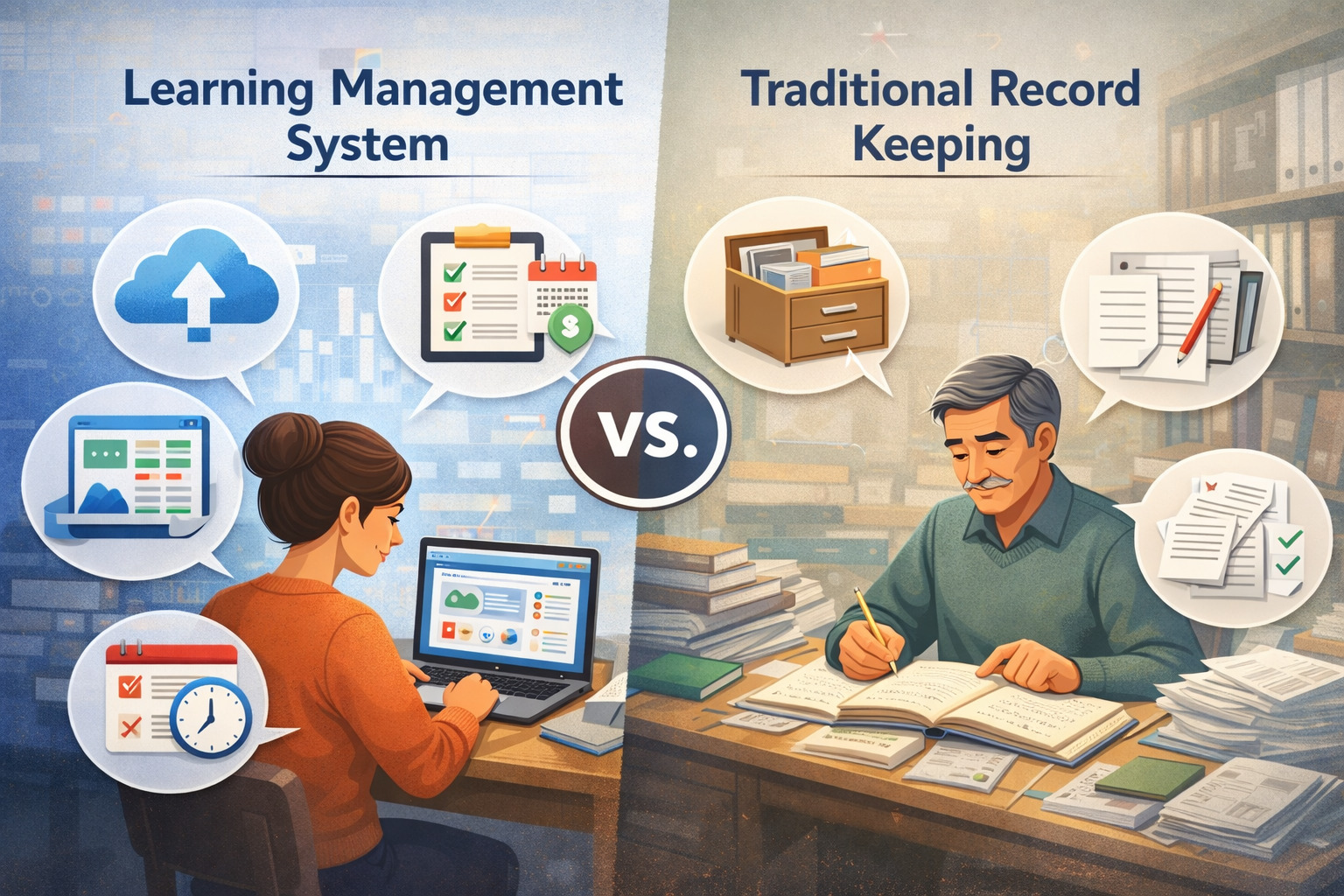
If you’re deciding between an LMS and “the way you’ve always done it,” you’re not alone. The learning management system vs traditional record keeping for tutors question has become an operations issue, not a teaching philosophy.
As tutoring businesses grow more complex—more students, more stakeholders, more scheduling changes, more documentation requests—record keeping becomes either a quiet strength or a constant drag.
This guide is a practical, decision-focused comparison of LMS vs traditional record keeping for tutors, built for independent tutors, tutoring centers, academic coaches, and small education businesses.
You’ll see what to track, how each approach performs in real workflows, what risks to plan for (security, privacy, vendor lock-in, lost data), and how to choose a system that matches your tutoring model—not someone else’s.
By the end, you’ll have templates for both approaches, a migration roadmap if you’re moving from spreadsheets to a platform, and a final checklist you can use to decide whether a learning management system (LMS) for tutors is the right operational upgrade—or whether manual records are still the best fit.
Define the two approaches clearly (so you’re comparing the right things)
When people compare tutor management software vs manual records, they often compare an ideal version of one approach to a messy version of the other. Let’s define both in realistic terms, including what they typically include in 2026 tutoring businesses.
Traditional record keeping is any system where records are not centrally managed in a purpose-built platform. This includes paper lesson notes, notebooks, printed attendance sheets, folders, personal calendars, and spreadsheets.
Many tutors create a “spiderweb system” where a spreadsheet tracks sessions, a messaging app handles parent communication, a notes app stores lesson notes, and a separate document folder stores worksheets. Manual doesn’t always mean “bad”—it often means customizable and lightweight.
A learning management system for tutoring businesses (or tutor management platform) typically combines student profiles, lesson notes, progress tracking, assignments, attendance, communication, scheduling, and sometimes billing and reporting dashboards.
The key difference is not that an LMS is “digital” (spreadsheets are digital), but that it’s designed around tutoring workflows and centralizes data with roles, permissions, and structured fields.
Pro Tip: Before comparing tools, write down your current workflow in plain language: “After a session, I update notes here, mark attendance there, send a message here, and store the worksheet there.” The best system is the one that reduces steps without creating new friction.
What Counts as an LMS for Tutors in 2026 (and what doesn’t)

In practice, many tutoring businesses use “platform stacks.” A calendar tool + invoicing tool + messaging tool + spreadsheet can function like a system—but it’s not a true LMS because it’s not one source of truth. A true learning management system (LMS) for tutors has these traits:
- A central student profile (history, goals, baseline, accommodations, contact info)
- Structured lesson notes and progress tracking
- Attendance and session documentation linked to the student
- Assignment/homework tracking (even if simple)
- Exportable reports or progress summaries
- Access controls (who can see what)
- A consistent workflow across tutors (for centers)
Some platforms label themselves as “tutor CRM,” “student management,” or “education admin” rather than LMS. If it centralizes student records and tutoring workflows, it functions as an LMS-style system for tutoring.
What counts as traditional record keeping (even if it’s digital)
Traditional record keeping isn’t only paper. It includes:
- A spreadsheet tutoring tracker used as the main database
- A folder system (student folders with documents and notes)
- A notes app with one page per student
- Email threads as “documentation”
- Paper binders plus a calendar
The strength of traditional systems is flexibility. The weakness is that flexibility often becomes inconsistency—especially when more than one tutor touches the same student record.
What Tutors Need to Track (No Matter Which System you Use)

Before you choose tools, define the minimum data you need to run a clean tutoring operation. Most tutoring businesses track far more than they actually use. The goal is to track what supports instruction, parent communication, continuity, and business health—without turning every session into paperwork.
At a minimum, most tutors benefit from tracking student goals, baseline skill level, session notes, attendance, and homework. Some also track payments and packages, but that’s optional depending on how you bill and whether your billing is managed elsewhere.
The common mistake is tracking too little (so you can’t show progress) or tracking too much (so you stop updating it).
A practical way to organize this is to separate records into four categories:
- Instructional records: goals, learning plans and goals, lesson notes and progress tracking, assignment and homework tracking
- Operational records: student attendance tracking, schedule changes, cancellations, reschedules
- Communication records: parent communication portal logs or message summaries, expectations, key decisions
- Compliance and safety records: secure student data management, access control, backups, minimal sensitive data
Pro Tip: Start with a “use it or lose it” rule: if a data field hasn’t been referenced in 60–90 days, remove or simplify it.
The universal tutoring record checklist (minimum viable system)
Whether you use spreadsheets or a platform, a functional tutoring system usually includes:
- Student name + contact(s) + emergency contact (if applicable)
- Goals (short-term and long-term)
- Baseline snapshot (date + starting level)
- Learning plan: focus areas + cadence
- Session log: date, duration, content covered, outcome, next steps
- Homework: assigned, due date, completion status, notes
- Attendance/cancellations
- Materials/documents used (links or file names)
- Progress summary cadence (monthly/quarterly or every X sessions)
For centers, add:
- Tutor assigned + backup tutor notes
- Shared student notes rules (what must be documented every time)
- Consistent tags (test prep, reading fluency, math foundations, etc.)
Optional business tracking (helpful, but don’t let it hijack instruction)
Business data can help you spot issues early, but it should not create heavy admin. Consider:
- Package/session balance (remaining sessions)
- Billing status (paid/unpaid) if not handled elsewhere
- Referral source (for marketing decisions)
- Student retention risk notes (only if you’ll act on them)
- Reporting dashboards for tutors (hours taught, attendance trends)
If you’re primarily deciding on LMS vs traditional record keeping for tutors, this checklist becomes your evaluation rubric: which approach makes it easier to consistently capture and use these items?
Traditional Record Keeping: where it works well (and where it breaks)

Traditional records are common in tutoring because they’re easy to start and hard to “break” in a single dramatic moment. You can run a small tutoring practice using paper notes and a spreadsheet for years. For many independent tutors, manual systems remain enough—especially when student counts are low and workflows are stable.
The biggest advantage is control. You choose the format, you can change it instantly, and you’re not tied to a vendor’s interface. Manual records also avoid monthly subscription costs and can feel simpler for tutors who want less software in their day.
For local tutoring businesses, manuals can also match a high-touch, relationship-driven model where communication is direct and customized.
The downside is that manual systems scale poorly. As your student load increases, the cost isn’t money—it’s time, inconsistency, and risk. Manual systems often rely on memory: “I’ll update it later,” or “I know where that file is.”
Those gaps become visible when you need to hand off a student to another tutor, create a progress summary quickly, or respond to a parent question with specifics.
Pro Tip: If your manual system depends on you remembering “how you do it,” it’s not a system—it’s a habit. Habits don’t transfer well to new staff or substitute tutors.
Pros of manual records (paper, spreadsheets, folders)
Manual record keeping works best when:
- You have a small number of students and low complexity
- You rarely need formal progress reports
- You don’t share students across tutors
- You want maximum flexibility in how notes are written
- You have reliable personal routines for updating records
Benefits you’ll typically feel:
- Low direct cost (often already using tools you have)
- Fast to start (no setup, no training)
- Highly customizable
- Works offline (paper) or with lightweight digital tools
- No vendor lock-in if you store files locally
Cons and risks of manual records (the operational “tax”)
The limitations show up as an operational tax:
- Inconsistency: notes vary by day or tutor, making trends hard to see
- Time waste: repeated copying, updating multiple places, searching for files
- Lost data: misplaced paper, overwritten spreadsheet cells, device failure
- Security gaps: shared spreadsheets, unsecured devices, unclear access control
- Limited reporting: hard to produce dashboards, trends, or clean summaries
- Continuity issues: student handoffs become messy
- Audit stress: when you need “what happened on these dates?” for a concern
Manual records can still be professional, but they require discipline. If you don’t have a weekly routine to update records and back them up, the system quietly deteriorates.
LMS for tutoring: where it shines (and where it’s not worth it)
A learning management system (LMS) for tutors can feel like a big step because it changes how you work, not just where you store information. The biggest benefit is centralization: one student profile, structured session documentation, and consistent workflows.
In 2026, many tutor management platforms also include automation for tutoring admin—reminders, attendance logging, templates, recurring assignments, and reporting dashboards.
This matters most when you need consistency across multiple tutors or when parents/students expect visibility into progress. An LMS makes it easier to produce professional summaries, track learning plans and goals over time, and keep tutoring session documentation searchable.
It can also reduce “mental load”: fewer places to look, fewer steps to remember, fewer chances to lose track of the latest version of something.
But an LMS is not automatically better. It introduces cost, a learning curve, and the possibility that you’ll spend time fitting your teaching style into a platform’s structure.
Some tutors find that structured fields make notes less natural. Others dislike subscription pricing or worry about vendor lock-in if exports are limited.
Pro Tip: The best LMS is the one your team actually uses. A “powerful” platform that tutors avoid becomes a more expensive version of chaos.
Advantages of an LMS or tutor management platform
Typical strengths include:
- Central profiles: tutor CRM and student profiles in one place
- Consistent documentation: structured lesson notes and progress tracking
- Attendance + session history: student attendance tracking tied to the record
- Homework workflows: assignment and homework tracking with due dates
- Communication: a parent communication portal or logged messages
- Automation: reminders, recurring sessions, templated notes
- Reporting dashboards for tutors: progress trends, hours, attendance patterns
- Access control: roles for tutors/admins and secure sharing options
- Scalability: easier to add tutors and keep standards consistent
For centers, LMS benefits compound because it reduces friction in handoffs, substitute coverage, and shared student workflows.
Risks and drawbacks you should plan for
An LMS creates new tradeoffs:
- Learning curve: tutors need training and consistent adoption
- Subscription cost: ongoing cost must be justified by time saved or risk reduced
- Vendor lock-in: hard to switch if exports are limited or messy
- Overkill: solo tutors with simple workflows may not benefit
- Interface friction: structured fields can slow note-taking
- Data quality dependency: dashboards are only as good as the data entered
- Change management: parents and students need expectations about portals and updates
The decision is not “LMS good/manual bad.” It’s: do you need structure, automation, and shared visibility enough to justify the overhead?
LMS vs manual records: side-by-side comparison for 2026 operations
To make the learning management system vs traditional record keeping for tutors comparison practical, think like an operations advisor: time, accuracy, security, scalability, and continuity. Your “best” option depends on volume and complexity.
Below is a high-level view. Your own results will vary based on how disciplined your manual workflow is and how well your team adopts a platform.
| Factor | Manual records (paper/spreadsheets/folders) | LMS / tutor management platform |
|---|---|---|
| Time per session (admin) | Low at first; rises as student count grows and records spread across tools | Higher during setup; often lower per session once templates + routines are set |
| Accuracy + consistency | Depends heavily on individual habits and naming conventions | More consistent if templates and required fields are used |
| Searchability | Often limited (especially paper); spreadsheets searchable but may be inconsistent | Typically strong (search by student, date, tags, goals) |
| Security + access control | Easy to accidentally overshare; device and file permissions vary | Usually role-based access and centralized permissions (still depends on setup) |
| Scalability | Weak for multi-tutor or shared students | Strong for multi-tutor and repeatable workflows |
| Reporting | Manual summaries take time; dashboards require extra work | Reporting dashboards often built in; better for trends |
| Continuity (handoffs) | Risky if notes are inconsistent or scattered | Stronger continuity with centralized tutoring session documentation |
| Cost | Low direct cost; higher time cost as you grow | Subscription cost; potentially lower time cost and lower risk |
Pro Tip: Don’t evaluate based on features you “might use someday.” Evaluate based on your next 90 days: what will you track, who will use it, and how often will it be updated?
How to interpret the comparison without falling into “feature envy”
A platform can look impressive in a demo because it shows everything. In real tutoring operations, the winning system is the one that supports a repeatable weekly rhythm:
- Do session notes happen within 10 minutes after the session?
- Can you find the last three sessions quickly?
- Can a substitute tutor step in without guessing?
- Can you share a progress update without rebuilding it from scratch?
- Can you keep data privacy for tutors aligned with your real-world practices?
If a manual system meets those needs, you may not need an LMS. If it doesn’t, an LMS may pay for itself in reduced admin and fewer mistakes.
Security and privacy in tutoring records (practical, non-legal best practices)
Regardless of the system, you’re responsible for protecting student information. Security is not a “platform feature”—it’s a set of habits: access control, device security, minimizing sensitive data, and having a backup plan. Families increasingly expect secure student data management even from small tutoring businesses.
A useful mindset is “FERPA-style best practices (general, non-legal).” That means you treat student data as confidential, share it only with permission, keep it minimal, and control who has access. You don’t need to collect extra sensitive details to tutor effectively. In fact, collecting less reduces risk.
If you use paper, you need physical controls: locked storage, controlled transport, and clear rules about where notes can be written. If you use spreadsheets, you need access controls, versioning discipline, and backups. If you use an LMS, you need role-based permissions, strong passwords, and exportability planning.
Pro Tip: The fastest way to improve privacy is not buying software—it’s removing unnecessary data fields and tightening access.
Access control, devices, and “who can see what”
Operationally, you should define three things:
- Who needs access: tutor, admin, owner, substitute tutor
- What they need access to: full student profile or only instructional notes
- How access is removed: when a tutor leaves or no longer works with a student
Best practices that apply to both approaches:
- Use unique logins (avoid shared accounts)
- Use strong passwords and enable multi-factor authentication where available
- Keep tutoring records off shared household devices when possible
- Lock screens and use device encryption if supported
- Don’t store records in places designed for public sharing
For centers, write a one-page policy: access levels, required documentation, and what never belongs in notes.
Minimizing sensitive data and secure sharing with parents
Tutoring records should focus on learning. Avoid collecting or storing unnecessary sensitive data. Keep session notes instructional and objective. If a parent needs an update, share a summary, not raw internal notes—unless you’ve designed your process that way.
When sharing:
- Prefer secure portals or controlled sharing links with limited access
- Avoid sending full student records in casual messages
- Summarize what matters: goals, progress, next steps, attendance patterns
If you use a portal, set expectations: what parents will see, how often updates happen, and what to do if something looks incorrect.
Backups and exportability: the “sleep at night” factor
Backups matter whether you use spreadsheets or an LMS.
Manual/spreadsheets:
- Keep a backup schedule (weekly or biweekly)
- Use versioning and avoid overwriting master files without saving copies
- Store backups in a separate location from the primary file
LMS:
- Verify export options before committing
- Schedule periodic exports of key student data and documents
- Confirm what happens if you cancel service (access window, export format)
Pro Tip: Ask one question before you commit: “If I needed to switch systems, could I export clean, usable student records without rebuilding everything?”
Which system fits which tutoring business model (2026 reality check)
The best way to decide is to map system choice to tutor type and operational complexity. A solo tutor with 10 students and no shared staff has a different reality than a center with multiple tutors and shared students.
Online-only programs with homework and analytics have different needs than in-person local tutoring with high-touch communication.
The table below offers a practical “best fit” view based on common tutoring models.
| Tutor type | Typical complexity | Best-fit approach | Why it usually fits |
|---|---|---|---|
| Solo tutor (part-time or full-time) | Low to medium | Manual records or lightweight LMS | Manual can work if consistent; LMS helps if reporting + parent updates are frequent |
| Small center (2–5 tutors) | Medium to high | LMS or structured hybrid | Shared students and consistent notes require standardized workflows |
| Multi-tutor program (shared students, substitutes) | High | LMS strongly recommended | Continuity, access control, and reporting become operational needs |
| Online-only tutoring or test prep program | Medium to high | LMS often preferred | Homework tracking, messaging, analytics, and structured reporting are core workflows |
Pro Tip: The moment you have more than one tutor touching the same student record, “consistent documentation” becomes a business requirement, not a preference.
The hidden tipping points that push you toward an LMS
Even solo tutors often reach a tipping point. Common triggers:
- You’re spending too long writing progress updates
- Parents want more frequent, structured reports
- You’re losing track of homework follow-through
- You can’t quickly find past session notes
- You’re onboarding another tutor or contractor
- You’re adding scheduling and billing integration and want fewer tools
If two or more of these are true, an LMS (or hybrid system) is worth evaluating.
When manual systems are still the best option
Manual records are often enough when:
- You have stable routines and low student volume
- Your notes are primarily for you (not shared)
- You don’t need dashboards or frequent reports
- Your sessions are individualized and don’t require structured homework workflows
- You prefer a low-tech experience and can maintain consistent backups
The key is discipline. Manual is only “simple” when it’s updated consistently and stored securely.
Cost and effort tradeoffs: what you pay with money vs what you pay with time
A decision framework should include both direct costs (subscriptions, setup) and indirect costs (admin time, errors, stress). Manual records look cheaper on paper, but the hidden costs appear as you grow. LMS systems have visible costs (monthly fees) but can reduce the number of tools and steps.
Here’s a practical cost/effort comparison you can use in planning.
| Dimension | Manual records | LMS / platform |
|---|---|---|
| Setup time | Low (hours) | Medium to high (days or weeks depending on complexity) |
| Ongoing admin | Often increases with growth; depends on discipline | Often decreases after adoption; depends on template quality |
| Risk cost | Higher risk of lost data, inconsistency, access mistakes | Lower if configured well; risk shifts to vendor + adoption |
| Switching cost later | Low (you own files) | Can be high if exports are limited or messy |
| Professional reporting | Manual effort each time | Often faster with templates and dashboards |
| Adoption/training | Minimal (you already know it) | Requires training + habit change |
Pro Tip: Put a number on your admin time. If an LMS saves you even 30–60 minutes per week consistently, that’s a real operational gain—especially if it also reduces mistakes and improves parent communication.
How to evaluate cost without chasing “cheap” or “expensive”
Use this simple evaluation:
- What is your current weekly admin time for records, updates, and parent summaries?
- Where do you feel friction (searching notes, attendance tracking, homework follow-up)?
- What mistakes have happened in the last 90 days (missed session notes, lost worksheet, wrong schedule)?
- What would it cost you in stress and reputation if you mishandled student data?
The goal is not to “spend less.” It’s to spend in the right place: either in a disciplined manual workflow or in a platform that reduces admin.
The hybrid model: middle ground that works surprisingly well
A hybrid approach can be ideal in 2026, especially for local tutoring businesses that want professionalism without heavy platforms:
- Keep a spreadsheet tutoring tracker for scheduling, high-level attendance, and package balance
- Use a structured note template (in a notes app or document system) for session documentation
- Use controlled sharing for parent summaries (monthly reports), not full internal notes
- Add lightweight automation (calendar reminders) without moving everything into one platform
Hybrid works when you can maintain one “source of truth” for each category and avoid duplication.
Templates for tutor records: manual system (text-only, ready to copy)
A manual system becomes effective when it’s standardized. The template below helps you track essentials without turning your spreadsheet into a monster. You can keep multiple tabs: Students, Sessions, Homework, Payments (optional).
Use consistent naming and avoid free-form chaos. The goal is quick updates and easy filtering.
Sample spreadsheet columns (students tab)
Students (one row per student):
- Student ID (simple code)
- Student Name
- Grade/Level
- Primary Contact Name
- Contact Phone
- Contact Email
- Preferred Communication Method
- Start Date
- Goals (short summary)
- Baseline Snapshot (date + summary)
- Focus Areas (tags)
- Learning Plan Link (document link)
- Assigned Tutor
- Session Frequency
- Notes (non-sensitive operational notes only)
- Last Session Date
- Next Session Date
- Report Schedule (monthly / every X sessions)
- Status (Active / Paused / Completed)
Pro Tip: Use a Student ID even if you’re small. It reduces mix-ups, especially with similar names.
Sample spreadsheet columns (sessions tab)
Sessions (one row per session):
- Session ID
- Student ID
- Date
- Start Time
- Duration
- Location/Mode
- Attendance (Present / Late / Cancelled / No-show)
- Topic(s) Covered
- Skills Practiced
- What Went Well
- Gaps/Needs
- Homework Assigned (Y/N)
- Homework Details (short)
- Next Steps
- Materials Used (file names/links)
- Parent Update Sent (Y/N)
- Notes Owner (tutor initials)
- Follow-up Needed (Y/N) + date
Sample spreadsheet columns (homework tab)
Homework (one row per assignment):
- Assignment ID
- Student ID
- Date Assigned
- Due Date
- Task Description
- Resource Link
- Completion Status (Not started / In progress / Done)
- Quality Notes (short)
- Reviewed Date
- Next Task
This manual structure creates a lightweight database you can filter without losing the narrative of instruction.
Templates for tutor records: LMS note template (structured, consistent)
Even if you use an LMS, your results depend on how well you structure notes. A good template keeps documentation consistent across tutors while allowing enough flexibility for instruction. This is the core of tutoring session documentation.
Below is a text-only sample LMS note template you can paste into your platform’s note system or create as a form.
Sample LMS session note template (copy/paste)
Session Title: (Auto: Student Name + Date)
1) Session Context (1–2 sentences):
- What was the focus today and why?
2) Goal Alignment:
- Which goal(s) did today’s work support?
- Progress marker: (Starting / Building / Consolidating / Mastered)
3) Activities & Evidence:
- Activity 1:
- Skill practiced:
- Student response (observable):
- Tutor feedback/adjustment:
- Activity 2 (optional): …
4) What improved since last session:
- One specific improvement, with an example.
5) Current obstacles or misconceptions:
- What’s getting in the way? Keep it instructional and objective.
6) Homework/Practice Plan:
- Task(s):
- Estimated time:
- Due date:
- Success criteria: (What “done well” looks like)
7) Next Session Plan:
- 1–3 bullet steps for next session.
8) Parent/Student Update (optional summary):
- A short, shareable summary if your workflow includes visibility.
Pro Tip: Keep internal notes and parent-facing updates distinct. Even in a portal environment, you want clarity about what is meant for internal continuity versus family communication.
Real workflows: what a week looks like in each approach
Most decisions fail because they’re made in theory. The question is: what does your weekly rhythm look like? A good system fits your real schedule, not your ideal one.
A manual workflow can be quick, but only if updates happen immediately and consistently. An LMS workflow can save time, but only if templates are tight and tutors know when and where to document. Both approaches can fail if updates are postponed.
A practical weekly rhythm includes:
- Post-session note completion (same day)
- Attendance updated within 24 hours
- Homework assigned and tracked (if used)
- Weekly review of upcoming sessions and student flags
- Monthly or every-X-sessions progress summaries
Pro Tip: Pick one “non-negotiable”: session notes must be completed within 10 minutes after the session (or by end of day). Most record systems succeed or fail on this habit.
Workflow example: manual system (solo tutor)
- Before session: open student row + last 2 session notes
- During session: jot quick bullets on paper or a notes app
- After session (5–10 minutes):
- Update session row in spreadsheet
- Add homework row if needed
- Update “last session date” and “next steps” in student tab
- Send a short parent update if needed (using a saved message template)
- Weekly (30 minutes):
- Review attendance patterns
- Identify students needing plan adjustments
- Back up the spreadsheet and notes folder
Workflow example: LMS system (center with multiple tutors)
- Before session: tutor reviews student profile + last session note
- During session: quick bullets or checklist within the LMS
- After session (10 minutes):
- Complete note template
- Mark attendance
- Assign homework
- Tag session to goal(s)
- Weekly (admin/lead tutor):
- Review dashboards for attendance and progress flags
- Ensure documentation compliance across tutors
- Generate parent summaries for students on the report schedule
- Monthly:
- Run progress reports and share portal updates
- Export a backup of key records (if your policy includes it)
The bigger the team, the more valuable consistent templates and required fields become.
Decision framework: when manual is enough, when LMS makes sense, and when hybrid wins
This framework turns the learning management system vs traditional record keeping for tutors’ decisions into measurable triggers. You don’t need to “feel ready.” You need to see which risks and inefficiencies are actually costing you.
Start by scoring yourself on three axes: complexity, visibility needs, and risk tolerance.
- Complexity
- Number of active students
- Number of weekly sessions
- Number of tutors touching the same student
- Homework/assignments volume
- Visibility needs
- How often parents request progress updates
- Whether you need clean summaries for retention and trust
- Whether students need structured plans and accountability
- Risk tolerance
- Your ability to maintain backups consistently
- Your comfort with access control and secure sharing
- Your tolerance for “lost note” or “wrong version” incidents
Pro Tip: If you’ve had even one serious “Where is that note?” moment that affected a parent conversation, your system is already costing you credibility.
When manual records are enough (and how to make them solid)
Manual is likely enough if most of these are true:
- You have fewer students than you can comfortably update the same day
- You don’t share students across tutors
- Parent updates are occasional and informal
- Your note style is narrative and you don’t want structured fields
- You have a reliable backup routine
If you choose manual, make it professional:
- Use standardized templates (like the ones above)
- Use consistent naming conventions and IDs
- Schedule backups
- Lock down access (no public sharing links)
- Keep records minimal and instructional
When an LMS makes sense (even for small operations)
An LMS usually makes sense when:
- You’re growing or adding tutors
- Students are shared or substitutes cover sessions
- Homework tracking is important to results
- Parents expect structured updates
- You want reporting dashboards for tutors
- Admin time is creeping up week after week
If you feel “we’re doing okay,” but you’re also constantly patching your system, an LMS can reduce hidden chaos.
When hybrid is the best middle ground
Hybrid is best when:
- You want structure but dislike heavy platforms
- You want secure student data management but prefer your own templates
- You need better reporting and consistency but not a full portal
- You want to keep ownership of records while still adding automation for tutoring admin
A hybrid approach is not “half-baked” if it’s designed intentionally: one source for scheduling/attendance, one source for session documentation, one source for documents.
Implementation guidance: setting up workflows that people actually follow
Whether you adopt an LMS or improve manual records, implementation is where most systems fail. Tutors don’t fail because they’re careless; they fail because the system asks for too much time at the wrong moment. If your workflow requires 20 minutes of documentation after a long day, you’ll fall behind.
Implementation should focus on:
- Templates that reduce thinking
- Clear “when to document” rules
- Minimal required fields
- A review routine that catches missing data early
For tutoring centers, adoption is the biggest variable. A platform is only as good as the habits your team builds around it.
Pro Tip: Treat documentation like hygiene: small, consistent actions prevent big problems. Your system should make the smallest action the easiest action.
Setting expectations with parents and students (so the system supports trust)
If you introduce a portal or more structured updates, explain what it means. Families don’t need more data—they need clarity.
Set expectations like:
- How often progress updates occur (monthly, every X sessions)
- What the portal includes (attendance, homework, notes summary)
- How quickly homework feedback appears
- What to do if they have concerns or want changes
This prevents the “portal paradox,” where families assume the platform shows everything instantly and get confused when it doesn’t.
Training and adoption for centers (simple, repeatable, accountable)
For multi-tutor environments:
- Train with real scenarios (not abstract features)
- Provide a one-page “documentation standard”
- Define required fields in session notes (3–5 items max)
- Create a weekly compliance check (missing notes, unmarked attendance)
- Assign an owner (lead tutor/admin) for workflow enforcement
Adoption is easier when tutors understand why documentation helps students—not just admin.
Migration roadmap: moving from spreadsheets to an LMS without chaos
Migration is not a single event—it’s a staged process. The goal is continuity for active students and clean records moving forward, not perfect historical reconstruction. Many tutoring businesses delay migration because they think they must move every old note. You don’t.
A good migration plan focuses on active students first, uses templates from day one, and verifies exportability early. It also includes a rollback plan: you can keep the spreadsheet as a reference during transition.
Pro Tip: Migrate workflows, not just data. If you copy messy data into a new system, you’ve just purchased a new place to be messy.
Step 1: Clean existing data before you move it
Before migration:
- Remove duplicate student records
- Standardize names and contact info
- Decide what fields matter (minimal viable fields)
- Archive inactive students (don’t migrate unless needed)
- Normalize dates and attendance status labels
Your LMS will only be as clean as the data you import.
Step 2: Move active students first (and define what “active” means)
Define “active” as students with sessions in the next 30–60 days. For those students:
- Create profiles
- Enter goals and baseline snapshot
- Import upcoming schedule if the platform supports it
- Add last 1–3 session notes (not everything)
- Add current homework status if relevant
This preserves continuity without creating a massive backlog.
Step 3: Build note templates and minimum required fields
Use the LMS note template from earlier and choose a few required fields:
- Goal alignment
- Activities/evidence
- Homework/next steps
- Attendance
This creates consistency immediately.
Step 4: Verify exports, backups, and permissions early
Before you fully commit:
- Test exporting student records
- Export session notes and homework data (where possible)
- Confirm document storage for tutoring files is accessible and secure
- Set roles and access (admin vs tutor)
- Confirm how parent sharing works and what’s visible
If exports are weak, plan your retention strategy accordingly.
Step 5: Run a 30-day parallel period (optional but helpful)
For many teams, a short parallel period reduces anxiety:
- Continue the spreadsheet for scheduling/attendance only
- Use the LMS for session notes and homework
- After 30 days, decide whether to fully switch scheduling/billing too
Parallel periods are only helpful if you keep duplication minimal.
Real-world scenarios: three tutoring businesses and how the choice plays out
Examples help you see how the same decision feels in different models. The point isn’t to copy the system exactly, but to notice what triggers complexity and what outcomes matter.
Scenario 1: Solo tutor with 10 students (mixed subjects, local referrals)
A solo tutor with 10 students often runs a tight operation with minimal admin time. Manual records can work well if they’re consistent. The tutor’s key risks are: losing track of what happened last session, forgetting to follow up on homework, and scrambling to write progress updates when asked.
A strong manual setup here might include a spreadsheet tutoring tracker with standardized session rows, a note template, and a weekly backup routine. The tutor sends short parent summaries every 4 sessions using a saved message format. The system stays lightweight and flexible.
An LMS becomes worth considering if parent updates become frequent, the tutor starts offering packages with detailed tracking, or the tutor wants a parent communication portal to reduce message clutter. For this tutor, the most valuable LMS feature is usually templated session notes and quick progress summaries—not advanced analytics.
Pro Tip: For solo tutors, the decision often comes down to reporting: if progress summaries feel painful, an LMS can be a quality-of-life upgrade.
Scenario 2: Center with multiple tutors and shared students
Once multiple tutors work with the same student, manual systems strain. Shared spreadsheets can become messy, and paper notes don’t travel well between tutors. Continuity becomes the main operational goal: any tutor should be able to read the last notes and deliver a consistent session.
In this model, an LMS tends to be the stronger fit because it standardizes tutoring session documentation and centralizes student profiles. It also supports access controls: tutors see what they need, admins see everything, and records stay consistent when staff changes.
The center should implement required fields and a weekly check for missing notes and attendance. Parent updates can be standardized: monthly summary templates with goal progress and next steps. Even if the center keeps scheduling or billing elsewhere, central documentation is usually the key win.
Pro Tip: In multi-tutor environments, consistency is a brand promise. Your records are part of your service quality.
Scenario 3: Test prep program with homework, analytics, and accountability
Test prep programs often involve:
- Structured homework plans
- Frequent progress measurement
- Multiple students on similar timelines
- Parent and student accountability expectations
Here, an LMS-style system is usually beneficial because assignment and homework tracking and reporting dashboards for tutors matter. Manual systems can work, but they require a disciplined process for tracking tasks, completion, and outcomes. Without structure, homework becomes “we talked about it” rather than “it was completed and reviewed.”
A platform that supports recurring assignments, reminders, and progress tags can reduce admin and improve follow-through. The biggest risk to manage is over-documentation—test prep can become too data-heavy. Use templates that focus on what changes decisions: what the student did, what it shows, and what happens next.
Pro Tip: For programs with heavy homework, the right system is the one that makes follow-through effortless—not the one with the most charts.
FAQs
Q1) Do tutors really need an LMS?
Answer: Not always. If you have a small student load, don’t share students with other tutors, and can consistently update a spreadsheet and notes template, manual records can be enough. An LMS becomes more valuable when you need consistency across staff, faster reporting, structured homework workflows, or a parent communication portal.
Q2) What’s the simplest way to track tutoring progress?
Answer: Use a minimal system: goals + baseline snapshot + session notes + next steps. A spreadsheet tutoring tracker with a consistent session note format can be the simplest approach. If you want faster summaries, an LMS with templated notes can reduce effort.
Q3) Is an LMS worth it for a solo tutor?
Answer: It depends on what’s causing friction. If progress reports and record searching take time, or if you want a more professional reporting process, an LMS can be worth it. If you’re disciplined and prefer flexibility, a manual system may remain the better fit.
Q4) How do I keep student records secure?
Answer: Use access control, secure devices, and minimal data. Lock down sharing permissions, avoid storing unnecessary sensitive details, and keep backups. Whether you use a spreadsheet or an LMS, security depends on your practices as much as your tools.
Q5) Can I use spreadsheets and still look professional?
Answer: Yes. Professionalism comes from consistency, clarity, and timely communication. Use standardized templates, keep tutoring session documentation clear, and send structured progress summaries on a schedule.
Q6) How do I migrate from manual records to an LMS?
Answer: Start by cleaning your data, migrate active students first, and use templates from day one. Don’t try to recreate every historical note. Verify exports and backups early, and consider a short parallel period with minimal duplication.
Q7) What should be in a tutoring session note?
Answer: Include the focus of the session, what was practiced, evidence of progress, obstacles/misconceptions, homework assigned (if any), and a clear next-session plan. Keep it instructional and objective.
Q8) Can an LMS integrate scheduling and billing?
Answer: Many platforms support tutoring scheduling and billing integration, but capabilities vary. If you want integration, verify how scheduling, attendance, invoices, packages, and payments connect—and what export options exist if you later switch tools.
Q9) How do I share progress with parents without overwhelming them?
Answer: Use short, structured summaries: goals, what improved, what needs work, and next steps. If you use a portal, set expectations about update frequency and what content is included.
Q10) What if I switch platforms later?
Answer: Plan for exportability from the start. Test exports during evaluation, schedule periodic backups of key records, and keep templates that can be reused. Vendor lock-in risk is lower when your data is portable.
Q11) What’s a reasonable documentation routine that won’t burn tutors out?
Answer: Keep required fields minimal and complete notes immediately after sessions. Use templates and checklists. For centers, do a weekly check for missing attendance and notes rather than chasing problems months later.
Q12) How do I avoid over-documenting in an LMS?
Answer: Decide what data changes decisions. If a field doesn’t influence teaching or communication, remove it. Use short fields and objective evidence rather than long narratives.
Q13) Is a parent portal always a good idea?
Answer: Not always. Portals can improve transparency, but they also create expectations. If you can’t update consistently, a portal may cause confusion. A simple scheduled summary can be more effective than constant visibility.
Q14) How do I handle document storage for tutoring materials securely?
Answer: Use controlled-access storage, consistent naming, and avoid public links. Keep student work and tutoring materials organized by student ID or folder structure. In an LMS, confirm who can access documents and how sharing works.
Q15) What’s the best hybrid setup?
Answer: Keep one system for scheduling/attendance (often a spreadsheet or calendar tool), one structured note template for session documentation, and one secure location for documents. Avoid duplicating the same data in multiple places.
Conclusion
The learning management system vs traditional record keeping for tutors decision is really about operational clarity. Manual records can work beautifully when they’re standardized, updated consistently, and secured thoughtfully.
An LMS can reduce admin and improve continuity when complexity grows—especially in multi-tutor environments, homework-heavy programs, or businesses that need frequent, professional reporting.
The best choice in 2026 is not the most modern approach. It’s the approach you can sustain weekly, that protects student data, and that makes progress visible without creating paperwork fatigue.