
One-on-one tutoring can give students focused attention, flexible pacing, and instruction tailored to their specific academic needs. A tutor can spend more time addressing skill gaps, reviewing difficult concepts, strengthening study habits, or helping a student prepare for an important assessment.
However, personalized instruction does not automatically create an organized tutoring experience. Private tutoring sessions require reliable systems for student intake, tutor-student matching, lesson scheduling, attendance tracking, lesson preparation, parent communication, billing, and progress reviews.
Without a consistent workflow, tutors may arrive without enough information, parents may not understand what happened during lessons, administrators may struggle to confirm attendance, and billing questions may become difficult to resolve. Students may receive good instruction during individual lessons but still lack a clear path toward their larger learning goals.
Managing one-on-one tutoring sessions means balancing two important priorities. Tutors need enough freedom to adapt instruction to each student, while the tutoring business needs consistent processes that keep schedules, records, communication, and payments organized.
This guide explains how tutoring business owners, independent tutors, learning center directors, coordinators, administrators, and academic managers can manage personalized tutoring sessions in a structured, practical, and student-centered way.
What Does Managing One-on-One Tutoring Sessions Mean?
Managing one-on-one tutoring sessions is the process of organizing an individual student’s tutoring experience from the first inquiry through ongoing lessons and progress reviews. It includes both instructional activities and the administrative work that supports them.
A complete one-on-one tutoring session management workflow may include:
- Collecting student and parent information
- Identifying academic needs and learning goals
- Matching the student with an appropriate tutor
- Creating recurring or flexible lesson schedules
- Preparing objectives and materials
- Tracking attendance and cancellations
- Recording tutoring lesson notes
- Communicating progress to parents
- Managing invoices, packages, and payments
- Reviewing student outcomes
- Monitoring tutor availability and utilization
Each part of the workflow affects the others. For example, tutor-student matching depends on accurate intake information. Billing may depend on attendance records. Parent updates rely on useful session summaries. Progress reports require consistent goals and lesson notes.
Successful tutoring session management creates a reliable connection between teaching and administration. Tutors know what they need to accomplish, students understand their goals, parents receive useful information, and managers can see whether sessions are being completed as expected.
How One-on-One Tutoring Differs From Group Tutoring
One-on-one tutoring focuses on one student’s abilities, pace, schedule, personality, and academic goals. Unlike group tutoring, the tutor does not have to divide attention among several learners or follow a lesson pace designed for the entire group.
A student may need help with a specific algebra concept, reading comprehension strategy, writing assignment, study routine, or upcoming exam. The tutor can change the lesson based on the student’s responses, questions, and level of understanding.
Private tutoring sessions also tend to involve more detailed scheduling and recordkeeping. Each student may have a different tutor, lesson length, payment plan, cancellation arrangement, and learning plan.
Because every session is connected to an individual student, missed lessons, weak tutor matching, or incomplete notes can have an immediate effect on that student’s experience. Personalized tutoring therefore requires both instructional flexibility and careful organization.
Why Individual Sessions Need Structure
Personalized tutoring should not mean unplanned tutoring. A tutor may adapt the lesson, but the session should still have a purpose, beginning, instructional focus, and conclusion.
Structure helps everyone understand what should happen before and after a lesson. Tutors know which records to review, students know what they are working toward, and parents know when they will receive updates.
A structured process also improves continuity. When a substitute tutor or academic manager reviews the student’s profile, the available notes should explain what has already been taught, where the student is struggling, and what should happen next.
Structure does not prevent tutors from responding to urgent homework or unexpected questions. Instead, it gives them enough information to make thoughtful adjustments without losing sight of the student’s broader learning objectives.
Why One-on-One Tutoring Session Management Matters

Strong session management improves more than administrative efficiency. It supports a more consistent learning experience for students and gives tutors better information for planning instruction.
When schedules, goals, attendance records, and lesson notes are stored in separate calendars, spreadsheets, messages, and notebooks, important information can be missed. A tutor may not see a parent’s concern, an administrator may not know whether a lesson occurred, or a family may receive an invoice that does not match its records.
Organized tutoring business management reduces these gaps. It creates a shared source of information for tutors, administrators, and authorized family members.
Session management also supports student retention. Families are more likely to understand the value of tutoring when they can see attendance history, skills covered, progress toward goals, and planned next steps.
Operational consistency is especially important as a tutoring business grows. A solo tutor may remember the details of ten students, but a multi-tutor program cannot depend on individual memory. It needs repeatable systems that work across students, tutors, subjects, formats, and locations.
Better Personalization for Students
Personalization becomes more effective when it is supported by accurate student records. A tutor who can review diagnostic assessment results, previous lesson notes, learning goals, and parent concerns can prepare a more relevant session.
Student progress tracking also helps the tutor adjust instruction over time. If a student has mastered one skill but continues to struggle with another, future lessons can be changed accordingly.
Organized records can show:
- Skills that have been introduced
- Concepts the student can complete independently
- Areas requiring additional practice
- Patterns in homework completion
- Changes in academic confidence
- Upcoming assignments or assessments
- Strategies that have worked well
Goal setting can help students direct their effort and evaluate progress, especially when goals are reviewed regularly rather than recorded once and forgotten. Evidence-based education resources available through ERIC’s student goal-setting guidance discuss how goals can support student motivation and self-directed learning.
Better Visibility for Parents and Managers
Parents often want to know more than whether a lesson took place. They may want to understand what the tutor covered, what the student is improving, where additional practice is needed, and what the next session will address.
Managers need similar visibility. They may review attendance, tutor reliability, lesson-note completion, student retention, package balances, and parent concerns.
Consistent session summaries and academic progress reports reduce the need to reconstruct information from scattered messages. They also allow concerns to be addressed earlier.
For example, repeated cancellations may indicate a scheduling problem. Several notes describing the same skill gap may suggest that the learning plan needs adjustment. Declining engagement may require a tutor-fit review or a conversation with the family.
Good visibility should be based on appropriate access. Tutors, parents, administrators, and students may need different information. Organizations should seek professional guidance regarding privacy, education records, contracts, permissions, and other requirements that apply to their specific operations.
One-on-One Tutoring Session Management Compared
The following table shows the major areas involved in managing one-on-one tutoring sessions and the practices that can make each area more reliable.
| Management Area | What It Includes | Why It Matters | Better Practice |
| Student intake | Goals, grade level, subjects, challenges, contact details | Establishes an accurate starting point | Use a structured intake form |
| Tutor matching | Expertise, experience, availability, communication style | Influences lesson quality and student comfort | Match beyond schedule availability |
| Scheduling | Recurring lessons, reminders, cancellations, make-ups | Reduces conflicts and missed sessions | Maintain one organized calendar |
| Lesson planning | Objectives, materials, assignments, assessments | Keeps instruction focused | Prepare before every session |
| Attendance | Completed, missed, canceled, and rescheduled lessons | Supports accountability, billing, and records | Record every session promptly |
| Lesson notes | Topics covered, strengths, challenges, next steps | Improves continuity and progress tracking | Use a consistent note format |
| Parent updates | Summaries, reminders, concerns, milestones | Builds understanding and trust | Communicate on a predictable schedule |
| Billing | Packages, invoices, credits, receipts, payments | Reduces account confusion | Connect charges to session records |
| Progress tracking | Goals, skills, assessments, tutor observations | Shows whether instruction is working | Review progress at set intervals |
| Reporting | Attendance, retention, balances, utilization | Supports operational decisions | Use focused reporting dashboards |
How to Use the Comparison Table
Tutoring owners and administrators can use the table as a workflow audit. Review each management area and ask whether there is a documented process, a responsible person, and a reliable record.
For example, a business may have a strong intake form but no standard way to turn the information into a learning plan. Another program may schedule lessons efficiently but fail to record cancellations consistently.
Rate each area as organized, partly organized, or unorganized. Begin improvements with the areas that create the greatest risk of missed lessons, incomplete student information, parent confusion, or inaccurate billing.
The goal is not to create unnecessary procedures. It is to make essential actions predictable. Staff members should know where to find information, when to update records, and who is responsible for resolving exceptions.
Why Every Tutoring Business Needs a Custom Workflow
A solo tutor may need a simple system for scheduling, notes, and invoices. A multi-location learning center may need role-based access, location calendars, tutor utilization reports, standardized documentation, and centralized parent communication.
An online tutoring business may prioritize meeting links, time zones, digital materials, and technology checks. An academic coaching service may track study routines and assignment completion, while a test-preparation provider may focus more heavily on practice scores and assessment milestones.
A custom workflow should reflect:
- Number of students and tutors
- Subjects and grade levels served
- Online, in-person, or hybrid delivery
- Lesson lengths and session frequency
- Package, hourly, or monthly billing
- Parent communication expectations
- Tutor documentation responsibilities
- Administrative staffing
- Reporting needs
- Applicable privacy and recordkeeping requirements
Customization should simplify the actual tutoring process rather than create complexity for its own sake.
Building the Foundation: Intake, Goals, and Tutor Matching
The quality of a personalized tutoring program is often determined before the first lesson begins. Accurate intake information, specific goals, and thoughtful tutor-student matching give tutors a stronger foundation for instruction.
A weak intake process may collect only a student’s name, subject, and preferred time. That information is enough to book an appointment, but it is not enough to build a meaningful learning plan.
A structured intake process should collect information that is relevant to instruction and operations. This may include the student’s grade level, subjects, current challenges, learning goals, availability, previous tutoring experience, upcoming academic demands, and parent expectations.
Only information that is reasonably necessary should be collected. Organizations handling personal information should review applicable professional guidance and security practices. The Federal Trade Commission’s business data security resources provide general information about protecting sensitive business and customer records.
Questions to Ask During Student Intake
Useful intake questions help the tutoring team understand the student’s current situation rather than making assumptions.
Questions may include:
- Which subject or skills need the most support?
- What assignments or concepts are currently difficult?
- What does the student hope to accomplish?
- Are there upcoming tests, projects, or deadlines?
- How does the student usually approach difficult work?
- Which explanations or activities have helped previously?
- Has the student received tutoring before?
- What days and times are consistently available?
- Is online, in-person, or hybrid tutoring preferred?
- What type of parent communication is expected?
- Are there school-provided materials the tutor should review?
- What would meaningful progress look like to the family?
Tutors and administrators should avoid presenting intake questions as a diagnosis. The purpose is to gather practical information for planning tutoring services.
Parent expectations should also be clarified. A parent may be seeking homework support, grade improvement, skill remediation, test preparation, enrichment, confidence building, or a combination of goals.
Turning Intake Details Into a Learning Plan
A learning plan converts intake information into an organized direction for tutoring. It does not need to predict every lesson. It should identify the starting point, priority skills, tutoring approach, and method for reviewing progress.
A basic plan may include:
- Primary academic goal
- Supporting short-term goals
- Known skill gaps
- Student strengths
- Initial instructional priorities
- Planned session frequency
- Materials or assignments to review
- Progress indicators
- Parent update schedule
- Date for the first formal review
The plan should be updated when new information becomes available. A diagnostic assessment may reveal that the student needs foundational support before moving to the original target. Tutor observations may show that a different instructional strategy is more effective.
Academic Goals Versus Session Goals
Academic goals describe the larger outcome the student is working toward. Examples include improving fraction skills, writing clearer essays, strengthening reading comprehension, preparing for an entrance exam, or developing more consistent study habits.
Session goals describe what should be accomplished during a particular lesson. A session goal might be to compare fractions with unlike denominators, revise the thesis and topic sentences in an essay, or complete a timed practice section using a specific strategy.
Both types of goals are necessary. Academic goals provide direction, while session goals keep individual tutoring sessions focused.
A practical goal should be specific enough to review. “Improve math” is difficult to measure. “Solve multi-step equations with fewer prompts” gives the tutor a clearer instructional target.
Progress should not be measured using one indicator alone. Assessment results, completed work, tutor observations, student explanations, homework performance, and parent feedback can provide different perspectives.
Matching by Skill and Teaching Style
Tutor-student matching should consider subject expertise, grade-level experience, communication style, availability, lesson format, and the student’s learning needs.
A tutor may know the subject well but lack experience explaining it at the student’s level. Another tutor may have excellent qualifications but a schedule that makes consistent recurring lessons difficult.
Consider the following factors:
- Subject and topic expertise
- Experience with the student’s grade level
- Ability to explain concepts in multiple ways
- Communication and feedback style
- Patience and responsiveness
- Availability for recurring lessons
- Online or in-person teaching experience
- Familiarity with relevant materials
- Student personality and confidence
- Parent preferences and expectations
Tutor-student matching should not rely on personality labels or unsupported assumptions. It should be based on observable instructional needs, professional capabilities, scheduling fit, and feedback from the people involved.
Reviewing Tutor Fit Over Time
The initial match should be treated as an informed starting point rather than a permanent decision. Managers should review whether the relationship is helping the student make progress.
Possible warning signs include frequent requests to change lesson times, repeated communication problems, low engagement, incomplete documentation, or limited progress despite consistent attendance.
Before changing tutors, determine whether the problem relates to instructional fit, unclear goals, unrealistic expectations, scheduling difficulties, or another issue. A brief conversation with the tutor and family may resolve the concern.
When a tutor change is needed, the transition should be respectful and organized. The new tutor should receive appropriate access to the learning plan, attendance history, lesson notes, and recent progress information.
Creating a Reliable Scheduling and Cancellation Workflow
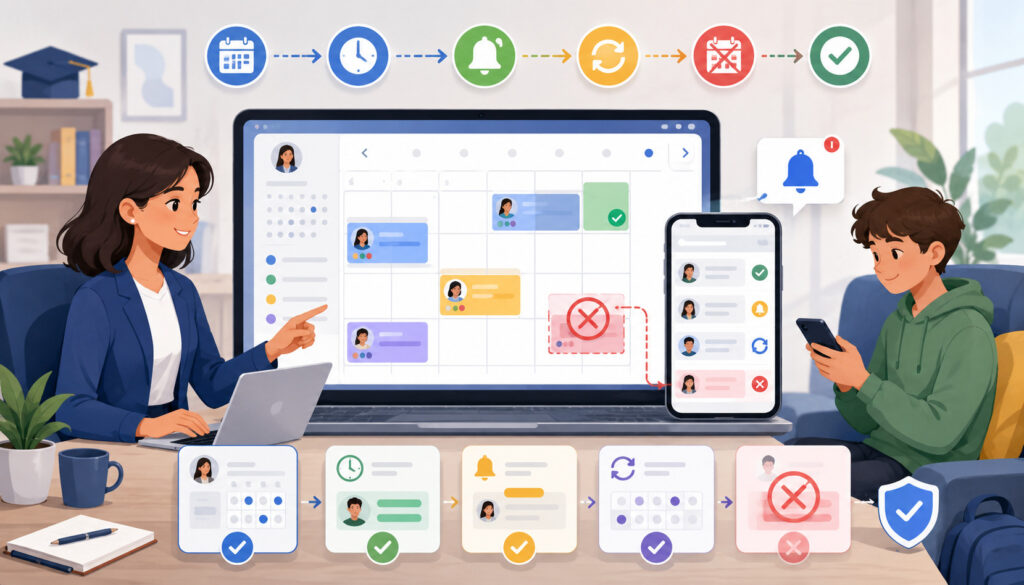
Scheduling is one of the most important parts of managing one-on-one tutoring sessions. Each lesson connects one tutor, one student, a specific time, a delivery format, and sometimes a room or meeting link.
Manual scheduling becomes difficult when recurring sessions, tutor availability, family preferences, cancellations, and make-up lessons are managed across separate calendars or message threads.
An organized workflow should show the current status of every lesson. Tutors and administrators should be able to see whether a session is scheduled, confirmed, completed, canceled, missed, or moved.
Businesses building a more consistent process can review this practical guide to setting up an online scheduling system for tutors. It covers common scheduling elements such as recurring sessions, tutor availability, reminders, cancellations, and make-ups.
Recurring One-on-One Sessions
Recurring tutoring sessions create a predictable routine. Students know when tutoring will occur, tutors can plan their capacity, and administrators spend less time arranging each lesson individually.
Recurring schedules work best when the business confirms:
- Day and time
- Lesson duration
- Tutor assignment
- Start date
- Expected frequency
- Online or in-person format
- Room or meeting link
- Reminder method
- End date or review date
- Cancellation and make-up process
A recurring schedule should not continue indefinitely without review. Families’ school schedules may change, tutors may update availability, and students may need a different session frequency.
Review recurring lessons at logical points, such as the end of a package, academic term, or learning-plan period.
Flexible Scheduling Without Chaos
Some families cannot commit to the same weekly time. Flexible scheduling can work, but it requires clear boundaries and accurate calendars.
Define how far in advance lessons may be booked, how changes are requested, and whether certain time slots are reserved for recurring students. Avoid making schedule changes through several unrelated communication channels.
A flexible workflow may allow parents to submit a request through a portal or contact a designated coordinator. The coordinator confirms tutor availability and updates the central schedule before notifying everyone.
Tutor availability should also be current. When tutors forget to block unavailable times, administrators may offer appointments that cannot be honored.
Clear Cancellation Policies
Cancellation policies should explain notice periods, late cancellations, no-shows, tutor cancellations, make-up eligibility, package credits, and scheduling responsibilities.
The wording should be easy for parents, tutors, and administrators to understand. Policies should be shared before services begin and applied consistently.
A general workflow may include:
- Receive the cancellation request.
- Record the date and time of the request.
- Update the session status.
- Determine eligibility under the stated policy.
- Adjust the credit or billing record when applicable.
- Notify the tutor and family.
- Schedule or document any make-up lesson.
Specific contract, consumer, education, or regulatory questions should be reviewed by an appropriate professional.
Make-Up Lesson Tracking
Make-up lessons should be connected to the original canceled session. Without that connection, families may lose credits, receive duplicate lessons, or question account balances.
A make-up record should show:
- Original session date
- Cancellation reason or category
- Eligibility status
- Credit created
- Replacement session date
- Assigned tutor
- Completion status
- Effect on the package or invoice
Make-up credits may also need an expiration or review rule, depending on the business model. Any such rule should be communicated clearly and professionally reviewed where necessary.
Preparing and Delivering Effective One-on-One Sessions

Good session management supports good teaching. Tutors should begin each lesson with enough context to understand what happened previously and what the student needs next.
Preparation does not require writing a lengthy lesson plan for every meeting. It requires reviewing the student’s goals, recent notes, current assignments, and any important communication.
Tutors should prepare materials before the lesson begins. Time spent searching for worksheets, links, examples, or previous notes reduces the amount of instructional time available to the student.
Session preparation is especially important when a tutor teaches several students in succession. A consistent pre-session routine reduces the risk of confusing assignments, goals, or progress records.
What Tutors Should Review Before a Session
Before each lesson, the tutor should review:
- The student’s current learning goals
- Notes from the previous session
- Assigned practice or homework
- Recent assessment results
- Parent or administrator messages
- Upcoming tests, projects, or deadlines
- Skills that require additional practice
- Materials needed for the lesson
- Planned session objective
- Questions to check understanding
For homework support, the tutor should avoid completing the student’s work. The session should help the student understand the process, make decisions, and complete work with increasing independence.
For longer-term skill development, the tutor should connect the day’s objective to the learning plan rather than allowing every session to become reactive homework assistance.
Keeping Sessions Focused but Flexible
A focused session has a clear objective, but the tutor should remain responsive. A student may arrive with an urgent assignment, reveal a misunderstanding, or need more time than expected on a foundational concept.
The tutor can adapt while still protecting the broader plan. For example, the first part of the lesson may address an urgent question, while the remaining time returns to the planned skill.
When plans change significantly, the tutor should document why. This helps parents and managers understand why a scheduled objective was postponed.
Flexibility should be based on the student’s needs rather than a lack of preparation. Repeatedly entering lessons without an objective can lead to disconnected activities and unclear progress.
A Simple One-on-One Session Framework
A practical session framework can be adjusted for the student’s age, subject, and lesson length:
- Check-in: Ask about recent work, confidence, and immediate concerns.
- Goal review: State what the session will focus on.
- Previous learning review: Revisit an earlier concept or assigned practice.
- Focused instruction: Explain or model the target skill.
- Guided practice: Work through examples with the student.
- Independent application: Ask the student to apply the skill with less support.
- Feedback: Clarify errors and reinforce effective strategies.
- Wrap-up: Summarize learning and confirm next steps.
For shorter lessons, each stage may take only a few minutes. For longer sessions, the tutor may repeat the instruction-and-practice cycle for several related skills.
Keeping Students Engaged
Student engagement is not created by constant entertainment. It grows when students understand the purpose of the work, participate actively, and experience appropriate challenge.
Tutors can support engagement by:
- Asking the student to explain reasoning
- Using examples connected to the student’s interests
- Changing activities when attention declines
- Checking understanding frequently
- Allowing the student to choose between suitable tasks
- Breaking difficult work into smaller steps
- Providing specific feedback
- Recognizing effort and improvement
- Connecting current work to long-term goals
A student who answers correctly may still have guessed. Asking the student to explain the process provides better evidence of understanding.
Attendance Tracking, Lesson Notes, and Parent Communication
The administrative work completed after a session affects future instruction, billing accuracy, and family communication. Attendance and lesson notes should be updated while the information is still fresh.
Tutoring attendance tracking should distinguish among completed sessions, student absences, tutor absences, late cancellations, early cancellations, no-shows, and make-up lessons.
A general “absent” label may not provide enough information to apply policies or understand patterns. Consistent categories make reports more useful and reduce billing confusion.
Organizations developing this process may find this guide to attendance tracking tools for tutoring centers helpful when defining session statuses, communication, and make-up workflows.
Why Attendance Records Matter
Attendance records support several operational activities:
- Confirming whether tutoring occurred
- Updating session-package balances
- Reviewing invoices
- Supporting tutor payroll review
- Identifying repeated no-shows
- Communicating with parents
- Measuring student consistency
- Tracking tutor reliability
- Scheduling make-up lessons
- Reviewing program capacity
Attendance should be recorded after every lesson, not reconstructed at the end of the month. Delayed records are more likely to contain mistakes.
Attendance patterns may also provide useful educational context. Limited progress may be connected to inconsistent participation rather than the instructional approach.
Payroll, employment classification, tax, contract, and accounting questions should be reviewed by qualified professionals. Session records can support internal review, but they do not replace professional guidance.
How to Handle No-Shows and Late Cancellations
No-shows should be recorded using a consistent status and communication workflow. The tutor or administrator should document that the student did not attend and note whether contact was attempted.
Avoid debating policy during the missed appointment. Record the facts, follow the established process, and provide the family with a clear explanation of the next step.
Repeated absences may require a conversation about schedule fit, reminders, student motivation, transportation, technology, or another barrier.
Reminder messages can reduce forgotten lessons, but they should not replace family responsibility under the agreed process. Include the lesson time, format, location or meeting link, and instructions for requesting a change.
What Good Tutoring Lesson Notes Include
Useful lesson notes are specific enough to support future instruction but concise enough for tutors to complete consistently.
A structured note may include:
- Session objective
- Topics or assignments covered
- Student strengths observed
- Errors or skill gaps identified
- Level of support required
- Practice completed
- Homework or follow-up work
- Student engagement
- Concerns requiring attention
- Plan for the next lesson
- Parent-facing summary
Instead of writing “Worked on math; did well,” a tutor might record that the student practiced solving two-step equations, completed examples accurately with visual prompts, and needs more practice checking negative signs independently.
Notes should be respectful and based on observable information. Avoid unsupported labels or comments that could be misunderstood.
Common Lesson Note Mistakes
One common mistake is writing notes that are too vague. Another is writing lengthy narratives that tutors cannot maintain consistently.
Other mistakes include:
- Copying the same note for several sessions
- Listing activities without describing understanding
- Recording concerns without planned follow-up
- Failing to connect notes to learning goals
- Including unnecessary personal information
- Using unclear abbreviations
- Delaying notes until details are forgotten
- Writing judgmental or emotional descriptions
- Omitting the next-session plan
A note template can improve consistency without forcing every session into identical language. Use prompts that encourage tutors to record the objective, evidence of understanding, concerns, and next steps.
Writing Clear Parent Progress Updates
A parent update should answer four questions:
- What did the student work on?
- What improvement or strength was observed?
- What still needs practice?
- What will happen next?
Updates should be understandable without requiring the parent to interpret instructional shorthand. They should also distinguish between observation and certainty.
For example, “The student appeared more confident when explaining the final two examples” is more precise than “The student has completely overcome math anxiety.”
Communication frequency may depend on session frequency and program design. Some families receive a brief summary after every lesson and a detailed report periodically. Others may receive weekly or package-based updates.
Urgent concerns should not wait for a scheduled report. However, minor observations can often be documented and reviewed as part of the normal progress process.
Connecting Sessions to Billing and Payments
Billing is easier to understand when charges are connected to clear session records. Families should be able to see what they purchased, which lessons were completed, and what balance remains.
One-on-one tutoring businesses may use hourly billing, prepaid packages, monthly plans, recurring billing, or customized payment arrangements. Each model requires a defined relationship between schedules, attendance, credits, invoices, and payments.
Common payment methods may include card payments, ACH payments, or other online payment options supported by the business. Payment processing, accounting treatment, tax obligations, refunds, and contract terms should be reviewed with appropriate professionals.
The operational goal is to make records consistent. A completed lesson should not be deducted from a package in one system while remaining unrecorded in another.
Session-Based Billing
In a session-based model, each completed lesson may create a charge, reduce a prepaid balance, or contribute to a monthly statement.
The billing record should include:
- Student
- Session date
- Tutor
- Duration
- Attendance status
- Rate or package rule
- Credit used
- Amount charged
- Payment status
- Receipt or invoice reference
When a lesson is extended, shortened, canceled, or rescheduled, the record should show how the change was handled.
Prepaid packages require accurate balance tracking. Families should be able to understand how many sessions or credits were purchased, used, adjusted, and remaining.
Reducing Billing Confusion
Most billing confusion comes from mismatched records or unclear expectations. A family may believe a canceled lesson should have been credited, while the attendance record shows a no-show.
Reduce confusion by:
- Sharing billing and cancellation terms before tutoring begins
- Tracking attendance promptly
- Connecting make-ups to original sessions
- Sending clear invoices
- Providing payment receipts
- Showing package balances
- Recording approved adjustments
- Limiting unauthorized manual changes
- Reviewing unusual charges before sending invoices
Billing automation can reduce repetitive work, but automated rules should be tested carefully. Administrators need a process for correcting errors and documenting exceptions.
Tracking Student Progress and Reviewing Outcomes
Student progress tracking helps tutors and families determine whether tutoring is moving the student toward defined goals. It should be ongoing rather than limited to a final report.
Progress may be academic, behavioral, or procedural. A student may improve assessment scores, complete work more independently, use a new strategy, participate more actively, or become more consistent with homework.
No single measure tells the entire story. Tutors should combine appropriate evidence and explain its limitations.
Education research resources on data-informed tutoring emphasize using assessment information and ongoing observations to understand student progress and guide instructional decisions.
Progress Tracking Methods
Possible progress indicators include:
- Diagnostic and follow-up assessments
- Goal checklists
- Skill mastery ratings
- Practice accuracy
- Homework completion
- Assignment quality
- Time needed to complete tasks
- Number of tutor prompts required
- Student explanations
- Lesson-note patterns
- Tutor observations
- Student self-reflection
- Parent observations
- School-provided results when appropriately available
Measures should fit the goal. If the goal is stronger essay organization, a multiplication quiz is not relevant. If the goal is independent problem-solving, accuracy alone may not show how much support the student required.
Record the starting point so later results have context. Progress is difficult to demonstrate when no baseline information exists.
Reviewing Progress With Families
Progress reviews should summarize the original goals, attendance pattern, work completed, observed changes, remaining needs, and recommended next steps.
A review meeting or report may cover:
- Goals established at intake
- Sessions scheduled and completed
- Skills addressed
- Evidence of improvement
- Areas needing continued support
- Changes in engagement or confidence
- Recommended session frequency
- Updates to the learning plan
- Questions from the student or parent
Avoid promising a specific grade or academic result. Tutoring is one influence among many, including school instruction, attendance, practice, assignments, assessments, and student participation.
When progress is slower than expected, review attendance, goal clarity, tutor fit, session frequency, practice completion, and instructional approach. The answer should not automatically be “more sessions.”
When to Adjust the Learning Plan
A learning plan should be adjusted when:
- A goal has been achieved
- Assessment results reveal a different need
- The student’s course changes
- A major test or project approaches
- The student is not progressing
- Session frequency changes
- Parent or teacher feedback adds useful information
- The student demonstrates new strengths
- The tutoring format changes
- The tutor-student match is revised
Document significant changes and explain them to the family. This keeps expectations aligned and helps the next tutor or administrator understand the reason for the decision.
Managing Online, In-Person, and Hybrid Tutoring
One-on-one tutoring may occur online, in person, or through a hybrid arrangement. The instructional goals may be similar, but the operational details differ.
Online tutoring requires meeting links, compatible devices, digital materials, and technology preparation. In-person tutoring requires room availability, arrival procedures, physical materials, and location coordination.
Hybrid tutoring combines both models and can create additional scheduling challenges. A lesson may remain at the same time but switch formats, or a student may attend online only under certain circumstances.
The confirmed schedule should always show the current format and access information.
Online Session Preparation
Before an online lesson, tutors and students should confirm:
- Meeting link
- Correct time and time zone
- Device readiness
- Internet connection
- Microphone and camera settings
- Required documents
- Screen-sharing permissions
- Digital writing or annotation tools
- Backup contact method
- Appropriate learning environment
Meeting links should be sent securely and consistently. Avoid creating unnecessary confusion by sending several different links for the same recurring lesson.
Tutors should have materials open before the session begins. Students may also need instructions for uploading assignments or accessing shared documents.
Technology problems should be documented when they affect attendance or lesson duration. The organization should have a clear process for deciding whether a disrupted session is completed, rescheduled, credited, or reviewed.
Hybrid Scheduling Challenges
Hybrid tutoring creates flexibility, but it can also produce room conflicts, missing links, and communication errors.
The scheduling record should clearly identify:
- Delivery format
- Physical location when applicable
- Online meeting link when applicable
- Tutor location
- Student time zone
- Materials required
- Format-change deadline
- Person responsible for confirming changes
When a student switches from in-person to online tutoring, the tutor may need digital versions of worksheets or a different teaching setup.
Changes should be communicated to all affected people. Updating only the parent or only the tutor can result in one person waiting online while the other arrives at a physical location.
Reviewing Tutor Performance and Operational Reports
Tutor performance should be reviewed constructively and with appropriate context. The purpose is to support instructional quality, professional consistency, and reliable service.
Managers may review attendance, schedule reliability, lesson-note completion, parent feedback, student retention, goal progress, and participation in required training.
No single number should determine performance. A tutor working with complex student needs may show different progress patterns from a tutor providing short-term homework support.
Employment, payroll, classification, evaluation, and disciplinary matters may involve specific requirements. Organizations should obtain professional guidance for their circumstances.
Tutor Utilization in One-on-One Tutoring
Tutor utilization generally compares available tutoring time with booked or completed tutoring time. It can help managers understand capacity and scheduling patterns.
For example, a tutor may be available for twenty hours but booked for twelve. Another may be fully booked but experience frequent cancellations.
Useful utilization measures may include:
- Available hours
- Booked hours
- Completed hours
- Canceled hours
- No-show hours
- Unfilled recurring slots
- Peak-time demand
- Subject demand
- Online versus in-person demand
Utilization should not be maximized without considering preparation time, documentation, breaks, and instructional quality.
A tutor with no space between sessions may fall behind on notes or arrive unprepared. Capacity planning should account for the full tutoring workflow, not only face-to-face lesson time.
Supporting Tutors With Feedback
Feedback should be specific, evidence-based, and connected to clear expectations.
Instead of saying, “Your notes need improvement,” a manager might explain that several notes identify activities but do not record the student’s understanding or next steps.
Constructive coaching may address:
- Session preparation
- Goal alignment
- Student engagement
- Explanations and questioning
- Time management
- Lesson-note quality
- Parent-facing summaries
- Attendance recording
- Schedule reliability
- Appropriate escalation of concerns
Tutors should also have a way to provide feedback about systems. Repeated documentation problems may result from a confusing form, unclear expectations, or insufficient time between lessons.
Reports Owners Should Review
Useful reports may include:
- Upcoming sessions
- Completed sessions
- Student attendance
- Tutor attendance
- Cancellations and no-shows
- Outstanding make-ups
- Package balances
- Unpaid invoices
- Tutor schedules
- Tutor utilization
- Student retention
- Goal-review dates
- Missing lesson notes
- Parent communication follow-ups
- Revenue by service or tutor
- Online and in-person session volume
Reports should answer practical questions. A dashboard containing dozens of numbers is not useful unless managers know which actions those numbers support.
Turning Reports Into Better Decisions
Reports can reveal patterns that are difficult to notice during daily operations.
A high no-show rate at a certain time may suggest that the schedule is inconvenient. Unused tutor availability may indicate a mismatch between subject demand and staffing. Frequent make-up balances may show that the cancellation process is too difficult to administer.
Managers can use reports to:
- Adjust tutor availability
- Reassign recurring students
- Improve reminder timing
- Review cancellation rules
- Hire for high-demand subjects
- Follow up with inactive families
- Identify missing documentation
- Plan room or online capacity
- Review package structures
- Schedule progress reviews
Reports should lead to focused actions. Avoid changing several policies at once without understanding which change affects the result.
Common Mistakes When Managing One-on-One Tutoring Sessions
Many tutoring management problems develop gradually. A process that works for five students may become unreliable when the business reaches fifty.
One common mistake is depending on memory. Tutors may remember student details initially, but information becomes harder to manage as schedules, goals, and staff expand.
Another mistake is using separate systems that do not agree. The calendar may show a completed session, the attendance spreadsheet may show a cancellation, and the invoice may include a charge.
Regular workflow reviews can identify these gaps before they affect many families.
Treating Every Student the Same
A standard workflow should not produce standard instruction for every student. One-on-one tutoring is valuable because the tutor can respond to individual goals, pace, strengths, and challenges.
Treating every student the same may involve:
- Using identical lesson materials regardless of need
- Setting vague goals for every student
- Ignoring differences in background knowledge
- Moving at the tutor’s preferred pace
- Giving the same type of feedback to everyone
- Scheduling the same lesson frequency without review
- Failing to ask for student input
Structure should improve access to personalized information. It should not turn tutoring into a rigid sequence that continues even when the student needs something different.
Not Documenting Session Details
Undocumented sessions make it difficult to demonstrate progress, answer parent questions, support tutor transitions, and prepare future lessons.
When notes are missing, the next session may repeat material unnecessarily. Managers may not know whether goals are being addressed, and billing questions may be harder to resolve.
Documentation does not need to be excessive. A short, structured note written promptly is more useful than a long note completed several weeks later.
Set clear expectations regarding who writes notes, when they are due, which fields are required, and who can view them.
Other common mistakes include:
- Poor tutor-student matching
- Unclear cancellation rules
- Inconsistent attendance categories
- Weak parent communication
- Untracked make-up credits
- Billing disconnected from attendance
- No formal progress reviews
- Outdated tutor availability
- Excessive access to student records
- Choosing tools without testing real workflows
One-on-One Tutoring Session Management Checklist
Use the following checklist to review whether the main parts of the tutoring workflow are organized.
| Checklist Area | What to Review | Why It Matters |
| Student intake | Goals, subject needs, contact details, schedule | Creates a strong starting point |
| Tutor match | Expertise, experience, availability, fit | Improves the learning experience |
| Schedule | Recurring lessons, reminders, locations, links | Reduces missed or conflicting sessions |
| Lesson plan | Objectives, assignments, materials | Keeps tutoring focused |
| Attendance | Completed, missed, canceled, and moved lessons | Supports records and billing |
| Lesson notes | Skills, strengths, concerns, next steps | Improves continuity |
| Parent updates | Summaries, milestones, and concerns | Builds visibility and trust |
| Billing | Packages, invoices, payments, and credits | Reduces account confusion |
| Progress review | Goals, evidence, and updated plans | Shows learning development |
| Reports | Attendance, retention, balances, and utilization | Guides operational decisions |
How to Use the Checklist
Review the checklist monthly or at another practical interval. Assign responsibility for each area so tasks do not remain unowned.
For every item, ask:
- Is there a documented process?
- Is the information stored in one reliable location?
- Does the responsible person know when to update it?
- Can authorized users find it easily?
- Are exceptions documented?
- Is the process still working at the current business size?
New tutors and administrators can also use the checklist during onboarding. It helps explain that tutoring session management continues before and after the instructional hour.
Records to Keep for One-on-One Tutoring
Depending on the organization’s needs and applicable requirements, records may include:
- Student profile
- Parent or guardian contacts
- Intake responses
- Learning goals
- Assessment information
- Tutor assignment
- Recurring schedule
- Attendance history
- Cancellation and make-up records
- Tutoring lesson notes
- Parent messages
- Progress reports
- Package balances
- Invoices and receipts
- Payment status
- Tutor availability
- Tutor session records
Access should be based on role and legitimate need. A tutor may need academic history and lesson notes but not every financial or administrative record.
Retention periods, consent, privacy, payment information, and education-related records may be subject to specific obligations. Seek professional review rather than relying on general operational guidance.
Best Practices for One-on-One Tutoring Sessions
The best practices for one-on-one tutoring sessions combine instructional personalization with operational consistency.
Tutoring businesses should:
- Begin with a structured intake process.
- Set clear academic and session goals.
- Match tutors using expertise, experience, availability, and instructional fit.
- Use recurring schedules where practical.
- Send accurate session reminders.
- Prepare before each lesson.
- Follow a flexible session framework.
- Track attendance immediately.
- Record useful lesson notes.
- Communicate progress consistently.
- Connect attendance with billing records.
- Track cancellations and make-ups.
- Review learning plans regularly.
- Train tutors on documentation.
- Use reports to identify operational patterns.
- Limit record access by role.
- Review tools and workflows as the business grows.
- Seek qualified guidance for legal, tax, payroll, employment, privacy, education compliance, accounting, contract, or regulatory questions.
Creating a Repeatable Session Workflow
A repeatable workflow may follow this sequence:
- Receive inquiry and complete intake.
- Review goals and scheduling needs.
- Select an appropriate tutor.
- Create the student profile and learning plan.
- Confirm recurring or flexible lessons.
- Send reminders and session information.
- Review records before the lesson.
- Deliver the tutoring session.
- Record attendance.
- Write lesson notes.
- Send the appropriate parent summary.
- Update package or billing records.
- Track progress.
- Review outcomes at scheduled intervals.
The workflow should identify who is responsible for every step. In a solo business, one person may perform all tasks. In a larger organization, administrators, tutors, billing staff, and academic managers may share responsibility.
Keeping Tutoring Personalized While Staying Organized
Organization supports personalization when it gives tutors accurate information and protects instructional time.
A well-organized system helps tutors see the student’s recent work, goals, challenges, and preferred strategies. It reduces the need to ask families for the same information repeatedly.
Standardized records also allow personalization to continue when a tutor is absent or changed. The next tutor can understand the student’s history without starting from the beginning.
The goal is not to automate every interaction. Sensitive concerns, tutor-fit issues, and meaningful progress conversations may require direct human communication.
Use automation for repetitive administrative work, while preserving professional judgment for instruction and relationships.
How Tutoring Software Can Help Manage One-on-One Sessions
Tutoring management software can bring scheduling, student profiles, attendance, lesson notes, billing, payments, parent communication, and reports into one organized environment.
Tutor scheduling software may support recurring sessions, tutor availability, reminders, room assignments, meeting links, cancellations, and make-ups. Student management software may store goals, contact details, notes, and progress information.
Billing features may support invoices, session packages, account balances, receipts, recurring payments, and payment-status tracking. Parent communication software may provide reminders, summaries, portal access, and progress reports.
A detailed overview of common capabilities is available in this guide to tutoring management software.
Automating Administrative Tasks
Automation can reduce repetitive tasks such as:
- Creating recurring appointments
- Sending confirmations
- Delivering reminders
- Generating meeting links
- Recording standard session information
- Deducting package credits
- Creating invoices
- Sending payment receipts
- Flagging missing notes
- Scheduling progress reviews
- Producing attendance reports
Automation should be monitored. Incorrect rules can create repeated errors quickly, particularly with cancellations, package balances, and recurring billing.
Start with a small number of stable workflows. Test them using common and unusual scenarios before expanding automation.
Improving Visibility for Owners and Tutors
A reporting dashboard can help managers view:
- Today’s sessions
- Tutor availability
- Attendance exceptions
- Missing notes
- Outstanding balances
- Package usage
- Make-up obligations
- Tutor utilization
- Student inactivity
- Upcoming progress reviews
Tutors may need a more focused portal showing only their assigned students, schedule, learning goals, and documentation tasks.
Parents may benefit from access to upcoming sessions, approved summaries, attendance, invoices, receipts, and account balances. Students may need lesson details, assignments, or shared materials.
Role-based access helps prevent users from seeing information that is unrelated to their responsibilities.
How to Choose Tools for Managing One-on-One Tutoring Sessions
The best tool is not necessarily the one with the longest feature list. It is the one that supports the business’s real workflow without creating unnecessary administrative work.
Before comparing platforms, document how a student moves through the organization. Include intake, matching, scheduling, attendance, notes, communication, billing, and progress reviews.
Then test whether the tool supports common situations. A demonstration showing a basic appointment is not enough if the business regularly manages recurring lessons, split packages, tutor substitutions, online links, or make-up credits.
Ease of use matters because tutors and administrators must update the system consistently. An advanced feature provides little value when staff members avoid using it.
Questions to Ask Before Choosing Tutoring Tools
Ask potential providers or internal decision-makers:
- Can the system create recurring tutoring sessions?
- Can tutors control or submit their availability?
- Can administrators prevent schedule conflicts?
- Can sessions include rooms and online links?
- How are cancellations and make-ups recorded?
- Can attendance connect to invoices or packages?
- Can tutors write structured lesson notes?
- Can parents receive approved session summaries?
- Can learning goals and progress indicators be tracked?
- Does the system support hourly and package billing?
- Can it handle payment plans or recurring payments?
- Are card and ACH payment options available when needed?
- How are refunds or account adjustments documented?
- Can different users receive different permissions?
- Can managers report on attendance and utilization?
- Can records be exported when necessary?
- What training and support are provided?
- How is data protected?
- Which integrations are available?
- What is the full cost, including processing, setup, and add-ons?
Security claims should be reviewed carefully rather than accepted as general marketing statements. Ask how access, authentication, backups, data handling, and incident response are managed.
Comparing Workflow Fit Over Feature Lists
Use realistic scenarios during evaluation.
Ask the provider to demonstrate how the system handles:
- A weekly recurring student
- A parent-requested cancellation
- A tutor cancellation
- A make-up with a different tutor
- A student switching from in-person to online
- A prepaid package reaching zero
- A missing lesson note
- A parent requesting a progress summary
- A tutor changing availability
- An administrator correcting attendance
- A student becoming inactive
- A user whose access should be removed
Observe how many steps each process requires and whether the records remain connected.
Consider tutor usability, parent experience, reporting clarity, billing accuracy, support, training, integrations, data security, and the ability to grow without rebuilding the entire workflow.
Frequently Asked Questions
What does managing one-on-one tutoring sessions mean?
Managing one-on-one tutoring sessions means organizing the complete experience of individual tutoring. It includes student intake, goal setting, tutor matching, scheduling, lesson preparation, attendance, notes, parent communication, billing, and progress tracking.
The purpose is to make personalized tutoring consistent and understandable. Tutors retain flexibility to adapt instruction, while the business maintains reliable records and processes.
How do you manage one-on-one tutoring sessions effectively?
Begin with accurate intake information and clear learning goals. Match the student with a tutor who has appropriate expertise, experience, availability, and communication skills.
Create a dependable schedule, prepare before every lesson, follow a flexible session structure, and record attendance and lesson notes promptly. Communicate progress to parents and review goals at regular intervals.
What are the best practices for one-on-one tutoring sessions?
Best practices include using structured intake forms, defining measurable goals, scheduling recurring lessons where possible, sending reminders, preparing materials, checking understanding frequently, and documenting next steps.
Tutoring businesses should also track cancellations, connect attendance to billing, review tutor fit, communicate with families, and use progress information to adjust the learning plan.
How should tutors track progress in personalized tutoring sessions?
Tutors can use assessment results, skill checklists, practice accuracy, homework completion, student explanations, level of independence, lesson notes, and observations.
Progress measures should connect to the student’s goals. Tutors should establish a starting point, review evidence periodically, and explain both improvement and remaining needs to the family.
Why is attendance tracking important for one-on-one tutoring?
Attendance tracking confirms whether sessions occurred and supports package balances, invoices, make-up lessons, tutor records, and parent communication.
It can also reveal patterns affecting student progress. Frequent absences, late arrivals, or cancellations may reduce instructional continuity even when the tutoring approach is appropriate.
How should tutoring businesses handle cancellations and make-up lessons?
Use a clear written process that explains notice periods, no-shows, tutor cancellations, make-up eligibility, credits, and scheduling responsibilities.
Record every cancellation and connect each make-up lesson to the original session. Communicate decisions consistently and seek professional guidance regarding contracts or requirements that apply to the business.
How can software help with one-on-one tutoring session management?
Software can centralize tutor availability, recurring schedules, student profiles, attendance, lesson notes, billing, payments, parent updates, and progress reports.
Automation may reduce repetitive administrative work, while dashboards can improve visibility into missing notes, package balances, tutor utilization, cancellations, and student activity.
Conclusion
Managing one-on-one tutoring sessions requires more than arranging a tutor and selecting a meeting time. Effective tutoring depends on a connected workflow that begins with student intake and continues through goal setting, tutor matching, scheduling, lesson delivery, attendance, documentation, parent communication, billing, and progress review.
Personalized tutoring sessions work best when tutors understand each student’s goals, strengths, skill gaps, and current academic demands. Tutors should have the freedom to adjust instruction, but their decisions should be supported by accurate records and a clear learning plan.
Consistent attendance tracking helps tutoring businesses manage no-shows, cancellations, make-up lessons, package balances, and tutor records. Useful lesson notes improve continuity and give parents a clearer view of what the student is learning.
Progress tracking makes it possible to review whether the tutoring plan is working. When results are limited, managers can examine attendance, goals, tutor fit, session frequency, practice habits, and instructional strategies before deciding what to change.
As the number of students and tutors grows, tutoring management software may help organize scheduling, student profiles, notes, communication, billing, and reports. Technology should support the tutoring workflow rather than replace thoughtful instruction or meaningful communication.
The strongest approach combines personalization with consistency. Tutors adapt to the student in front of them, while the tutoring business provides organized systems that support students, families, staff members, and sustainable long-term growth.