
By Jennifer Parker February 24, 2026
Running a tutoring business is equal parts teaching and operations. If your admin work relies on scattered notes, manual invoices, and “Did you see my message?” follow-ups, you’ll eventually feel it in cash flow, family experience, and your own bandwidth.
That’s where tutoring billing software comes in. The best tools don’t just create invoices—they connect session tracking, packages, payment links, reminders, receipts, and reconciliation into one dependable workflow.
This guide is designed to help you choose the best billing software for tutoring businesses based on how you sell lessons, how families pay, and how you want your business to run in 2026.
You’ll also learn how tutor invoicing and payment software supports repeatable collections (without awkwardness), and what to look for in billing and payment systems for tutoring centers that manage multiple tutors, family accounts, and reporting.
What Tutoring Billing Software Does (And What It Doesn’t)

At its core, tutoring billing software turns your services into billable items and collects payment in a structured, trackable way. It helps you invoice accurately, get paid on time, and keep financial records clean—without building a complicated accounting department inside your tutoring business.
Here’s what it does well:
- Creates tutoring invoices and receipts that look professional and consistent
- Supports recurring billing for tutoring (weekly/monthly invoices or subscriptions)
- Offers payment links for tutoring so families can pay quickly
- Accepts multiple payment methods (often including card payments and digital wallets, and sometimes ACH payments for tutoring)
- Automates automated payment reminders and follow-up sequences (often called dunning)
- Tracks status: sent, viewed, paid, overdue, partially paid
- Produces reports like outstanding balances, revenue by service, and payment trends
- Helps with payment reconciliation (matching payments to invoices and sessions)
What it doesn’t do (and you should plan around):
- It doesn’t automatically “fix” unclear policies. If your cancellation policy is vague, software won’t prevent disputes.
- It doesn’t replace a real bookkeeping process. It can export and integrate, but you still need monthly reconciliation habits.
- It doesn’t eliminate chargebacks. It can reduce risk and improve documentation, but disputes still happen.
- It won’t magically make pricing decisions for you. You still need a well-designed service catalog.
Pro Tip: The fastest way to feel the benefit of tutoring billing software is to standardize three things first: (1) service names and rates, (2) a payment schedule, and (3) a clear cancellation/late fee policy. The software then enforces what you define.
Common Billing Models for Tutoring Businesses (Which Fits Your Workflow?)
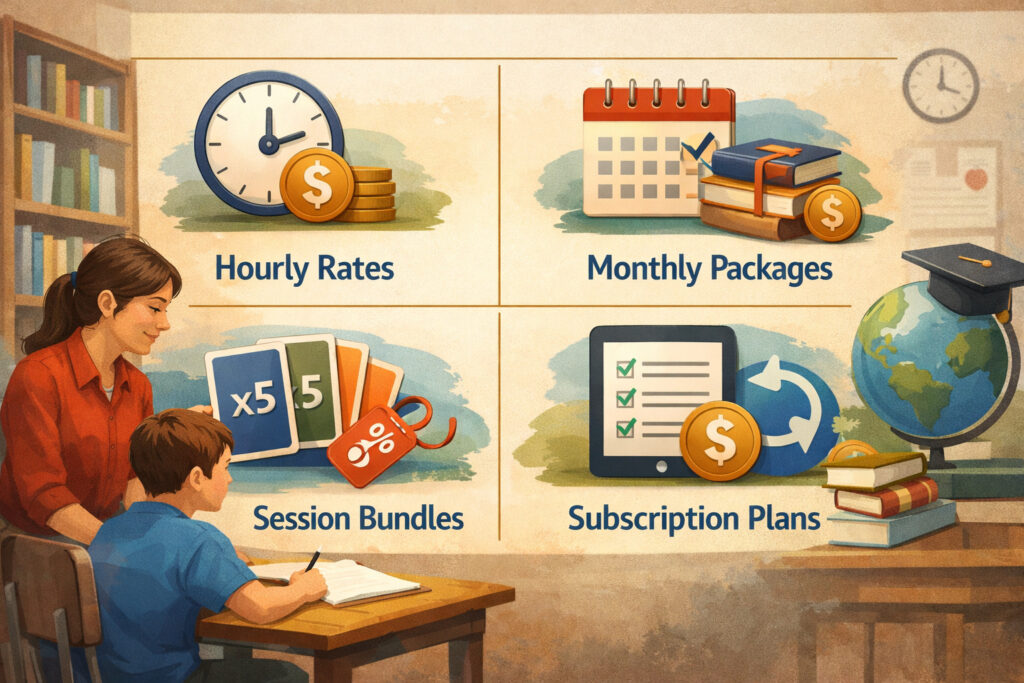
Tutoring businesses typically fall into a few billing models. The “best” model isn’t the one that sounds most sophisticated—it’s the one that matches how your families buy, how predictable your schedule is, and how much administrative time you can spare.
Pay Per Lesson
This is simple: you invoice after each session or collect payment at booking. It’s popular for new tutors, irregular schedules, and short-term academic support. The downside is admin overhead (more invoices) and less predictable revenue.
Weekly/Monthly Invoicing
You track sessions throughout the week or month, then send one invoice. This is common for ongoing tutoring where sessions happen consistently. It reduces invoice volume and feels familiar to families.
Prepaid Packages and Bundles
Families purchase blocks of sessions up front (e.g., 10 lessons). Great for commitment and cash flow. To do it well, you need software that tracks remaining balances, expiration rules, and rollovers—or you’ll end up managing package math manually.
Subscriptions and Memberships
Families pay a fixed amount on a schedule for a defined benefit: a set number of sessions, priority scheduling, ongoing academic coaching, or monthly study support. Memberships can stabilize revenue but require clear rules on what’s included and how missed sessions are handled.
Group Classes
Group billing often involves per-student charges, enrollment periods, and different policies for cancellations or make-ups. It also tends to increase complexity with attendance tracking and multi-family communications.
Below is a practical overview to compare options.
| Billing model | Best for | Pros | Cons |
|---|---|---|---|
| Hourly / pay per lesson | New tutors, irregular schedules, test prep bursts | Simple to explain, easy to start, flexible | More invoicing, less predictable revenue, higher no-show risk if payment is after |
| Weekly/monthly invoicing | Ongoing weekly clients, stable schedules | Fewer invoices, predictable for families, easy reporting | Requires accurate session tracking, late payments can pile up |
| Lesson packages & prepaid bundles | Commitment-based programs, skill-building plans | Better cash flow, reduces cancellations, easy upsells | Needs package tracking rules, refund/expiration complexity |
| Tutoring membership plans | Academic coaching, ongoing support | Stable revenue, simpler budgeting for families, automates billing | Requires strong policy clarity, careful handling of unused time |
| Group class billing | Small group learning, workshops | Higher revenue per hour, structured cohorts | More admin complexity, attendance + cancellations + proration challenges |
Pro Tip: If you’re transitioning from hourly pay-per-session, start by moving your most consistent families to monthly invoicing first. Then introduce packages or memberships once you’ve nailed session tracking and reminders.
How Tutor Invoicing and Payment Software Works End-to-End

A good billing system isn’t just “send invoice, get paid.” It’s a repeatable chain of events that reduces errors and awkward conversations. The more your process is standardized, the easier it is to scale from “just me” to “a center with multiple tutors.”
Here’s the end-to-end flow most tutor invoicing and payment software supports:
- Session tracking
- Sessions are logged manually, pulled from scheduling, or entered from tutor notes.
- The system stores date, duration, service type, tutor, and student.
- Invoice generation
- Invoices can be created per session, weekly/monthly, or automatically based on rules.
- Some tools support invoice templates for tutors with standardized line items and notes.
- Payment link
- The invoice includes a click-to-pay option, often with card payments and digital wallets.
- Many systems also support bank transfer/ACH options depending on provider setup.
- Reminders and follow-ups
- If unpaid, automated payment reminders go out on a schedule you define.
- For recurring plans, autopay can charge without manual chasing.
- Receipts
- Once paid, a receipt is issued automatically.
- This reduces “Can you resend proof of payment?” messages.
- Reconciliation
- The system matches payment to invoice.
- You review deposits, fees, and any failed payments.
- Reporting
- Revenue by tutor or service
- Accounts receivable (AR) aging: how much is 1–7 days overdue, 8–30, etc.
- Package liabilities: prepaid lessons remaining
Where things usually break (and how software helps)
- Unlogged sessions lead to missing invoices.
- Manual invoice drift happens when you “do it later” and later becomes weeks.
- Unstructured payment methods cause confusion (“I sent it—check your messages.”)
- No reconciliation habit leads to “phantom balances” and mismatched records.
Pro Tip: If you want fewer disputes, your workflow should tie every charge to a session, package purchase, or membership period—and show that clearly on the invoice line items.
Must-Have Features in 2026 (Solo Tutor vs Tutoring Center)

Not every tutoring business needs the same setup. A solo tutor needs speed and simplicity. A center needs permissions, multi-tutor reporting, and consistent policies across staff. But both benefit from automation that prevents missed invoices and late payments.
Core features most tutoring businesses should prioritize
- Recurring invoices and autopay: Charge on a schedule without manual invoicing. Helpful for predictable weekly clients and memberships.
- Multi-student family accounts: Supports multi-student family billing so parents/guardians can manage payments for siblings without separate logins and confusion.
- Parent/guardian payer setup: Student is the service recipient, but payer may be a parent or guardian. Your system should separate “student profile” from “billing contact.”
- Deposits, late fees, and cancellation fees (optional): Flexible rules are important. You want the option—not the obligation—to charge late fees and cancellation fees ethically and consistently.
- Payment reminders and dunning: Scheduled nudges reduce awkward conversations and improve on-time payment rates without sounding harsh.
- Refunds, credits, and adjustments: Refund policies vary; the system should handle partial refunds, credits for future sessions, and clean notes on the invoice history.
- Reporting
- AR aging
- Revenue by service and by tutor
- Package sales vs consumption
- Payment method trends (to reduce fees and late payments)
- Permissions and audit logs (for centers): A center should separate roles: admin, director, tutor, front desk. Audit logs help answer “Who changed this invoice?”
Feature checklist: solo tutor vs tutoring center
| Feature | Solo tutor: priority | Tutoring center: priority |
|---|---|---|
| Invoice templates and quick-send invoices | High | Medium |
| Payment links and mobile-friendly checkout | High | High |
| Automated payment reminders | High | High |
| Recurring billing for tutoring | Medium/High | High |
| Lesson packages and prepaid bundles tracking | Medium | High |
| Tutoring membership plans | Medium | High |
| Parent/guardian payer setup | High | High |
| Multi-student family billing | Medium/High | High |
| Deposits/cancellation fee rules | Medium | High |
| AR aging and collections view | Medium | High |
| Revenue by tutor reporting | Low/Medium | High |
| Tutor payroll tracking (high-level) | Low | Medium/High |
| Role-based permissions | Low | High |
| Audit logs | Low | High |
| Accounting integration | Medium | High |
Pro Tip: If you’re a center, don’t treat permissions as an “extra.” It’s your internal control. Without it, mistakes and miscommunications become expensive.
Payments to Offer (Cards, ACH, Digital Wallets) and Why It Matters
Payment options shape your cash flow and family experience. You want to be convenient—but also intentional. Too many options without structure creates confusion and reconciliation headaches. The goal is to offer a simple default, plus alternatives that fit different family preferences.
Card payments and digital wallets
Cards are the most common for convenience, especially when tied to autopay. Digital wallets can reduce friction because families can pay quickly without manually typing card numbers.
Operational advantages:
- Fast payment completion (especially with payment links)
- Works well with autopay and subscriptions
- Helpful for last-minute payments when a balance is due
Trade-offs to plan for:
- Processing fees
- Chargebacks and disputes are more common with cards than bank transfers
- Expired cards and replacements can cause failed payments unless your system supports easy updating
ACH payments for tutoring (bank transfer)
ACH-style bank payments can be lower cost and helpful for recurring monthly billing—especially for larger monthly invoices or multi-student families.
Operational advantages:
- Often lower processing cost than cards
- Good for larger invoices and predictable monthly billing
Trade-offs to plan for:
- Payment confirmation can take longer than card
- Failed bank payments can still happen (insufficient funds, incorrect info)
- Requires clear policies for when access to sessions is granted (e.g., “payment must clear” vs “payment initiated”)
How to reduce late payments and no-shows ethically
You don’t need aggressive tactics. You need clarity and automation.
Practical approaches:
- Require a payment method on file for recurring clients (autopay or manual pay)
- Send reminders before invoices are due (not just after)
- Use deposits for high-demand times or long sessions
- Enforce cancellation policy consistently (with discretion and documented exceptions)
- Offer a clear “grace window” to keep relationships strong
Pro Tip: The best way to reduce no-shows is to align incentives: prepaid packages, membership scheduling priority, or a clear cancellation cutoff. Families respond better to consistent structure than last-minute enforcement.
Security and Compliance Basics Tutors Can Understand
Families trust you with student information and payment details. Even if you’re not a tech company, your billing system should be designed so you don’t have to handle sensitive payment data directly.
PCI concepts in plain language
PCI is a set of security standards for handling card payments. You don’t need to memorize technical requirements, but you should understand this principle:
- Your billing software and payment processor should handle the card data securely, not you.
That’s why modern systems use hosted payment pages, secure tokenization, and “card on file” features that keep sensitive data out of your inbox and spreadsheets.
Why you shouldn’t store card numbers
Never collect card numbers through:
- Text messages
- Paper forms stored insecurely
- Unencrypted documents
Storing card numbers yourself creates unnecessary risk. It also increases the damage of a data breach. Instead, use a system that provides secure checkout links and tokenized payment methods.
Permissions and audit logs (especially for centers)
If you run a center, security is not just about payments—it’s also about internal access.
Best practices:
- Tutors should only see what they need: their sessions, their students, and their schedule
- Billing changes should be restricted to admin roles
- Audit logs should show who created/edited invoices, issued refunds, or changed client profiles
Pro Tip: If you ever need to resolve a dispute, audit logs and invoice history are your best friend. They provide a timeline that reduces “he said/she said” confusion.
Choosing the Best Billing Software for Tutoring Businesses
The best billing software for tutoring businesses is the one that matches your billing model, reduces admin load, and helps families pay predictably. Pricing matters, but “cheapest” often becomes expensive when you add manual work, missed invoices, or messy reconciliation.
Decision checklist by business type
For independent tutors, prioritize:
- Simple invoice creation
- Payment links and receipts
- Automated reminders
- Easy package tracking (if you sell bundles)
- Basic reporting and export options
For tutoring centers, prioritize:
- Billing and payment systems for tutoring centers with role-based permissions
- Multi-tutor reporting: revenue by tutor, utilization, AR aging
- Parent/guardian payer setup and multi-student family billing
- Standardized policies for cancellation and late fees
- Approval workflows for refunds/credits
Integration with scheduling, CRM, and accounting
A strong billing system reduces double entry. Look for integration options that match your current stack.
- Scheduling integration: session tracking and attendance should feed billing
- CRM integration: helps with client lifecycle (new leads → active families → renewal)
- Accounting integration: supports clean bookkeeping, categorization, and month-end close
Even if you don’t integrate on day one, choose software that can integrate later so you don’t get stuck migrating during a busy season.
Pricing models and hidden fees to watch
Most billing tools charge in one or more ways:
- Monthly subscription fee
- Per-invoice fee
- Payment processing fees (percentage + fixed)
- Additional fees for:
- ACH/bank payments
- Chargebacks and disputes
- Refunds
- Extra staff accounts
- Advanced reporting
What to look for:
- Transparent fee schedule
- Clear payout timeline
- Easy access to transaction reports for payment reconciliation
- Exportable invoice and receipt data
Pro Tip: Ask: “Can I see the net deposit report?” If a tool makes it hard to understand fees and payouts, reconciliation becomes a recurring headache.
Implementation Guide: Build a Billing System You Can Run Every Week
Implementation isn’t about turning on features—it’s about creating a system that families understand and your team can follow consistently. Start simple, then add automation once your basics are stable.
Step 1: Build your service catalog
Create standard “products” for what you sell:
- 60-minute 1:1 tutoring session
- 90-minute intensive session
- Homework support check-in
- Group class enrollment
- Academic coaching membership
- Prepaid 10-session package
Include:
- Rate
- Session length
- Any materials or add-ons
- Cancellation window and fee rules
- Package terms (expiration, transferability)
Pro Tip: If you have more than 10 service variants, you likely need consolidation. Too many SKUs creates confusion for families and increases billing errors.
Step 2: Set policies (cancellation, late fees, refunds)
Policies reduce ambiguity and protect relationships. Your billing software can enforce policies, but only if they’re clear.
Key policies to define:
- Cancellation cutoff (e.g., 24 hours)
- No-show handling
- Late payment timeline and reminders
- Refund policies for tutoring services
- Package expiration and transfer rules
- Credit handling for reschedules
Step 3: Create invoice templates and standard line items
Your invoice should answer:
- What was delivered (service + date range)
- Who it was for (student name)
- How much is due and when
- How to pay (payment link)
- What happens if overdue (policy reference)
Step 4: Set up automation rules and reminders
Start with gentle reminders:
- Invoice sent immediately
- Reminder before due date
- Reminder after due date
- Follow-up cadence that doesn’t overwhelm families
Step 5: Pilot with a few families, then scale
Choose a pilot group:
- 5–10 families
- A mix of single-student and multi-student billing
- One package client and one recurring invoice client (if relevant)
Collect feedback:
- Was checkout easy?
- Were invoices clear?
- Did reminders feel appropriate?
- Any confusion about policies?
Then standardize and roll out.
Pro Tip: During pilot, keep policy enforcement consistent but flexible. Use exceptions as learning signals to refine wording, not as permanent loopholes.
Real-World Workflows: Packages, Memberships, Families, and Fees
Tutoring businesses often run into complexity not because they lack software, but because they haven’t defined workflows for common scenarios.
Lesson packages and prepaid bundles
The biggest operational question: How do you track what’s been used?
A clean workflow:
- Family purchases a package (invoice shows “10-session package”)
- Payment is collected immediately
- Each completed session deducts from the package balance
- System shows remaining sessions
- When remaining sessions hit a threshold (e.g., 2 left), an automated reminder prompts renewal
Things to clarify:
- Expiration date (if any)
- Rollover rules
- Whether unused sessions are refundable
- Whether sessions can be transferred to another student
Tutoring membership plans
Memberships are best when the service is ongoing and benefits are predictable.
Common membership structures:
- “4 sessions per month” subscription
- “Weekly tutoring” membership billed monthly
- “Academic coaching” membership with limited tutoring hours + async support
Key operational rules:
- What happens to unused sessions?
- Are make-up sessions allowed?
- Can membership be paused?
- How far in advance must changes be requested?
Parent/guardian payer setup and multi-student family billing
Families want simplicity. A single invoice that lists each student’s services is easier to understand and pay than multiple separate invoices.
Best practices:
- One billing account per household
- Separate student profiles under that account
- Invoices show grouped line items by student
- Receipts reference both the household and student name(s)
Late fees and cancellation fees (use carefully)
Fees should support consistency, not punish families. Many businesses use fees to reduce last-minute cancellations that disrupt the schedule.
Ethical approach:
- Communicate policy at onboarding
- Put it in writing
- Include reminders before the cancellation cutoff
- Apply consistently, with documented exceptions when appropriate
Pro Tip: If you feel uncomfortable charging a fee, your policy wording may be too harsh. Consider “late cancellation fee equal to a portion of the session” instead of full charges, depending on your model.
Sales Tax Considerations and Recordkeeping (General, Non-Legal)
Tax rules differ widely by region and can depend on how services are defined. The safest operational approach is to treat tax setup as a configurable setting in your billing system and verify requirements with a qualified professional when needed.
What your billing process should support:
- The ability to mark services as taxable or non-taxable (if applicable)
- Clear invoices that separate service charges from any taxes or fees
- Accurate records of tutoring invoices and receipts
- Exportable summaries for bookkeeping
Recordkeeping habits that reduce stress:
- Monthly reconciliation: match invoices, payments, and deposits
- Track refunds and credits clearly (date, reason, method)
- Keep a consistent naming system for services (avoid “misc”)
- Maintain a simple chart of accounts mapping if you integrate with accounting
Pro Tip: Even if you’re not collecting any taxes, consistent categorization helps you understand revenue by service type and prevents messy year-end sorting.
Chargebacks, Dispute Handling, and Refund Policies
Disputes are rare when expectations are clear—but they’re not impossible. Billing software helps most when it stores documentation automatically: invoices, receipts, payment confirmations, and communication logs.
Chargebacks and dispute handling (practical steps)
If a family disputes a card payment, you typically need to show:
- The invoice and what it covered
- Proof the family agreed to policies (or at least received them)
- Evidence of service delivery (session records, attendance, notes)
- Any communications about issues and resolutions offered
Operational strategies that help prevent disputes:
- Use clear invoice descriptions (“Weekly tutoring sessions for [Student], dates…”)
- Send receipts automatically
- Make cancellation and refund policies easy to find
- Avoid vague line items like “Tutoring” with no date range
Refund policies for tutoring services
Refunds should be policy-driven and consistent. You want families to feel treated fairly while protecting your time and scheduling commitments.
Common approaches:
- Full refund for unused package sessions within a short window
- Partial refunds based on sessions delivered
- Credits instead of refunds for certain scenarios (e.g., schedule disruptions)
- No refunds for missed sessions outside the cancellation window
Your software should support:
- Partial refunds
- Credits applied to future invoices
- Notes explaining adjustments
Pro Tip: Many conflicts come from timing. If a family requests a refund, respond with a clear timeline and options (refund vs credit), and document the outcome inside the system.
Common Mistakes to Avoid (That Cost Time and Cash Flow)
Most billing problems aren’t technical. They’re process gaps that software can’t fully compensate for. Here are the mistakes that consistently create late payments, admin overload, and strained relationships.
Unclear policies
If families don’t know the rules, they won’t follow them consistently. Vague policies also create exceptions that become “precedent.”
Fix:
- Write simple policies in plain language
- Include them in onboarding and on invoices
- Reinforce them with reminders before key deadlines (like cancellation cutoffs)
Manual invoicing drift
The longer you wait to invoice, the harder it is to collect and the more likely you are to forget sessions. It also makes families feel surprised by large back-billed amounts.
Fix:
- Set a schedule: invoice every Friday, or on the last day of the month
- Use automated invoice creation where possible
- Close out sessions weekly, even if invoices are monthly
Not reconciling payments
If you don’t do payment reconciliation, you’ll eventually see “paid but showing unpaid” issues, missing deposits, and inaccurate client balances.
Fix:
- Weekly mini-reconciliation (10 minutes)
- Monthly full review: invoices vs deposits vs fees vs refunds
Too many payment options without structure
You want convenience, but not chaos. If you accept every method informally, you’ll spend time tracking “I paid you” messages and searching transaction histories.
Fix:
- Default to one method (payment link)
- Offer one alternative (ACH/bank) for specific cases
- Avoid “send it however you want” policies
Pro Tip: If you feel like you’re constantly chasing details, your system is missing rules—not features.
Sample Templates
Use these templates to standardize communication and reduce back-and-forth.
Sample invoice line items
Invoice line items (examples):
- 1:1 Tutoring Session (60 minutes) — [Student Name] — [Session Date] — Qty 1 — Rate [Amount]
- 1:1 Tutoring Session (90 minutes) — [Student Name] — [Session Date] — Qty 1 — Rate [Amount]
- Weekly Tutoring (sessions from [Date] to [Date]) — [Student Name] — Qty [#] — Rate [Amount]
- Prepaid Package: 10 Sessions (60 minutes each) — [Student Name] — Qty 1 — Rate [Amount]
- Group Class Enrollment: [Class Name] (Dates [Start–End]) — [Student Name] — Qty 1 — Rate [Amount]
- Late Cancellation Fee — [Student Name] — [Session Date] — Qty 1 — Rate [Amount]
- Credit Applied (goodwill / schedule adjustment) — Qty 1 — Amount (-[Amount])
Pro Tip: Always include a date or date range. It reduces confusion and strengthens documentation if a dispute occurs.
Payment reminder message (friendly, professional)
Subject: Friendly reminder — invoice due [Due Date]
Hi [Name],
A quick reminder that invoice #[Invoice Number] for [Student Name] is due on [Due Date]. You can pay securely here: [Payment Link].
If you’ve already taken care of it, thank you—please ignore this message. If you have any questions about the invoice, reply here and I’ll help.
Thanks,
[Your Name / Center Name]
Cancellation policy snippet (clear, calm wording)
Cancellation policy (snippet):
Sessions canceled or rescheduled with at least [X hours] notice have no fee. Sessions canceled with less than [X hours] notice may be charged a late cancellation fee of [Amount or %], unless waived at our discretion for emergencies. No-shows may be charged [Amount or full session rate]. Please contact us as soon as possible if schedules change.
Pro Tip: Add one sentence explaining why the policy exists (to protect tutor schedules). Families accept structure more easily when it’s framed as fairness.
30/60/90-Day Billing System Rollout Plan (Practical and Low-Stress)
A successful rollout doesn’t require turning on every feature at once. It requires a stable baseline you can run weekly. Then you layer in automation and reporting.
Days 1–30: Invoicing + payment links + basic reminders
Your goal: stop manual drift and get consistent collections.
- Create service catalog (top 5–10 services)
- Set invoice templates for tutors (consistent descriptions, due dates)
- Turn on payment links for every invoice
- Set a basic reminder schedule:
- Reminder 2 days before due date
- Reminder 3 days after due date
- Train yourself (and staff, if applicable) on session logging
- Pilot with a small group of families (5–10)
Pro Tip: Don’t change billing models for everyone in month one. Fix accuracy and consistency first.
Days 31–60: Autopay + packages + reporting
Your goal: reduce chasing and gain visibility.
- Enable recurring invoices and autopay for consistent clients
- Launch lesson packages and prepaid bundles
- Define package rules (expiration, transferability, refunds/credits)
- Start basic reporting:
- Outstanding balances
- Revenue by service
- AR aging view
- Standardize your refund/credit process inside the system
Pro Tip: If you introduce packages, set a renewal trigger (e.g., “remind when 2 sessions remain”). That single automation prevents last-minute gaps.
Days 61–90: Optimize policies + integrate scheduling + improve collections
Your goal: reduce admin work and minimize disputes.
- Tighten cancellation and late fee rules (and communicate them)
- Add deposits for high-demand scheduling (optional)
- Integrate scheduling if available to reduce duplicate entry
- Improve dunning sequence:
- Friendly reminder
- Second reminder with policy reference
- Final notice with next steps (pause sessions until balance clears, if that’s your policy)
- For centers:
- Add permissions
- Track revenue by tutor
- Build high-level tutor payroll tracking reports (hours delivered, revenue credited)
Pro Tip: Month three is where you protect your future time. The small improvements here prevent ongoing admin drag.
FAQs
Q1) What is tutoring billing software?
Answer: Tutoring billing software is a tool that helps you create invoices, send payment links, collect payments, issue receipts, and track balances for tutoring services.
Many platforms also support recurring billing for tutoring, lesson packages, automated reminders, and reporting so you can understand what’s paid, what’s overdue, and what revenue you’ve earned.
Q2) Can tutoring billing software track lesson packages?
Answer: Yes—many systems can track lesson packages and prepaid bundles by reducing a balance as sessions are delivered. The key is to confirm it supports package balance visibility, rules for expiration/rollover, and clear reporting so you’re not manually calculating what’s left.
Q3) What’s better: pay-per-session or monthly billing?
Answer: Pay-per-session is simplest for irregular schedules, but monthly billing often improves predictability and reduces invoice volume. If you have stable weekly clients, monthly invoicing or recurring billing usually makes operations smoother—especially when paired with automated reminders or autopay.
Q4) How do I set up autopay for tutoring?
Answer: Autopay is usually set up by creating a recurring invoice, subscription, or scheduled charge and having the payer authorize a payment method. A good system lets families update their payment method easily and sends receipts automatically after successful charges.
Q5) Can I bill parents for multiple students on one invoice?
Answer: Yes, if the software supports parent/guardian payer setup and multi-student family billing. Look for household accounts with multiple student profiles, and invoices that can group line items by student.
Q6) How do refunds and credits work?
Answer: Most systems allow partial or full refunds and can also apply credits to future invoices. Credits are often easier operationally for schedule disruptions or goodwill adjustments. Make sure your tool records refund/credit notes so your records stay clear.
Q7) Does billing software integrate with scheduling tools?
Answer: Some do. Integration can automatically sync sessions, attendance, or appointments into billing—reducing duplicate entry. If you rely heavily on scheduling software, confirm compatibility or a workable export/import process.
Q8) What payment methods should tutors accept?
Answer: A practical setup is: cards (for convenience and autopay) plus an option for bank payments (ACH payments for tutoring) if your system supports it. Digital wallets can reduce friction for quick payments. The best mix depends on your invoice size, client preferences, and reconciliation capacity.
Q9) How do I reduce late payments without annoying families?
Answer: Use structure, not pressure: clear due dates, automated reminders, consistent policies, and autopay for recurring clients. Reminders should be friendly and timed before the due date. Also ensure invoices are easy to understand so families don’t delay payment due to confusion.
Q10) Is tutoring billing software secure?
Answer: It can be, if it uses secure payment processing and follows PCI-aligned practices—like hosted payment pages and tokenization—so you don’t store card numbers. For centers, role-based permissions and audit logs also reduce internal risk.
Q11) Should I charge cancellation fees?
Answer: Cancellation fees can protect tutor schedules, but they should be clear, reasonable, and consistently applied. Many businesses use a cutoff window and charge a partial fee for late cancellations. Always communicate the policy during onboarding and in writing.
Q12) What should tutoring invoices and receipts include?
Answer: At minimum: business name, payer details, student name (or reference), service description, dates or date range, amounts, due date, and payment method options. Receipts should show the payment date, amount, and invoice reference.
Q13) How do I handle multi-tutor reporting in a center?
Answer: Choose software with revenue-by-tutor reporting and role-based permissions. You’ll want to track sessions delivered, amounts invoiced, amounts collected, and outstanding balances—plus the ability to filter by tutor, program, or location.
Q14) Can billing software help with payment reconciliation?
Answer: Yes. Look for tools that match payments to invoices automatically and provide payout/deposit reports. Reconciliation is easier when the system clearly shows fees, refunds, and net deposits.
Q15) What’s the biggest sign I need to upgrade my billing process?
Answer: If you’re regularly late sending invoices, losing track of packages, or chasing payments through messages, you’ve outgrown manual billing. Upgrading to a consistent invoicing and payment workflow usually reduces stress quickly.
Conclusion
The right tutoring billing software helps you run your business like a professional service—clear invoices, easy payments, predictable reminders, and clean records.
Whether you’re an independent tutor or managing billing and payment systems for tutoring centers, your goal is the same: fewer billing surprises, fewer awkward follow-ups, and a calmer weekly routine.
In 2026, the most effective approach is decision-focused:
- Choose a billing model that matches how families buy (sessions, packages, memberships, or group classes)
- Use tutor invoicing and payment software to automate the repetitive steps
- Offer a simple payment default with one structured alternative
- Build policies that are clear and fair, then let automation enforce consistency