
By Jennifer Parker December 2, 2025
LMS dashboards are powerful tools that provide educators and training managers with a clear and up-to-date view of the performance of learners. Dashboards make it easy to spot learning gaps with progress, engagement, and assessment results tracked side by side. Early identification gives way to timely support from teachers to adjust the lessons and guide students toward better outcomes to not leave any student behind.
Why Every School Needs an LMS
Every school today needs an LMS because it brings clarity, structure, and support to both teaching and learning. Digital learning is not an experiment; instead, it’s a practical solution to help schools and tutoring centers to smoothly and consistently deliver lessons.
The LMS will enable the school to scale its efforts, be it supporting one grade or multiple branches, by keeping the teaching materials, assessments, and progress tracking consistent for every student. It also provides school leaders and teachers with clear insights through simple dashboards and reports on where students need help and how to adjust lessons at the right time.
Daily tasks such as attendance, homework submission, and scheduling also become much easier, allowing the teacher some extra time for real teaching rather than paperwork. Parents are further kept connected via dedicated dashboards showing what their children are learning and how they are doing. An LMS brings these pieces together into a more organized, transparent, future-ready learning environment that supports everyone.
Simple Types of Analytics Reports

There are a few simple types of analytics reports that can help schools and teams understand how well their learning programs are working. Firstly performance reports focus on learner progress and show things like completion rates, quiz scores, and how well students are retaining information. Secondly, custom reports go a step further, letting you filter data by teams, departments, or any group, making it easier to spot patterns and improve areas specific to them.
Thirdly engagement reports look at how actively learners interact with the content in terms of time spent, participation, and activity level. These will help you understand what’s working and what may need more attention. Next compliance reports are necessary for mandatory training and show whether learners have completed required courses or certifications, helping organizations avoid compliance risks.
Lastly, the ROI reports shall help you understand the overall value of your training by comparing the cost of learning programs with real improvements in performance or productivity. Together, these reports paint a clear, simple picture of both learner progress and training impact.
Top Ways LMS Supports Learning

The learning management system, or LMS, brings all classroom activities into one simple digital space. Instead of balancing lesson plans, assignments, grades, and communication on different tools, a teacher will be able to manage everything on one dashboard. This helps to reduce daily workload and gives educators more time to focus on supporting their students.
An LMS also strengthens how teachers and students interact. Communication becomes easier because messages, instructions, and learning materials are all shared in one place. Students can ask questions whenever they need help, and teachers can reply without waiting for the next class. Instant feedback on quizzes and assignments helps them to comprehend their mistakes right at the moment, while private comments give clear guidance on how to improve.
Teachers can even create personalized learning paths by assigning extra resources based on individual performance, so every student gets what they need. Thanks to integrated analytics, teachers can see who is struggling, who is improving, and where extra attention is needed. These insights help them to step in early, provide the right support, and keep the entire class on track. Together, these features build a more responsive and collaborative learning environment in which students feel supported, and teachers can teach more effectively.
Benefits of Modern LMS
A modern LMS brings new energy into the classroom by making learning more interactive, flexible, and student-centered. Firstly, rather than relying on lectures or static materials alone, teachers can incorporate engaging videos, quizzes, polls, and simple presentations that allow learners to better connect with concepts naturally. Ideas once abstract seem to be more easily grasped when presented in newer, more engaging digital formats.
Secondly a LMS also motivates through featured progress trackers, badges, and achievable milestones that give students a real idea of progress. When learners can see how they are improving week after week, they feel proud, confident, and responsible for their own performance.
Collaboration also flows well since students can discuss ideas, share work, and provide feedback within a single platform. It creates a kind of learning community where everybody participates rather than working in isolation. The flexibility to learn at their own pace, revisit lessons, and choose practice tasks gives students a more better , stronger sense of control, which improves more better focus and reduces pressure.
These above features combined will indeed help the student explore, create curiosity, and progress smoothly to develop the mindset that will set them up for long-term success.
How to Prepare for Smooth LMS Implementation

The process of achieving a seamless implementation of the LMS starts with the clarity of goals. Firstly determine what outcomes are most important to you, such as onboarding time reduction, compliance improvement, or skill gaps closure. Secondly with that set, outline who your learners are and who will be managing the system, so everybody knows their role. Thirdly it is also helpful if you can do an early review of all your existing content. Remove anything that is outdated, organize what you want to retain, and label everything accurately.
Let’s not forget data setup generally takes much more longer than anticipated; therefore, start assembling user details, prior completions, certificates, and old reports well in advance. Plan your integrations, such as HR systems, single sign-on, or communication tools, and be sure all security requirements are fully met.
Make sure to set up a basic governance structure so that everyone knows who is supposed to update what, make changes, and approve which part. Before deploying to the entire school or team, run a pilot project on a small group, gather feedback, and measure early results. Finally, prepare a simple change management plan with clear communication, quick-start guides, and support sessions to help everybody get comfortable with the new system.
After ironing everything out, set up the LMS properly first in the sandbox and then in the live system, set up integrations, permissions, catalogs, notifications, and dashboards. When you feel confident, launch the LMS, clearly communicate its purpose, provide quick-start guides, hold office hours, and closely support early users.
After going live, monitor user activity closely. Determine which students are logging in, completing courses, or getting stuck. Report this to your team every week so you can take action quickly when something needs attention. At last, review the results after 30, 60, and 90 days. Compare the outcomes with the original goals, gather feedback, update content, refine learning paths, and adjust automation rules. Continuous improvements ensure that your LMS not only launches smoothly but also continues to deliver real value over time.
LMS Analytics Metrics You Should Be Tracking
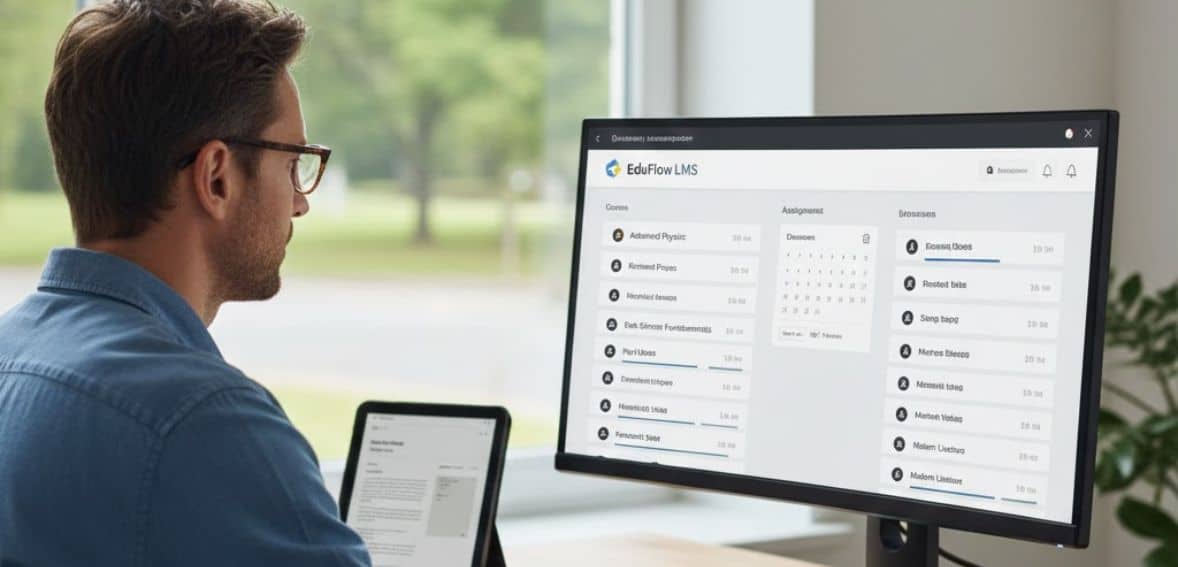
There are a number of useful LMS analytics metrics that help schools and training teams understand how well students are learning and where improvements are needed. Firstly course completion rates indicate whether or not the learners think the material makes sense and pertains to them. Secondly, engagement metrics, such as logins and time spent, show how active students really are.
Thirdly assessment scores provide insight into how well students understand the material, and drop-off points highlight exactly where they lose interest or get confused. Next time to finish metrics helps to identify modules that may be too long or too difficult. Also learner feedback and content ratings add important context by showing what the students actually think about the material.
Next we have the learning path progression metrics which shows whether students stick to the planned flow or jump around, which may represent issues in course design. Skills and competency tracking help to connect lessons to real-world improvement, giving a clearer picture of how much students are actually improving.
Additionally repeat views show what students go back for, either helpful resources or areas that need clarity. Lastly, tracking the overall impact of learning helps schools understand how training impacts confidence, performance, and progress. Altogether, these metrics give a full view into how effective the learning experience is.
What's New In LMS Analytics

The newest wave of LMS analytics fundamentally changes how schools and training teams understand learning.
Firstly we have AI-powered insights which help you identify problems before they occur, such as pinpointing which students will lose interest in the next few days. This digital transformation enables teachers or trainers to intervene early with targeted support. Real-time dashboards make it much easier to report, showing you data as it lives rather than waiting for monthly updates. This also makes it easier for schools to share progress quickly with leadership.
Secondly, analytics are more capable of tracking learning occurring outside of formal learning settings, like when students watch videos that actually help them, join study groups, or engage in online discussions outside the LMS.
Thirdly, stronger integrations between the LMS, HR systems, and performance tools allow schools and organizations to understand the full impact of learning on growth and outcomes. All this leads to a more connected, informed, and proactive way of learning.
Common Mistakes to Avoid with LMS Analytics
Schools and training teams frequently make a few common mistakes when using LMS analytics, even when they have great tools available. Firstly the biggest issues are things like relying too much on surface-level numbers, such as login counts, that don’t actually show whether students are learning. This can include following metrics that don’t match the real goal, like focusing on course completion when the priority should really be on skill growth.
Secondly many teams get a lot of data but then never act on it, which leads to a less valuable process. Thirdly it’s also worth noting informal learning that might happen outside of an LMS, since students can also pick up knowledge from discussions, videos, and other platforms. Finally, trying to track everything at once usually leads to confusion. It’s much better to focus on a small set of meaningful metrics that truly help improve learning outcomes.
Conclusion
The LMS dashboard summarizes information that helps to turn data into real action by highlighting areas where learners struggle and indicating what needs to improve. Identifying gaps early in the learning path aids educators in providing special support, revising the content, and keeping students on track. This early approach leads not only to better learning but also to greater efficiency throughout the educational process.
FAQs
What is an LMS dashboard?
An LMS dashboard is a visual tool that reflects real time learner progress, engagement, and performance metrics.
How can dashboards help to identify learning gaps?
Lorem ipsum dolor sit amet, consectetur adipiscing elit. Ut elit tellus, luctus nec ullamcorper mattis, pulvinar dapibus leo.
Can the dashboards show individual and group performance?
Yes, dashboards provide insight at both learner and group levels targeted interventions.
Do dashboards also display engagement metrics?
Of course, they can track logins, time spent, participation, and activity completion to measure engagement.
How often does the educator review dashboard data?
Regularly, weekly, or after major assessments, quickly address gaps and improve learning outcomes.