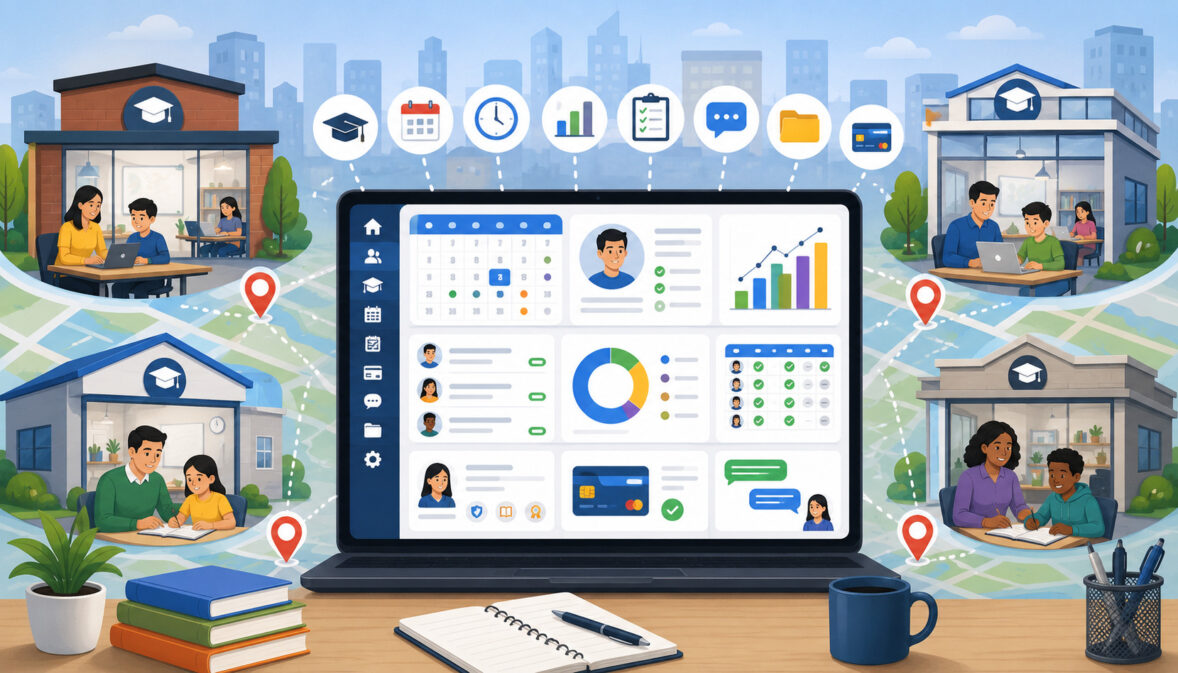
Managing one tutoring center requires careful coordination. Managing several branches, virtual programs, tutors, students, rooms, billing plans, and family communications can quickly become far more complicated.
A schedule change at one location may affect tutor availability at another. A student may attend regular lessons at one branch but complete a make-up lesson elsewhere.
Administrators may need to determine whether a payment belongs to a specific student, program, tutor, or center. Owners also need reliable ways to compare enrollment, revenue, attendance, capacity, and student retention across locations.
Without a connected system, each branch may develop its own spreadsheets, calendars, payment procedures, naming conventions, and reporting methods. These differences make it difficult to obtain accurate information or provide families with a consistent experience.
Tutoring software for multi-location learning centers brings these workflows into one organized platform. It may combine student management, tutor scheduling, recurring lessons, billing, online payments, attendance, lesson notes, parent communication, lead tracking, and reporting.
The purpose of this guide is to explain how multi-location tutoring software works, which features matter most, how centers can evaluate available systems, and how teams can use the technology consistently. The goal is not to recommend a particular product, but to help tutoring operators identify the operational capabilities that match their actual needs.
What Is Tutoring Software for Multi-Location Learning Centers?
Tutoring software for multi-location learning centers is a centralized system used to coordinate the academic and administrative activities of two or more tutoring branches. It allows authorized users to manage students, tutors, schedules, payments, communications, and reports without creating a separate operational system for every center.
Each location can usually maintain its own calendar, tutors, rooms, programs, pricing rules, and student rosters. At the same time, owners and regional managers can view activity across the organization through a centralized dashboard.
This structure supports tutoring businesses with physical learning centers, franchise locations, satellite programs, remote tutors, or hybrid tutoring models. It can also help a growing tutoring company prepare for additional branches before operational complexity becomes difficult to control.
A well-configured system does more than store records. It connects related activities. For example, a scheduled lesson may automatically appear on the tutor’s calendar, reserve a room, update the student’s package balance, trigger a reminder, create an attendance record, and contribute to location-level reporting.
Readers who need a broader introduction to these systems can review this guide to tutoring management software, which explains how scheduling, billing, communication, and student records work together.
What Multi-Location Tutoring Software Helps Manage
Multi-location tutoring software can organize the daily information that would otherwise be spread across calendars, spreadsheets, email accounts, notebooks, payment dashboards, and messaging tools.
Common areas include:
- Student enrollment and contact information
- Parent or guardian accounts
- Tutor availability and qualifications
- Private and group lesson schedules
- Rooms and other learning resources
- Recurring appointments
- Attendance and cancellations
- Lesson notes and academic progress
- Tutoring packages and session balances
- Invoices, payment plans, and receipts
- Lead tracking and enrollment follow-up
- Tutor hours and completed sessions
- Branch-level revenue and performance reports
The system may also provide separate parent, student, tutor, administrator, and manager portals. Each user sees the information and actions relevant to that role.
This connected structure is especially useful when students or tutors participate at more than one branch. Instead of creating duplicate records, authorized staff can work from one history while preserving location-specific schedules, permissions, and reports.
How It Differs From Basic Scheduling Tools
A general scheduling application may allow staff to create appointments and display tutor availability. However, it may not understand the relationships among students, families, tutors, subjects, packages, rooms, invoices, and lesson records.
Learning center management software is designed around tutoring workflows. It can support recurring weekly lessons, tutor-student matching, group classes, package deductions, make-up sessions, academic notes, parent accounts, and location-based reporting.
For example, canceling a tutoring appointment may require more than removing an event from a calendar. The center may need to apply its cancellation policy, return a session credit, notify the parent, update the tutor’s payable hours, release the room, and offer the opening to a waitlisted student.
Basic calendars often require staff to complete those actions manually. Tutoring business software can connect them through defined workflows.
Why Multi-Location Learning Centers Need Centralized Software
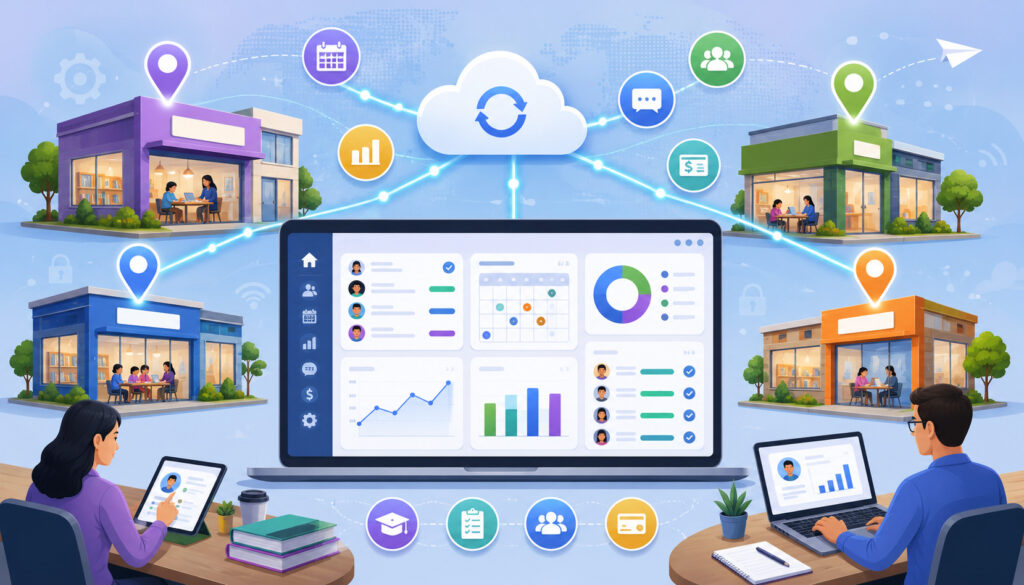
As tutoring organizations expand, small inconsistencies become larger operational problems. One branch may record attendance by lesson, while another records only missed sessions. One administrator may invoice families at the beginning of the month, while another bills after lessons are completed.
These differences can affect reporting, parent expectations, tutor compensation review, and management decisions.
Centralized tutoring operations software provides a shared structure. Locations can use consistent student fields, attendance statuses, lesson categories, payment terms, and reporting definitions. Leadership can then compare information with greater confidence.
Centralization does not mean every branch must operate identically. Different locations may offer different subjects, schedules, prices, or programs. The important point is that these variations exist within one controlled system rather than in disconnected files.
The result can be greater operational visibility, fewer duplicate records, more consistent communication, and less time spent collecting information from branch managers.
Problems With Disconnected Location Management
Disconnected tools can make simple questions surprisingly difficult to answer:
- How many active students are enrolled across all centers?
- Which tutors have availability on specific days?
- Which location has unused classroom capacity?
- How many families have unpaid balances?
- Which programs have the strongest retention?
- Are make-up lessons being handled consistently?
- Has a student attended another branch before?
When every center maintains separate files, administrators may need to combine spreadsheets manually. Records may use different date formats, student names, lesson labels, or attendance categories. Duplicate profiles are common when students change locations.
Separate billing systems can also create confusion. A family may receive invoices from more than one branch, while staff may struggle to determine which center should receive credit for a payment.
These issues are not necessarily caused by poor management. They are often the natural result of using systems that were not designed for multi-location coordination.
Benefits of Centralized Operations
A centralized system gives owners and directors a common view of the organization. Depending on the available reporting tools, they may review:
- Enrollment by center or program
- Scheduled and completed lessons
- Tutor utilization
- Room capacity
- Attendance and cancellation patterns
- Outstanding family balances
- Revenue by location
- Student retention
- Lead conversion
- Package usage
- Class enrollment and waitlists
Location managers can focus on the information needed for their branches, while leadership maintains organization-wide visibility.
Centralized operations also improve continuity. When a manager is unavailable, another authorized employee can review schedules, student histories, billing notes, and pending tasks without searching through personal inboxes or local files.
Multi-Location Tutoring Software Features Compared
The most useful features depend on how a learning center operates. A private tutoring business may prioritize tutor matching and recurring appointments, while a test preparation center may need class rosters, room capacity, and payment plans.
The following table provides a practical starting point.
| Feature | What It Helps Manage | Why It Matters | Best Use Case |
| Central dashboard | Activity across all locations | Gives owners organization-wide visibility | Multi-branch management |
| Location-level calendars | Lessons, rooms, tutors, and resources | Reduces scheduling conflicts | Busy centers |
| Student profiles | Contact details and learning history | Keeps records organized | Academic tracking |
| Tutor scheduling | Availability, expertise, and assignments | Improves staffing decisions | Private and group tutoring |
| Recurring sessions | Repeating lessons and classes | Reduces repetitive data entry | Weekly tutoring plans |
| Billing automation | Invoices, packages, and payment plans | Supports consistent billing | Tuition or package programs |
| Online payments | Cards, ACH, and supported digital methods | Simplifies payment collection | Parent convenience |
| Attendance tracking | Student and tutor attendance | Supports lesson records and billing review | Daily lesson management |
| Parent communication | Reminders, updates, and notices | Improves transparency | Family engagement |
| Reporting dashboard | Revenue, retention, attendance, and capacity | Supports management decisions | Owner and director review |
| CRM tools | Inquiries and follow-up tasks | Organizes enrollment activity | Growing centers |
| Role-based permissions | Access by responsibility or branch | Limits unnecessary data access | Larger teams |
| Parent and tutor portals | Self-service information and actions | Reduces administrative requests | High-volume operations |
| Package tracking | Used and remaining session credits | Prevents balance confusion | Prepaid tutoring plans |
How to Use the Table When Comparing Tools
Begin by identifying the workflows that create the most administrative effort. A center struggling with schedule conflicts should test calendars, tutor availability, substitutions, and room booking. A center experiencing billing confusion should examine packages, recurring charges, credits, refunds, family accounts, and reconciliation reports.
Also consider scale. Software that performs well with two tutors and one calendar may become difficult to use when the organization has several branches, dozens of tutors, and hundreds of recurring lessons.
Create realistic testing scenarios based on:
- Number of branches
- Number of active students
- Tutors working at multiple centers
- Private versus group instruction
- Recurring lesson volume
- Billing methods
- Parent communication requirements
- Reporting responsibilities
- Online and in-person programs
Ask staff members who perform the work to participate in testing. Their questions often reveal practical limitations that are easy to miss in a feature summary.
Why Feature Fit Matters More Than Feature Count
A long feature list does not automatically create a better operating system. Every additional tool introduces settings, permissions, training requirements, and possible points of confusion.
The best tutoring software for multi-location learning centers is the system that handles the organization’s most frequent and most important workflows with minimal unnecessary effort.
For example, advanced marketing automation may have little value if administrators cannot easily transfer students between locations. Detailed visual reports are not useful if staff members record attendance inconsistently.
Evaluate how well the software supports real tasks from beginning to end:
- A parent submits an inquiry.
- Staff schedule an assessment.
- The student is enrolled.
- A tutor and location are assigned.
- Recurring sessions are created.
- Billing is established.
- Attendance and notes are recorded.
- Parents receive updates.
- Management reviews performance.
Student Management Across Multiple Locations
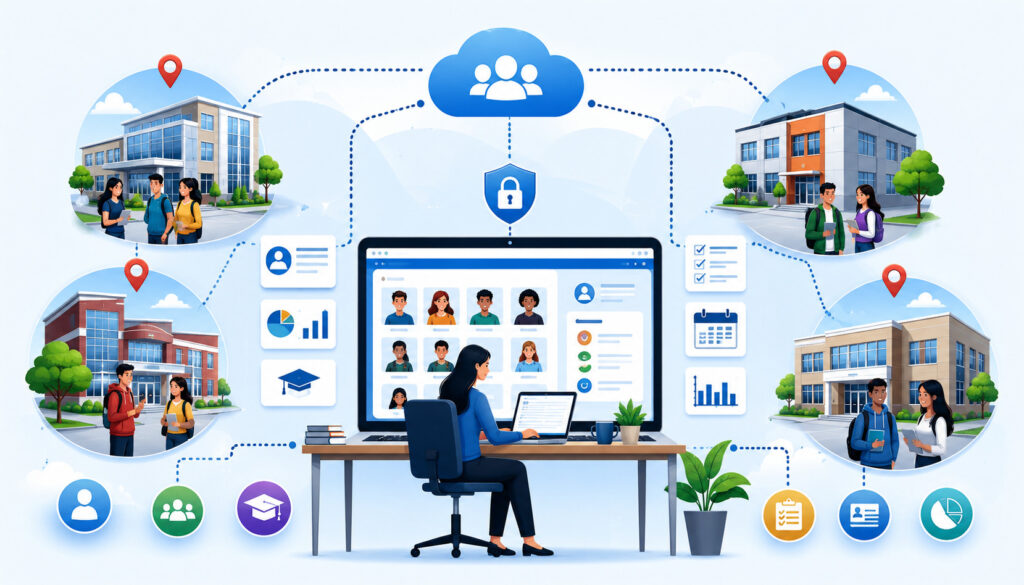
Student management software gives staff a central place to organize enrollment information, contact details, learning needs, schedules, attendance, billing relationships, and academic records.
For multi-location centers, the main objective is to maintain one reliable profile for each student while allowing authorized branches to access the information they need.
A student profile may contain:
- Parent or guardian contacts
- Grade level and school
- Subjects or programs
- Learning goals
- Tutor assignments
- Preferred locations
- Online or in-person preferences
- Lesson history
- Attendance
- Package balance
- Progress notes
- Relevant communication history
The exact information collected should be limited to what the center genuinely needs. Centers should establish appropriate data practices and seek professional guidance for questions involving privacy, education records, contracts, retention policies, or regulatory obligations.
Centralized Student Profiles
A centralized profile reduces the need to recreate student information whenever the family attends another branch or enrolls in a new program.
Authorized staff can review current tutor assignments, upcoming sessions, parent contacts, previous notes, and account status. This continuity helps prevent errors such as assigning a student to the wrong level or overlooking an existing package.
Central profiles are also useful for siblings. A family account can connect multiple students while preserving separate academic histories, schedules, and services.
To maintain record quality, centers should define required fields and naming standards. For example, staff should know whether to enter a student’s legal name, preferred name, school, grade, and primary family contact.
Duplicate-detection features can provide additional support, but staff training remains important. Searching before creating a profile should be part of the enrollment workflow.
Student Transfer Between Locations
Students may transfer because of a family move, a schedule change, tutor availability, or a program offered at another center. Some students may regularly attend one branch but occasionally use another for make-up lessons.
Multi-location learning center software can preserve the student’s profile while changing the assigned location or adding access to another branch. This protects continuity in lesson history, attendance, progress notes, and billing.
A controlled transfer process should clarify:
- Which branch owns the active enrollment
- Whether pricing changes
- How unused package credits are treated
- Which manager approves the transfer
- Which staff members can access historical notes
- How parents are notified
- How reporting attributes the student and revenue
The software should record the change without erasing the student’s previous location history.
Tutor Scheduling and Staff Management

Tutor scheduling software helps learning centers coordinate staff availability, subject expertise, lesson assignments, substitutions, and recurring commitments.
In a multi-location environment, a tutor may work at one branch on certain days and another branch on different days. Some tutors may also provide online sessions from home or from a designated room.
The scheduling system should prevent overlapping assignments across all locations. It should also make travel time, preparation time, and branch restrictions visible where appropriate.
Tutoring center software may maintain tutor profiles containing qualifications, subjects, grade levels, preferred lesson formats, maximum group size, availability, assigned locations, and portal permissions.
Matching Tutors to Students
Tutor-student matching requires more than finding an open calendar slot. Staff may need to consider:
- Subject knowledge
- Grade or course level
- Student goals
- Tutor experience
- Teaching format
- Availability
- Preferred location
- Group or private setting
- Continuity with an existing tutor
- Accessibility or communication needs documented by the center
Software can help administrators filter tutors based on selected criteria and view available times. It may also display current tutor workloads, reducing the risk of assigning every new student to the same small group of tutors.
Technology supports the process, but staff judgment remains important. A system cannot fully determine whether a particular teaching style and student relationship will work well.
Centers should monitor feedback and progress after the initial assignment rather than treating the match as permanent.
Managing Tutor Availability Across Branches
Availability should be managed from one shared source. Separate calendars can cause double-booking when a tutor works at several locations.
A centralized calendar can combine:
- Regular weekly availability
- Branch assignments
- Online availability
- Time-off requests
- Existing lessons
- Group classes
- Travel or buffer periods
- Maximum daily hours
- Temporary schedule changes
Administrators should distinguish between general availability and confirmed working hours. A tutor may be available to work on Tuesday evening but not assigned unless demand exists.
Managers also need visibility into underused availability. If one branch has more demand than staffing capacity, another branch may have a qualified tutor who can provide online lessons or work occasional shifts.
This visibility supports capacity planning without requiring managers to contact every location individually.
Lesson Scheduling, Classes, and Recurring Sessions
Scheduling is at the center of most tutoring operations. Learning centers may offer private lessons, small groups, workshops, camps, test preparation courses, homework programs, and online sessions.
Each format creates different requirements. Private lessons need tutor-student matching. Group classes require capacity limits and rosters. Camps may run for a limited date range. Recurring sessions need consistent schedules with controlled exceptions.
Effective learning center software connects the schedule to tutors, students, rooms, billing, attendance, reminders, and reports. A guide to automating lesson scheduling for tutoring centers provides additional context on availability rules and resource constraints.
Recurring Lesson Scheduling
Recurring scheduling allows administrators to create a repeating series instead of entering every lesson separately. A student might meet the same tutor every Monday and Wednesday, while a class may run every Saturday for several weeks.
The system should make it easy to:
- Define the recurrence pattern
- Set a beginning and ending date
- Skip holidays or center closures
- Assign a consistent tutor and room
- Apply package or tuition rules
- Edit one lesson without changing the entire series
- Change future lessons without altering past records
Recurring schedules save time, but they can also create widespread errors if configured incorrectly. An incorrect end date or room assignment may affect dozens of appointments.
Administrators should review the generated series before confirming it. It is also helpful to maintain a process for handling tutor substitutions, student vacations, and seasonal schedule changes.
Group Class and Room Scheduling
Group tutoring adds capacity and resource management to the schedule. Staff must know how many students can attend, which tutor is assigned, which room is suitable, and whether the class has a waitlist.
The system may track:
- Minimum and maximum enrollment
- Class roster
- Student level
- Room capacity
- Tutor assignment
- Course dates
- Waitlist order
- Tuition or package requirements
- Attendance by class meeting
- Materials or equipment
Room scheduling is particularly important when several programs run at the same time. A tutor may be available, but the correct room may not be.
Centers should test how the software handles a student joining after a course begins, changing sections, attending a trial class, or moving from the waitlist into the roster.
Attendance Tracking and Lesson Records
Tutoring attendance tracking creates a record of whether students and tutors attended scheduled sessions. Common statuses include present, absent, canceled, late, no-show, completed online, and rescheduled.
The status may affect package credits, family billing, tutor hour review, make-up eligibility, and reporting. Because of those connections, centers should define each attendance category carefully.
Staff members also need a consistent deadline for updating records. If tutors wait several days to mark attendance, billing reports and package balances may be inaccurate.
Attendance tools designed for multi-site programs commonly support rosters, multiple tutor assignments, permissions, and standardized reporting, which can be useful when centers need consistency across branches.
Why Attendance Tracking Matters
Accurate attendance helps learning centers answer several operational questions:
- Did the scheduled lesson take place?
- Should a package credit be deducted?
- Is the tutor eligible for payment review?
- Does the family qualify for a make-up lesson?
- Is a student developing an absence pattern?
- Was a class below expected capacity?
- Did a branch complete the lessons shown in its schedule?
Attendance also supports communication. Parents may need confirmation that a student arrived or missed a session. Managers may need to investigate repeated late arrivals or cancellations.
The software should preserve scheduled, canceled, and completed records rather than simply deleting appointments. Historical information is necessary for reviewing patterns and resolving account questions.
Centers should document their attendance and cancellation rules and obtain professional review when those rules involve contracts, employment practices, billing terms, or regulatory obligations.
Lesson Notes and Progress Updates
Lesson notes help tutors document what occurred during a session. Useful notes may include:
- Topics covered
- Skills practiced
- Assignments reviewed
- Student strengths
- Areas requiring additional work
- Homework or practice tasks
- Materials used
- Recommended next steps
Notes should be concise, specific, and appropriate for the intended audience. Internal instructional notes may differ from parent-facing summaries.
Student progress tracking becomes more useful when tutors follow consistent categories. If every tutor uses a different method, managers and families may find it difficult to understand progress over time.
Templates can help tutors record information efficiently without forcing every lesson into an identical format. Managers should periodically review note quality and provide examples of useful documentation.
Billing and Payment Management for Multi-Location Centers
Tutoring billing software connects services delivered to the amounts families owe. Depending on the business model, centers may charge per lesson, by package, through monthly tuition, by course, or through a customized payment plan.
Multi-location billing requires clear attribution. Owners may need to know which branch, program, tutor, or service produced the charge. Families, however, usually expect one understandable account rather than several disconnected statements.
Tutoring payment software may generate invoices, process recurring charges, apply session credits, track outstanding balances, and issue receipts. It may also support adjustments, discounts, account credits, or refunds when permitted by the center’s policies.
For additional background on common billing structures, this guide to tutoring billing software discusses invoicing and payment workflows for centers managing multiple tutors and family accounts.
Recurring Billing and Tuition Plans
Recurring billing can support monthly tuition, memberships, installment plans, and other repeating charges. Once the plan is configured, the system creates or processes charges according to the defined schedule.
Administrators should verify:
- Billing frequency
- Charge date
- Beginning and ending dates
- Services included
- Location or program attribution
- Proration rules
- Failed-payment handling
- Parent notifications
- Cancellation procedure
Automation reduces repetitive work, but it does not remove the need for review. Staff should monitor failed transactions, expired payment methods, duplicate plans, and accounts that should have been paused or closed.
Families should receive clear information about amounts, timing, included services, and how to ask questions. Specific contract, consumer, accounting, and financial matters should be reviewed by qualified professionals.
Package and Session-Based Billing
Prepaid packages allow families to purchase a defined number of tutoring sessions or credits. Each eligible completed lesson reduces the available balance.
The software should show:
- Original package size
- Purchase date
- Eligible services
- Credits used
- Credits remaining
- Scheduled future usage
- Adjustments
- Applicable expiration settings
- Location restrictions, if any
Package tracking becomes more complicated when students attend several branches or use different lesson lengths. A one-hour private session may use a different number of credits than a group class.
Centers should test how the system handles cancellations, no-shows, partial sessions, make-up lessons, transfers, refunds, and manual adjustments.
Online Payments and Parent Convenience
Online payments allow families to pay without visiting a branch or calling an administrator. Common options include card payments, ACH payments, payment links, parent portal payments, and approved recurring payment methods.
Convenience matters, but the payment experience should also be clear. Parents should be able to identify the student, invoice, service period, amount due, and payment status.
A centralized payment system can help prevent branches from using inconsistent methods or storing information in unsafe places. It may also improve reporting by connecting transactions directly to family accounts and invoices.
Parent Portal Payments
A parent portal may allow families to:
- View invoices
- Review balances
- Make payments
- Update supported payment methods
- Download receipts
- View transaction history
- Review package balances
- Manage approved autopay settings
- Contact the center about account questions
Self-service tools reduce routine administrative requests, but the portal should remain easy to navigate on both desktop and mobile devices.
Centers should test the portal from the parent’s perspective. Staff familiarity with the administrative dashboard does not guarantee that families will understand invoice labels, credits, payment plans, or account histories.
Payment confirmations should be timely and should not expose unnecessary financial or student information.
Payment Security and Recordkeeping
Learning centers should avoid collecting or storing card details through email, text messages, shared documents, spreadsheets, or handwritten notes. Instead, they should use secure payment tools that reduce direct exposure to sensitive payment information.
The PCI Security Standards Council’s resources for merchants explain the role of secure technology, staff practices, strong passwords, system updates, and controlled access in protecting payment data. These resources can help tutoring operators understand the general security questions they should discuss with payment providers and technology partners.
Payment records should also be connected to the correct invoice and family account. Authorized staff should be able to determine when a payment occurred, the amount processed, its current status, and whether an adjustment or refund followed.
Access to payment functions should be restricted according to staff responsibilities. Learning centers should seek qualified professional guidance for specific questions involving payment security, accounting, transaction disputes, record retention, contracts, or regulatory requirements.
Reporting and Analytics for Multi-Location Learning Centers
Tutoring reporting software turns operational records into information owners and managers can review. The reliability of those reports depends on the quality and consistency of the underlying data.
Useful reports may cover:
- Revenue by location
- Active enrollment
- New and withdrawn students
- Attendance
- Cancellations and no-shows
- Tutor utilization
- Room or class capacity
- Package balances
- Unpaid invoices
- Lead conversion
- Student retention
- Program participation
- Scheduled versus completed lessons
Reports should answer specific management questions rather than display numbers without context. For example, lower revenue at one location may reflect fewer rooms or shorter operating hours rather than poor performance.
Location-Level Reporting
Location-level reporting allows owners to compare branches while preserving the ability to investigate individual center activity.
Useful comparisons may include:
- Revenue per active student
- Completed lessons per tutor hour
- Enrollment by program
- Available versus booked capacity
- Cancellation rate
- Student retention
- Outstanding balances
- Inquiry-to-enrollment conversion
Clear financial records also make branch comparisons more useful. The Small Business Administration’s guidance on managing business finances discusses the value of reviewing financial activity and analyzing different parts of a business.
Learning center owners can apply this general principle by reviewing revenue, expenses, enrollment, and capacity separately for each location while also monitoring organization-wide performance.
Comparisons should account for differences in size, maturity, staffing, schedule capacity, and local demand. A newer branch should not automatically be judged by the same volume targets as an established center.
Owners should also distinguish between operational indicators and academic outcomes. Revenue and utilization show how the center is operating, while progress data requires appropriate instructional context.
Reports are most useful when reviewed regularly and followed by questions, not when used as isolated scorecards.
Central Dashboard for Owners and Directors
A centralized dashboard provides a current overview without requiring every manager to submit a separate spreadsheet.
Leadership may begin with organization-wide measures and then filter by:
- Branch
- Program
- Tutor
- Student status
- Lesson type
- Date range
- Payment status
- Enrollment source
The dashboard should make exceptions visible. An owner may not need to review every lesson, but should be able to identify rising cancellations, unused capacity, overdue attendance records, or growing unpaid balances.
Dashboard access should match responsibilities. A location manager may see detailed branch activity, while an owner can compare all centers.
Parent and Student Communication Tools
Communication tools help learning centers send appointment confirmations, reminders, schedule changes, progress updates, billing notices, and general announcements.
In multi-location operations, communication should clearly identify the relevant center, lesson format, date, time, tutor, and action required. Generic messages can create confusion when a family uses more than one location.
Parent communication software may use email, text messages, portal notifications, or a combination of approved channels. Centers should allow families to maintain accurate contact preferences where supported.
Automated Reminders
Automated reminders can reduce the manual effort required to contact every family before a lesson. They may include:
- Appointment date and time
- Location or online format
- Tutor name
- Address or meeting link
- Cancellation instructions
- Items the student should bring
- Payment or form reminders
The timing should match the center’s needs. A reminder sent too early may be forgotten, while one sent shortly before the lesson may not provide enough time to respond.
Centers should also determine what happens when a schedule changes after a reminder is sent. Updated notifications should replace or clearly correct previous information.
Automation supports communication, but staff should still monitor failed messages and incorrect contact details.
Progress Communication With Families
Parents often want to understand what students are learning and whether tutoring is addressing the intended goals.
Progress communication may include lesson summaries, periodic reports, assessment results, goal updates, attendance patterns, and recommended next steps.
Consistency matters. Families at different branches should receive updates on a reasonably similar schedule, even when individual tutors use different teaching methods.
Progress reports should be based on documented observations and appropriate measures rather than broad promises. Staff should distinguish between instructional feedback and guarantees about grades, test scores, or academic outcomes.
A parent portal can provide convenient access, but important concerns may still require direct conversation with a tutor or academic manager.
CRM and Enrollment Management
Tutoring CRM software helps centers organize prospective families before they become enrolled students. Without a structured process, inquiries may remain in individual inboxes, handwritten notes, or branch-specific spreadsheets.
A CRM record may include the parent’s contact information, student needs, subjects requested, preferred schedule, preferred location, referral source, assessment status, and follow-up tasks.
For multi-location organizations, the system should route inquiries to the correct branch while maintaining leadership visibility into overall demand and conversion activity.
Tracking New Student Leads
Every inquiry should have a clear status and next action. Common stages include:
- New inquiry
- Contact attempted
- Consultation scheduled
- Assessment scheduled
- Trial lesson scheduled
- Awaiting family decision
- Enrolled
- Waitlisted
- Closed or inactive
Staff should document useful facts without collecting unnecessary information. Notes might include requested subjects, grade level, preferred times, learning goals, and location preferences.
Lead source tracking can help owners understand how families discover the center. However, source labels should be standardized; otherwise, “referral,” “parent referral,” and “word of mouth” may appear as separate categories.
Managers should monitor response times and unresolved inquiries without pressuring families through excessive communication.
Turning Inquiries Into Enrollments
A defined enrollment workflow helps staff move from initial interest to an organized first lesson.
The process may include:
- Reviewing the family’s needs
- Scheduling a consultation or assessment
- Recommending a program
- Confirming location and availability
- Assigning a tutor
- Collecting required information
- Establishing billing
- Sending policies and instructions
- Creating recurring lessons
- Confirming the first appointment
Software can generate tasks and reduce missed steps. It can also show where inquiries stop progressing, helping managers identify delays.
The process should remain supportive rather than purely transactional. Families need accurate information about scheduling, program structure, costs, and expectations before enrolling.
Tutor Payroll and Time Tracking
Tutor payroll tracking features can help managers organize attendance, completed sessions, recorded hours, and approved time information for later payroll preparation.
The software may not replace a dedicated payroll system. Its role is often to create an accurate operational record that can be reviewed and exported.
Compensation arrangements vary. Tutors may be paid hourly, by completed lesson, by class, or through another approved structure. Learning centers should obtain qualified professional guidance regarding payroll, classification, employment, tax, recordkeeping, and labor requirements.
Tracking Completed Sessions for Payroll
When tutor compensation is connected to completed lessons, managers need a reliable way to distinguish among scheduled, completed, canceled, and no-show appointments.
A completed session record may show:
- Tutor
- Student or class
- Date and duration
- Location
- Attendance status
- Lesson type
- Approved adjustment
- Manager review status
Tutors should update attendance promptly. Late or incomplete records can delay review and create discrepancies.
The system should also handle substitutions correctly. The tutor originally scheduled may not be the tutor who actually delivered the lesson.
Managers should compare session records with any required time entries before exporting information.
Manager Approval Workflows
An approval workflow allows managers to review tutor records before they are used for payroll preparation.
The review may focus on:
- Missing attendance
- Unusual lesson duration
- Substitutions
- Canceled sessions
- Duplicate entries
- Unapproved additional time
- Missing lesson notes
- Cross-location assignments
A clear cutoff date helps tutors and managers complete reviews on time. Corrections should be documented rather than made without explanation.
Approval does not determine whether a particular payment or employment practice is appropriate. It simply confirms that the operational record has been reviewed. Professional guidance should be obtained for specific payroll, tax, accounting, employment, or classification questions.
Permissions and Role-Based Access
Multi-location tutoring software contains information needed by owners, managers, administrators, tutors, billing staff, parents, and students. Not every user needs access to every record or function.
Role-based access allows the organization to determine what each user can view, create, edit, export, or approve.
Common roles may include:
- Organization owner
- Regional director
- Location manager
- Academic manager
- Administrator
- Billing employee
- Tutor
- Parent
- Student
Permissions should be reviewed during implementation and whenever job responsibilities change.
Protecting Student and Payment Information
Staff members should have access only to the information needed for their responsibilities. A tutor may need to review a student’s learning goals, lesson history, and assigned schedule, but may not need access to the family’s complete payment records.
Similarly, billing staff may need to review invoices and account balances without seeing detailed academic notes. Restricting access by role reduces unnecessary exposure while allowing employees to complete their work.
The Federal Trade Commission’s data security guidance encourages businesses to collect only the sensitive information they need, protect it appropriately, and dispose of it securely when it is no longer required. Learning centers can use this general guidance when reviewing their student records, staff accounts, exported files, passwords, and device access.
Organizations should also remove access promptly when employees leave or change roles. Qualified professional review is recommended for specific privacy, education-record, cybersecurity, contractual, and regulatory questions.
Location-Based Staff Access
Location-based permissions allow branch employees to work with their own students, tutors, calendars, and reports without automatically viewing the entire organization.
Owners and regional managers can retain broader visibility. Tutors who work at multiple branches may receive access only to their assigned students and sessions at those locations.
The software should make temporary access easy to manage. For example, an administrator covering another branch for one week may need limited, time-bound access.
Centers should avoid relying on shared accounts. Individual accounts create clearer records of who changed a schedule, adjusted a package, or edited an invoice.
Online, In-Person, and Hybrid Tutoring Support
Many learning centers combine physical branches with online lessons. A student may attend in person during the school term and switch to online tutoring while traveling. A remote tutor may serve students from several locations.
Online tutoring management software should treat virtual lessons as part of the same operational system rather than as an unrelated calendar.
This keeps schedules, attendance, lesson notes, billing, and progress history connected regardless of delivery format.
Managing Online Tutoring Sessions
For online lessons, the software may support:
- Virtual session labels
- Meeting links
- Time-zone settings
- Automated reminders
- Tutor and student attendance
- Digital lesson notes
- Shared files or resources
- Online-specific instructions
Meeting links should be sent securely and updated if the session changes. Staff should avoid placing reusable links in broadly accessible messages or public locations.
The schedule should show whether a tutor is teaching online or in person. Otherwise, the system may assign an online lesson immediately after an in-person appointment at another location without enough transition time.
Centers should also establish procedures for technical difficulties, missed connections, and changes from in-person to online delivery.
Coordinating Hybrid Learning Models
Hybrid operations require one continuous student history. The lesson format may change, but goals, tutor notes, attendance, package balances, and parent communication should remain connected.
The system should allow administrators to filter by delivery type while still viewing the student’s complete record.
Hybrid scheduling also requires careful resource rules. An online lesson may not need a classroom, but it may require a private workspace or approved device at the center. A remote tutor should not be assigned to an in-person lesson accidentally.
Consistent labels such as “in person,” “online,” and “hybrid” improve reporting. Informal labels created by different branches can make organization-wide analysis unreliable.
Multi-Location Standards and Consistency
Standardization allows several locations to operate as one organization. Without shared definitions and workflows, central reporting may combine information that means different things at each branch.
Areas that often need standards include:
- Student profile fields
- Lesson categories
- Attendance statuses
- Cancellation reasons
- Package adjustments
- Billing terms
- Progress-note templates
- Lead stages
- Reporting definitions
- Communication templates
- Tutor onboarding procedures
Standards should be documented, taught, and reviewed. Software settings alone cannot create consistency when staff members interpret processes differently.
Standardizing Policies Across Locations
Families benefit when core expectations remain consistent. They should not encounter completely different cancellation procedures, account terminology, or communication standards simply because they visit another branch.
The software can support consistency through required fields, shared templates, standard statuses, automated messages, and controlled billing rules.
However, policies should be developed and reviewed outside the software before being configured. Technology should reflect approved procedures rather than create them accidentally.
Centers should seek professional guidance for policies involving contracts, billing, refunds, privacy, education compliance, employment, or other regulated matters.
Keeping Local Flexibility
Consistency does not require identical operations. One branch may serve elementary students in the afternoon, while another focuses on adult test preparation during evenings and weekends.
Location managers may need flexibility in:
- Operating hours
- Tutor availability
- Room capacity
- Program selection
- Class size
- Local announcements
- Waitlists
- Seasonal schedules
- Demand-based staffing
The software should distinguish between organization-wide rules and location-controlled settings.
The goal is controlled flexibility: branches can respond to local needs without creating incompatible records or processes.
Common Mistakes to Avoid When Choosing Tutoring Software
Choosing software affects daily operations, staff habits, parent interactions, and management reporting. A decision based only on price or a polished demonstration can overlook important limitations.
Common mistakes include:
- Treating the system as only a calendar
- Ignoring multi-location reporting
- Failing to test transfers and substitutions
- Overlooking billing complexity
- Giving users excessive access
- Migrating duplicate or outdated records
- Skipping staff involvement
- Launching without training
- Creating too many custom workflows immediately
- Failing to define reporting terms
A structured evaluation reduces these risks.
Choosing a Tool That Cannot Scale
A system may work well for one branch but lack the controls needed for several centers.
Warning signs include:
- No organization-wide dashboard
- Separate logins or databases for every branch
- Limited location filtering
- No cross-location tutor availability
- Difficult student transfers
- Weak permissions
- Inability to attribute revenue by branch
- No combined reporting
- Limited support for recurring schedules
- Poor handling of group classes
Growth should not require recreating the entire operating system. Ask how additional locations, users, records, and reports are added.
Also examine pricing carefully. Costs may increase by location, user, student, message volume, payment activity, or feature level.
Not Training Each Location Properly
Even well-designed tutoring management software produces unreliable results when every branch uses it differently.
One manager may mark canceled lessons as deleted. Another may leave them scheduled. Tutors may use different note formats, while administrators may create duplicate student profiles rather than searching first.
Training should be role-specific and scenario-based. Staff should practice:
- Creating and editing appointments
- Recording attendance
- Managing cancellations
- Processing transfers
- Adjusting packages
- Sending parent communications
- Correcting mistakes
- Running required reports
Training materials should remain available after launch, and new employees should receive the same onboarding.
Multi-Location Learning Center Software Checklist
Use this checklist to compare systems during demonstrations, trials, and implementation planning.
| Checklist Area | What to Review | Why It Matters |
| Location management | Branch calendars, settings, and reports | Supports multi-center visibility |
| Student records | Profiles, goals, attendance, and progress | Keeps learning history organized |
| Tutor scheduling | Availability, qualifications, and assignments | Reduces conflicts |
| Recurring lessons | Weekly sessions, classes, and exceptions | Reduces administrative work |
| Billing | Invoices, packages, tuition, and plans | Supports consistent collection |
| Payments | Cards, ACH, receipts, and portal payments | Improves family convenience |
| Attendance | Student and tutor records | Supports billing and operational review |
| Communication | Reminders, updates, and notices | Reduces missed sessions |
| Reporting | Revenue, retention, capacity, and utilization | Supports decisions |
| Permissions | Role- and location-based access | Protects sensitive information |
| CRM | Leads, follow-ups, and enrollment stages | Organizes growth activity |
| Migration | Import, cleanup, and validation support | Reduces transition errors |
| Training | Role-specific resources and assistance | Encourages consistent use |
| Support | Response process and available channels | Helps resolve operational issues |
How to Use the Checklist Before Choosing Software
Convert the checklist into a scoring worksheet. Rate each system based on demonstrated performance rather than marketing descriptions.
Ask the provider to complete realistic tasks using sample data. For example:
- Transfer a student to another branch.
- Schedule a tutor who works at two locations.
- Change one appointment in a recurring series.
- Move a student from a waitlist into a class.
- Apply a make-up credit.
- Compare revenue and attendance by branch.
- Restrict a tutor to assigned students.
- Show a family’s account history.
Include managers, administrators, tutors, and billing employees in the review. Each group sees different parts of the workflow.
Records to Keep in Tutoring Software
The system should keep organized records needed for academic and operational continuity, such as:
- Student profiles
- Family contacts
- Enrollment history
- Tutor assignments
- Scheduled and completed lessons
- Attendance
- Lesson notes
- Progress updates
- Package usage
- Invoices and receipts
- Parent communications
- Tutor availability
- Location reports
Not every record should be kept indefinitely. Centers should establish appropriate retention and deletion practices with qualified professional guidance.
The software should make records searchable, permission-controlled, and exportable when authorized. Staff should understand which system is the official source of information so that important records are not split among personal spreadsheets and inboxes.
Best Practices for Using Tutoring Software Across Multiple Locations
Successful implementation depends on both technology and operating discipline. The following practices can improve consistency:
- Standardize student profile fields.
- Establish clear scheduling rules.
- Review recurring sessions before publishing them.
- Define cancellation and make-up workflows.
- Train every location before launch.
- Use role-based permissions.
- Review attendance weekly.
- Track revenue by location.
- Monitor tutor utilization.
- Use consistent communication templates.
- Review dashboards on a regular schedule.
- Follow up on unpaid balances.
- Document billing rules.
- Clean old data before migration.
- Seek professional guidance for legal, tax, accounting, payroll, employment, privacy, contract, education compliance, or regulatory questions.
Creating a Multi-Location Operating Workflow
Document the complete lifecycle of a student:
- Inquiry received
- Consultation or assessment
- Enrollment
- Tutor assignment
- Scheduling
- Billing setup
- Payment
- Attendance
- Lesson notes
- Progress communication
- Renewal, transfer, or withdrawal
For each step, identify who is responsible, which fields are required, which notifications are sent, and which reports are affected.
The workflow should also explain exceptions. Staff need instructions for no-shows, tutor absences, branch transfers, failed payments, package adjustments, and online lesson changes.
Review the process after implementation. Some steps may be unnecessary, while other controls may need to be added.
Training Managers and Tutors
Different roles need different training.
Tutors may need to learn how to:
- View assigned sessions
- Record attendance
- Write lesson notes
- Report schedule problems
- Access approved student information
Managers may need to learn how to:
- Configure calendars
- Review attendance
- approve adjustments
- Manage staff access
- Resolve scheduling conflicts
- Run location reports
Administrators and billing staff need training on family accounts, packages, invoices, payments, credits, and corrections.
Use sample scenarios rather than only presentation slides. Staff remember processes more effectively when they complete the task themselves.
How to Choose Tutoring Software for Multi-Location Learning Centers
Choosing tutoring software for multi-location learning centers begins with documenting the organization’s current workflows and expected growth.
Review how the system manages:
- Locations and branch settings
- Students and family accounts
- Tutor availability
- Private and group scheduling
- Recurring lessons
- Rooms and capacity
- Attendance
- Progress notes
- Packages and tuition
- Online payments
- Parent portals
- CRM and enrollment
- Reporting
- Permissions
- Payroll exports
- Integrations
- Data migration
- Training and support
- Total cost
The right system should make frequent tasks easier while giving leadership reliable visibility across locations.
Questions to Ask Before Choosing Tutoring Software
Ask practical questions such as:
- Can owners view all locations from one account?
- Can managers be restricted to their branches?
- Can tutors work at several locations without calendar conflicts?
- Can students attend make-up lessons elsewhere?
- How are recurring sessions edited?
- Can the system manage private lessons and group classes?
- Does it track rooms and waitlists?
- How are packages and remaining credits handled?
- Can families use different payment plans?
- Which online payment methods are supported?
- Can parents view invoices, receipts, and progress updates?
- How are attendance and cancellations recorded?
- Can completed lessons support tutor-hour review?
- Which reports are available by branch?
- Can reports be exported?
- How are duplicate student records prevented?
- What migration help is provided?
- What training is available?
- How is support delivered?
- What factors affect total cost?
Request complete answers and demonstrations for the questions most important to your operation.
Comparing Workflow Fit Over Feature Lists
Feature lists are useful for initial screening, but final decisions should be based on workflow fit.
Ask staff to complete an ordinary workday in the trial system:
- Enroll a student.
- Assign a tutor.
- Create recurring lessons.
- Collect a payment.
- Record attendance.
- Send a parent update.
- Run a branch report.
- Correct a scheduling mistake.
Then test unusual situations. Transfer the student, replace the tutor, cancel one lesson in a series, apply a credit, and move the student into an online session.
These tasks reveal whether the system remains understandable when operations do not follow the ideal path.
The best multi-location tutoring software should support accurate records, efficient scheduling, understandable billing, secure payment handling, clear reporting, and a consistent experience for staff and families.
Frequently Asked Questions
What is tutoring software for multi-location learning centers?
Tutoring software for multi-location learning centers is a centralized platform for managing students, tutors, schedules, rooms, attendance, billing, payments, communication, and reports across several branches.
Each location may maintain its own calendar and operational settings, while owners and directors can review organization-wide activity. The software can also support online programs and tutors who work at more than one location.
How does multi-location tutoring software work?
Multi-location tutoring software connects related records within one system. A student profile may connect to a family account, tutor assignment, recurring schedule, package balance, attendance history, and progress notes.
Users receive access based on their roles. Branch managers may work only with their location, while owners can review all centers through a centralized dashboard.
What features should learning center management software include?
Important features commonly include student profiles, tutor scheduling, recurring lessons, group classes, room booking, attendance, lesson notes, billing, online payments, parent portals, CRM tools, reporting, and role-based permissions.
The correct feature set depends on the center’s services, billing model, staff structure, branch count, and reporting needs.
Can tutoring software help manage scheduling across multiple locations?
Yes. Multi-location tutoring software can display tutor availability, branch calendars, rooms, online sessions, recurring lessons, substitutions, and class capacity. A shared system can reduce double-booking by checking a tutor’s commitments across all assigned locations rather than only one branch calendar.
How does tutoring software support billing and payments?
Tutoring billing software may generate invoices, manage monthly tuition, track packages, apply session credits, record account balances, and support approved online payment methods.
Payment functions may include parent portal payments, stored payment methods, receipts, reminders, and recurring charges. Centers should obtain qualified guidance for specific payment, accounting, contract, tax, or compliance questions.
Why is reporting important for multi-location learning centers?
Reporting helps owners compare enrollment, revenue, attendance, cancellations, tutor utilization, class capacity, unpaid balances, retention, and lead conversion.
Without centralized reporting, management may spend significant time combining branch spreadsheets. Consistent reports also make it easier to identify trends and investigate operational problems.
What mistakes should learning centers avoid when choosing tutoring software?
Common mistakes include selecting a calendar without tutoring-specific workflows, ignoring multi-location permissions, failing to test billing, overlooking data migration, and launching without training.
Centers should also test exceptions such as transfers, substitutions, make-up sessions, package adjustments, and changes to recurring schedules.
How should owners choose the best tutoring software for multi-location learning centers?
Owners should begin with real operational requirements rather than a long feature list. The system should be tested using common and unusual scenarios involving students, tutors, schedules, payments, attendance, and reports.
The strongest choice is usually the platform that staff can use consistently, that gives management clear multi-location visibility, and that can support future growth without creating unnecessary complexity.
Conclusion
Tutoring software for multi-location learning centers can bring students, tutors, schedules, billing, payments, attendance, parent communication, academic records, and branch reporting into one organized system.
Its greatest value comes from connecting workflows that would otherwise be managed through separate calendars, spreadsheets, payment dashboards, inboxes, and local files. Centralization can reduce duplicate records, scheduling conflicts, inconsistent billing, missed follow-ups, and time-consuming branch reporting.
However, software alone does not create an efficient organization. Learning centers still need defined policies, consistent data entry, appropriate permissions, role-specific training, regular record reviews, and thoughtful management oversight.
When evaluating multi-location learning center software, focus on how it handles real work. Test student transfers, recurring lessons, tutor assignments, group capacity, packages, payments, cancellations, attendance, progress notes, and branch comparisons.
The best long-term fit will provide strong multi-location visibility, practical scheduling, accurate billing workflows, secure payment handling, clear reports, manageable staff permissions, and an understandable experience for families. Specific legal, tax, accounting, payroll, employment, privacy, contract, education compliance, and regulatory questions should always be reviewed with qualified professionals.