
Parent appointments play an important role in tutoring programs, learning centers, schools, and independent education services. They give families a dedicated opportunity to understand student progress, discuss academic concerns, review scheduling needs, ask billing questions, and agree on practical next steps.
However, arranging these conversations can become difficult when calendars are scattered, staff availability is unclear, reminders are inconsistent, or parents must exchange several emails just to find a suitable time. These problems can lead to delayed decisions, double-bookings, missed meetings, and unnecessary frustration for both families and staff.
A reliable scheduling process does more than place an appointment on a calendar. It establishes the purpose of the meeting, collects the right information, assigns the appropriate staff member, confirms essential details, prepares relevant student records, and documents follow-up responsibilities.
This parent appointment scheduling guide explains how to build that process in a practical and parent-friendly way. It covers appointment types, booking methods, reminders, agendas, online and in-person meetings, cancellations, documentation, software, and repeatable workflows that support stronger communication and better student support.
What Is Parent Appointment Scheduling?
Parent appointment scheduling is the process of organizing meeting times between parents or guardians and tutors, teachers, administrators, academic managers, enrollment staff, or other education professionals. Meetings may take place in person, over the phone, or through a video call.
The process usually begins when a parent or staff member identifies a need for a conversation. The organization then determines the meeting purpose, selects the appropriate staff member, offers suitable time slots, confirms the appointment, and sends reminders.
Effective appointment scheduling for parents also includes preparation and follow-up. Staff may need to review student records, prepare a meeting agenda, document decisions, and assign action items after the conversation.
A complete scheduling workflow therefore includes more than online booking. It connects appointment calendars, parent communication, tutor availability, meeting preparation, student records, and follow-up notes.
When these elements work together, parents know what to expect and staff can prepare more effectively. The result is a more focused conversation with fewer administrative problems.
Common Types of Parent Appointments
Parent appointments can serve many purposes. The required meeting length, staff member, preparation materials, and meeting format may differ depending on the topic.
Common appointment types include:
- Enrollment consultations for new students
- Academic progress reviews
- Parent-teacher conferences
- Tutor-parent meetings
- Student progress updates
- Academic planning calls
- Program recommendation discussions
- Schedule-change requests
- Make-up lesson coordination
- Attendance discussions
- Billing or account questions
- Package or service reviews
- Learning-goal discussions
- Follow-up consultations
An enrollment consultation may focus on the student’s needs, learning history, availability, and program options. A progress meeting may require lesson notes, attendance records, assessment results, and tutor observations.
Some conversations are suitable for a brief phone call, while others need a scheduled video meeting or in-person consultation. Identifying the appointment type early helps the organization route the request correctly and reserve enough time.
Why Parent Appointments Need Structure
Unstructured appointment scheduling often produces unnecessary confusion. A parent may receive a vague request to meet without knowing the reason, while staff may enter the conversation without reviewing the student’s information.
A structured process establishes basic expectations before the meeting. It identifies who will attend, why the meeting is needed, how long it should last, where it will take place, and what information should be prepared.
Structure also reduces common operational problems, including:
- Double-booked tutors or teachers
- Missing video links
- Incorrect meeting times
- Appointments assigned to the wrong employee
- Vague or incomplete agendas
- Unprepared staff members
- Scattered meeting notes
- Forgotten follow-up tasks
A defined process does not need to be complicated. Even a simple booking form, shared calendar, confirmation template, reminder sequence, and meeting-note format can create a much more dependable workflow.
Why Parent Appointment Scheduling Matters

Parent meetings influence more than administrative efficiency. They shape how families experience the organization and how effectively parents and educators can work together to support a student.
A well-organized meeting communicates respect for the parent’s time. It also helps staff enter the discussion with relevant information instead of searching for records during the appointment.
Scheduled conversations can be particularly valuable when a topic requires more attention than a quick email or phone message can provide. Parents can ask questions, staff can explain recommendations, and both parties can confirm what will happen next.
Family engagement may include parent meetings, parent-teacher conferences, communication about academic progress, and collaboration around student learning needs. Guidance from the Department of Education on parent and family engagement illustrates why organized communication opportunities are an important part of educational relationships.
Strong parent appointment management also improves consistency. Rather than relying on individual staff habits, the organization can follow the same general process for booking, confirmation, preparation, documentation, and follow-up.
Better Parent Communication
Scheduled appointments give parents a defined opportunity to discuss concerns without feeling rushed. They can prepare questions, review previous messages, and make sure the appropriate family members are available.
Clear scheduling also reduces uncertainty. Parents should not have to wonder whether a staff member received their request, which tutor will attend, or whether the appointment is online or in person.
A useful parent communication process explains:
- Why the meeting is being scheduled
- Who will participate
- How much time is reserved
- What records or questions may be helpful
- Where or how the meeting will take place
- How the parent can cancel or reschedule
These details help create a more productive conversation. They also support parent engagement by making communication easier to access and understand.
Better Administrative Workflow
Without an organized system, staff may spend considerable time exchanging emails, returning phone calls, checking multiple calendars, and manually sending reminders. Every appointment becomes a separate administrative project.
A structured workflow reduces that back-and-forth. Parents can choose from approved time slots, while availability rules help prevent appointments from overlapping with lessons, breaks, or other responsibilities.
Centralized scheduling also gives administrators better visibility. They can see upcoming parent meetings, identify unconfirmed appointments, monitor cancellations, and review whether follow-up tasks have been completed.
This is especially useful in larger programs where several tutors, teachers, managers, or locations share responsibility for parent communication. Clear calendars and staff permissions make it easier to coordinate work without exposing records to employees who do not need them.
Parent Appointment Scheduling Methods Compared
Organizations can schedule parent appointments through phone calls, email, booking links, parent portals, shared calendars, or event-based conference tools. Each method has advantages and limitations.
The best approach depends on appointment volume, staff capacity, parent preferences, meeting formats, and the organization’s existing systems.
| Scheduling Method | How It Works | Benefits | What to Watch |
| Manual phone scheduling | Staff call parents and agree on a time | Personal assistance and direct clarification | Time-consuming and difficult at high volume |
| Email scheduling | Staff send several available times | Creates a written record | May require several messages |
| Online booking | Parents choose from approved time slots | Fast, convenient, and available outside office hours | Availability settings must be accurate |
| Parent portal scheduling | Parents book through a secure account | Centralizes appointments and related records | Requires setup and parent access support |
| Calendar links | Staff share a personal or team booking link | Reduces administrative work | Calendars and buffer rules must stay current |
| Group conference scheduling | Parents select from event-specific slots | Useful for conference days | Requires capacity and room planning |
| Video appointment scheduling | Booking includes an online meeting link | Supports remote participation | Links and technology should be tested |
| Recurring appointments | Meetings repeat at an agreed interval | Useful for ongoing student support | Changes must be managed carefully |
A blended model often works best. For example, an organization may offer online booking as the standard option while continuing to provide phone or email assistance to families who need it.
How to Use the Table
Begin by identifying the number and type of appointments your organization handles. An independent tutor with a small group of families may manage appointments successfully through email and a synced calendar.
A growing learning center may need online booking, automated reminders, staff calendars, and parent portal scheduling. A school conference day may require event-based time slots that limit each family to one appointment per teacher.
Consider these factors when selecting a method:
- Number of appointments per week
- Number of participating staff members
- Frequency of schedule changes
- Parent communication preferences
- Online and in-person meeting needs
- Administrative capacity
- Need for recurring meetings
- Student-record access requirements
The method should reduce work without making the process difficult for parents.
Why One Method May Not Fit Every Family
Some parents prefer to select an appointment online because they can compare time slots outside normal office hours. Others may need phone assistance, language support, accessibility accommodations, or help understanding which appointment type to choose.
A flexible process gives parents more than one reasonable way to request help. Online booking may be the primary method, but staff should still know how to schedule an appointment manually when necessary.
Organizations should also consider mobile access. A booking page that works well on a desktop computer but is difficult to use on a phone may create unnecessary barriers.
Step One: Define the Purpose of the Appointment
Every parent appointment should begin with a clear purpose. The purpose determines who should attend, how long the meeting should be, which records are needed, and what outcome the conversation should produce.
Possible purposes include:
- Reviewing academic progress
- Discussing an enrollment inquiry
- Addressing attendance concerns
- Considering tutoring recommendations
- Changing a student’s schedule
- Reviewing learning goals
- Discussing a tutor match
- Coordinating make-up lessons
- Answering billing questions
- Planning additional academic support
When the purpose is known, staff can route the request to the appropriate person. A scheduling coordinator may resolve a lesson-time issue, while an academic manager may be better suited for a detailed progress discussion.
Clear purposes also help protect meeting time. A focused appointment is less likely to become a broad conversation in which several unrelated issues are introduced without the necessary staff or records.
Setting a Clear Meeting Goal
A meeting goal describes what the participants should understand, decide, or complete by the end of the appointment.
For example, the goal of a progress review may be to explain the student’s recent performance, identify one or two priority skills, and agree on support actions for the next learning period.
An enrollment consultation may aim to understand the student’s needs, explain available service formats, and identify the next assessment or onboarding step.
Useful meeting goals are:
- Specific enough to guide preparation
- Realistic for the available time
- Focused on the student or administrative issue
- Easy to summarize in the confirmation
- Connected to an expected next step
The goal does not need to predetermine the outcome. It simply provides direction so that the meeting remains productive.
Avoiding Vague Appointment Requests
Messages such as “We need to talk about your child” can create anxiety. Parents may assume there is a serious problem even when the organization only wants to provide a routine update.
A more useful request briefly identifies the topic. For example:
“We would like to schedule a 20-minute progress review to discuss recent math lessons, current goals, and recommended next steps.”
This wording tells the parent what the conversation will cover without including sensitive student details in an unsecured message.
Specific requests also help parents decide who should attend and which questions they want to ask. They create a calmer starting point for the conversation and reduce uncertainty before the appointment.
Step Two: Collect the Right Information Before Booking
A booking process should collect enough information to schedule the meeting correctly without asking parents to complete an unnecessarily long form.
Basic information may include:
- Parent or guardian name
- Student name
- Preferred contact details
- General reason for the appointment
- Preferred meeting format
- Preferred dates or time windows
- Level of urgency
- Requested tutor, teacher, or department
- Accessibility or communication needs
- Additional attendee names
Avoid requesting sensitive or detailed student information unless it is necessary for routing or preparation. More complex concerns can be discussed through an appropriate communication channel.
The information collected should help staff determine the correct appointment type, length, and employee. It should also reduce the need to contact the parent for basic clarification after the booking request.
Using Intake Questions
Simple intake questions can direct a request to the right person. A form might ask the parent to select a category such as enrollment, academic progress, scheduling, billing, attendance, or general support.
Conditional questions can then collect only the information needed for that category. For example, a scheduling request may ask which lesson is affected, while a progress-review request may ask which subject the parent wants to discuss.
Useful intake questions include:
- What would you like to discuss?
- Which student is the appointment about?
- Which subject or program is involved?
- Do you prefer phone, video, or in-person communication?
- Are there specific days or times that work best?
- Is there a deadline affecting this request?
- Which staff member have you already contacted?
Intake questions should support routing rather than replace the conversation itself.
Preparing Student Records Before the Meeting
Before a parent meeting, the assigned staff member should review the records relevant to the topic. These may include attendance, lesson notes, progress reports, assessment results, previous parent messages, current schedules, and earlier action items.
For tutoring parent appointment scheduling, preparation may also include checking tutor availability, completed assignments, skill goals, and upcoming sessions.
Centralized records can make this process easier. A broader guide to managing tutoring-center operations explains how scheduling, parent communication, student progress, and administrative systems connect in day-to-day management.
Staff should access only the information needed for their role. Organizations should seek qualified professional guidance when establishing requirements for student records, privacy, consent, retention, or education compliance.
Step Three: Offer Clear Appointment Time Slots
Parents should be offered specific, understandable time slots rather than broad statements such as “Let us know when you are free.”
A clear offer might include three or more available options, along with the time zone, appointment length, and meeting format. Online booking can display the same information through an availability calendar.
When creating time slots, account for:
- Tutor or teacher availability
- Existing lessons and meetings
- Staff breaks
- Room availability
- Online meeting capacity
- Appointment length
- Preparation time
- Follow-up time
- Time-zone differences
- Daily appointment limits
Availability should reflect the staff member’s real calendar. Offering outdated time slots creates more work and can reduce parent confidence.
Choosing the Right Appointment Length
Not every parent appointment needs the same amount of time. Appointment length should match the purpose and complexity of the conversation.
A possible framework is:
- Brief scheduling check-in: 10–15 minutes
- Routine progress update: 20–30 minutes
- Enrollment consultation: 30–45 minutes
- Detailed academic planning meeting: 45–60 minutes
- Conference-day appointment: 10–20 minutes
These ranges are only general planning examples. Organizations should adjust them based on their services, staff capacity, and typical meeting needs.
If a parent raises a complex new issue during a short appointment, staff can acknowledge it and arrange a separate conversation. Extending one meeting indefinitely may delay every appointment that follows.
Avoiding Overbooked Calendars
Back-to-back appointments leave little room for late arrivals, technical problems, meeting notes, or urgent follow-up tasks. Staff may begin the next conversation distracted or unprepared.
Buffer time can be added before or after selected appointment types. A five- or ten-minute gap may be enough for a short progress meeting, while a longer consultation may require additional preparation.
Daily limits can also help. An academic manager who has lessons, staff responsibilities, and parent meetings may need a maximum number of appointments each day.
A well-designed calendar protects both availability and meeting quality. The goal is not to fill every open minute but to create a schedule staff can manage reliably.
Step Four: Make Booking Easy for Parents
A parent-friendly booking process should be simple to find, understand, and complete. Parents should not need to search through several pages or contact multiple employees to request an appointment.
Useful booking options include:
- Online scheduling links
- Parent portal scheduling
- Phone support
- Email assistance
- Mobile-friendly booking pages
- Reception or front-desk booking
- Event-specific conference links
Instructions should explain which option to select and what will happen after the request is submitted. If appointments require staff approval, the booking page should state that clearly.
Organizations should also avoid offering too many confusing categories. A small number of clear appointment types is usually easier for parents to navigate.
Online Appointment Scheduling for Parents
Online appointment scheduling for parents allows families to see approved availability and choose a suitable time without exchanging several emails.
A booking system may also:
- Apply meeting-length rules
- Add buffer time automatically
- Prevent double-booking
- Create a calendar event
- Generate a video link
- Send a confirmation
- Schedule reminders
- Offer a rescheduling link
An online scheduling system for tutors can also connect bookings with tutor availability, recurring sessions, cancellations, and calendar rules.
Online scheduling should be configured carefully. Parents should see only appropriate appointment types and available times, not private calendar details or unrelated staff information.
Supporting Parents Who Need Help Booking
Not every parent will want to use an online form. Some may prefer a phone call or email, while others may need assistance selecting the right appointment type.
Staff should be able to create a booking on the parent’s behalf using the same central calendar. This avoids maintaining a separate manual system that may not sync with online availability.
Helpful support may include:
- A clearly displayed phone number
- A monitored scheduling email address
- Instructions in commonly used languages
- Assistance for accessibility needs
- A simple explanation of meeting formats
- Confirmation sent through the parent’s preferred channel
Offering assistance does not require abandoning automation. It means using technology without making it the only path to communication.
Step Five: Confirm Appointments Clearly
A confirmation message tells the parent that the appointment has been successfully scheduled. It should arrive immediately after booking whenever possible.
The confirmation should answer the practical questions a parent may have before the meeting:
- When is it?
- Which time zone applies?
- Who will attend?
- What will be discussed?
- Is it online, by phone, or in person?
- Where is the location or meeting link?
- How long will it take?
- How can it be changed?
A complete confirmation reduces the likelihood that the parent must contact staff for clarification.
What to Include in a Confirmation Message
A useful confirmation may include:
- Parent or guardian name
- Student name
- Appointment date
- Start time and time zone
- Expected duration
- Appointment purpose
- Assigned staff member
- Meeting format
- Physical location or video link
- Documents or questions to prepare
- Contact information
- Cancellation or rescheduling instructions
Sensitive academic details should not be placed in an ordinary confirmation unless the communication method and organizational policy support it.
For in-person appointments, include building, room, arrival, parking, or check-in instructions when relevant. For phone appointments, clarify who will place the call and which number will be used.
Reducing Misunderstandings Before the Meeting
Many missed or delayed meetings result from small communication gaps. A parent may expect a phone call while the tutor waits in a video room, or a calendar may display the wrong time because the time zone was unclear.
Confirmations reduce these problems by creating a shared written reference.
Meeting links should be tested and easy to identify. Location details should be specific. If the appointment is awaiting staff approval, the message should say that it is a request rather than a final confirmation.
Step Six: Send Parent Meeting Reminders
Even parents who intend to attend may overlook an appointment because of work, family responsibilities, school activities, or schedule changes. Parent meeting reminders provide a timely prompt and make it easy to review meeting details.
Reminder channels may include:
- Email reminders
- SMS reminders
- Calendar invitations
- Parent portal notifications
- Mobile app notifications
- Manual calls for selected appointments
The chosen method should reflect the parent’s communication preferences and the organization’s policies. Messages should contain enough information to be useful without disclosing unnecessary student details.
Reminder Timing Best Practices
A common reminder sequence includes:
- An immediate confirmation after booking
- A reminder approximately one day before the appointment
- A brief reminder shortly before the meeting
Not every appointment needs all three messages. A same-day booking may require only the confirmation and a short reminder.
Longer-term appointments may benefit from an additional reminder several days in advance, particularly when parents need to collect information or complete an intake form.
The reminder should include a rescheduling option whenever possible. Parents who cannot attend are more likely to release the time slot when changing the appointment is easy.
Keeping Reminders Helpful, Not Annoying
Reminders should be brief, respectful, and actionable. Repeating the same message too often may cause parents to ignore future notifications.
A useful reminder includes:
- Date and time
- Meeting format
- Staff member
- Location or meeting link
- Rescheduling instructions
- Contact details for assistance
Avoid placing a long meeting agenda in every reminder. Link to additional details or direct the parent to the original confirmation when appropriate.
Reminder frequency should also reflect appointment importance and lead time. Organizations can review attendance data to determine whether their reminder sequence is effective.
Step Seven: Prepare an Appointment Agenda
An agenda keeps the parent meeting focused and helps participants use the available time effectively. It does not need to be formal or lengthy.
Depending on the meeting, an agenda may cover:
- Student progress
- Attendance
- Current learning goals
- Tutor or teacher observations
- Recent achievements
- Academic challenges
- Parent questions
- Scheduling needs
- Program recommendations
- Billing or administrative questions
- Agreed next steps
The agenda should match the stated purpose of the appointment. If several unrelated topics need attention, staff may arrange a second appointment or include another employee.
Sample Parent Meeting Agenda
A simple meeting agenda can follow this structure:
- Welcome and purpose of the meeting
- Parent’s main questions or priorities
- Student progress update
- Review of attendance, work, or assessment information
- Discussion of strengths and current challenges
- Recommendations or support strategies
- Scheduling or administrative questions
- Agreed action items
- Date or conditions for the next check-in
This structure gives both parties time to contribute. It also moves the discussion from information toward clear next steps.
Staff should adapt the agenda rather than read it mechanically. The purpose is to support an organized conversation, not make the meeting feel impersonal.
Why Agendas Improve Parent Trust
An agenda demonstrates preparation. Parents can see that staff have reviewed the student’s situation and are using the meeting time thoughtfully.
It also helps prevent important topics from being forgotten. A parent may have several questions, while the tutor needs to explain progress and confirm a schedule change. The agenda creates room for both.
When appropriate, a brief agenda can be shared before the appointment. This allows parents to add questions and gather useful information.
Step Eight: Manage Online and In-Person Parent Meetings
Parent meetings may take place through video calls, phone calls, or in-person appointments. Each format requires different preparation.
Online meetings improve access when families and staff are in different locations or when travel is inconvenient. In-person conversations may be preferred for complex discussions, enrollment visits, or meetings involving physical learning materials.
Organizations can offer more than one format, but each booking should clearly identify which format applies.
Staff should also consider confidentiality, room access, technology, student records, and participant identity when preparing for any meeting. Specific privacy and education compliance requirements should be reviewed with qualified professionals.
Online Parent Appointment Tips
Before an online appointment:
- Test the video link
- Confirm the time zone
- Check the microphone and camera
- Open necessary records in advance
- Close unrelated student records
- Use a quiet setting
- Prepare documents for screen sharing
- Keep a phone number available as a backup
- Confirm whether additional participants will join
Virtual parent-teacher conferences and other remote engagement options can help families participate when in-person attendance is difficult. Education research resources also recommend using virtual conferences and other channels to involve families in conversations about student goals.
Staff should avoid conducting sensitive conversations in public or shared spaces where others may overhear.
In-Person Parent Appointment Tips
For an in-person meeting:
- Reserve an appropriate room
- Confirm the room is available
- Prepare visitor or check-in instructions
- Keep relevant records ready
- Arrange seating that supports conversation
- Reduce interruptions
- Confirm who will greet the parent
- Allow time between meetings
- Store notes securely afterward
The meeting area should support a private, respectful conversation. Student details should not be visible to unrelated visitors or staff.
If parents are likely to arrive with siblings or other family members, organizations may consider how waiting areas and room capacity will be managed.
Step Nine: Handle Cancellations and Rescheduling
Cancellations are a normal part of appointment management. A clear process makes schedule changes easier for parents and less disruptive for staff.
Parents should know:
- How to cancel
- How to request another time
- Whether a rescheduling link is available
- How much notice is requested
- Who to contact for urgent changes
- What happens after a missed appointment
Policies should be communicated consistently and respectfully. Organizations should avoid creating a process so difficult that parents simply do not respond.
Creating a Clear Rescheduling Process
A rescheduling link is often the simplest option. It can cancel the existing calendar event and display new times based on current staff availability.
When manual assistance is required, ask the parent to provide:
- Student name
- Original appointment time
- General appointment type
- Preferred replacement times
- Required meeting format
Staff should update the central calendar immediately. Leaving both the old and new appointments active may cause duplicate reminders and incorrect reporting.
For recurring meetings, confirm whether the parent wants to change one appointment or the full series.
Reducing No-Shows
No single technique eliminates missed appointments, but several practices can reduce them:
- Send immediate confirmations
- Use well-timed reminders
- Include accurate meeting links
- Display the time zone
- Make rescheduling easy
- Keep appointment purposes clear
- Request confirmation for high-priority meetings
- Follow up respectfully after a missed appointment
- Review patterns in repeated no-shows
If a parent misses a meeting, the follow-up should remain neutral. Ask whether the parent would like to reschedule and provide a simple way to do so.
Step Ten: Take Notes and Record Follow-Up Tasks
Meeting notes create continuity between conversations. They help staff remember what was discussed, which decisions were made, and what each person agreed to do.
Notes may include:
- Date and appointment type
- Participants
- Main discussion points
- Parent concerns
- Student strengths
- Current challenges
- Agreed goals
- Schedule changes
- Resources to send
- Staff responsibilities
- Parent responsibilities
- Follow-up date
Notes should be stored in the appropriate system rather than in personal notebooks, private email drafts, or unrelated messaging apps.
What Parent Meeting Notes Should Include
Useful notes are factual, concise, respectful, and relevant to student support or administrative follow-up.
Avoid emotional labels, assumptions, or unnecessary personal commentary. Describe what was discussed and agreed rather than speculating about a parent’s intentions.
For example, “Parent requested a later lesson time because the current session conflicts with transportation arrangements” is more useful than a judgmental description of the request.
Organizations should establish rules for who may create, view, edit, and retain notes. Professional guidance should be obtained for legal, privacy, student-record, contractual, or regulatory requirements.
Assigning Follow-Up Responsibilities
Every action item should have an owner. Without clear ownership, both the parent and staff may assume someone else is handling the task.
Follow-up responsibilities may include:
- Sending learning resources
- Updating the lesson schedule
- Contacting a tutor
- Revising a learning plan
- Confirming an assessment
- Answering an account question
- Sharing a progress report
- Booking the next meeting
Include a due date when appropriate. A simple task list connected to the appointment can prevent important promises from being forgotten.
Step Eleven: Follow Up After the Appointment
Post-meeting follow-up confirms what was decided and keeps the agreed plan moving. It is especially useful when several action items or participants are involved.
A follow-up may include:
- A brief meeting summary
- Confirmed decisions
- Updated schedules
- Learning resources
- Progress goals
- Assigned action items
- Due dates
- Contact information
- Next appointment details
The message should not reproduce every word of the conversation. It should capture the information participants need to act.
Writing a Helpful Follow-Up Message
A helpful follow-up message has three main parts:
- A brief thank-you or acknowledgment
- A summary of key decisions
- A list of next steps and responsibilities
For example, the message may confirm that the tutor will focus on two priority skills, the parent will share a school assignment, and the coordinator will move the student’s lesson to a new time.
Use clear dates instead of vague phrases such as “soon” or “later.” If a task depends on another action, explain the sequence.
The follow-up should also tell the parent whom to contact if the summary does not match their understanding.
Scheduling the Next Check-In
Recurring meetings may be useful for students receiving ongoing support, working toward defined goals, or experiencing significant schedule or academic changes.
Possible check-in intervals include:
- After an initial assessment
- After the first few tutoring sessions
- At the end of a learning period
- Following a schedule or tutor change
- When a major goal is completed
- At an agreed monthly or quarterly interval
Recurring meetings should not continue automatically when they no longer serve a clear purpose. Review the need, frequency, and attendees periodically.
Parent Appointment Scheduling for Tutoring Centers

Tutoring centers often manage several parent appointment workflows at the same time. New families may need enrollment consultations, current families may request progress reviews, and coordinators may need to discuss tutor matching, make-up lessons, or scheduling changes.
A tutoring-specific workflow may include:
- Parent selects an appointment category.
- The request is routed to the appropriate employee.
- The system checks staff and tutor availability.
- Student records are attached or made accessible.
- Confirmation and reminders are sent.
- Staff prepare an agenda.
- Notes and tasks are recorded.
- A follow-up summary is sent.
Integrated tutoring management software may connect online booking with staff calendars, recurring schedules, student records, family communication, and administrative reporting.
The specific system matters less than whether staff use a consistent workflow. A sophisticated platform will not solve scheduling problems if calendars are outdated or responsibilities are unclear.
Tutor-Parent Meeting Scheduling
Tutor-parent meetings can help families understand student strengths, skill gaps, completed work, learning habits, and upcoming goals.
Before scheduling, determine whether the tutor should meet directly with the parent or whether an academic manager should participate. Some discussions may require coordination between the tutor and administrative staff.
The tutor should prepare:
- Recent lesson notes
- Attendance information
- Current goals
- Examples of progress
- Areas needing support
- Questions for the parent
- Recommended next steps
Tutor-parent meeting scheduling should also protect teaching time. Define when tutors are available for parent conversations and how those appointments are recorded.
Enrollment and Consultation Appointments
Enrollment consultations help staff understand a student’s needs before recommending an assessment, tutor, schedule, or program format.
An intake form may ask about:
- Student grade or learning level
- Subject needs
- Current challenges
- Learning goals
- Previous support
- Preferred schedule
- Online or in-person preference
- Parent questions
The consultation should explain the next step rather than pressure the parent into an immediate decision. Staff can summarize the student’s needs, describe suitable options, and identify what additional information may be required.
Parent-Teacher Appointment Scheduling Best Practices
Parent-teacher appointment scheduling often involves a high volume of short meetings within a limited period. Conference days require careful planning because teachers, rooms, families, and student records must be coordinated.
An organized parent conference scheduling process should establish:
- Appointment duration
- Teacher availability
- Booking limits
- Buffer time
- Room or video assignments
- Reminder timing
- Translation or accessibility support
- Late-arrival procedures
- Follow-up responsibilities
Family-engagement research recognizes parent-teacher conferences and regular progress communication as common ways for schools and families to collaborate around learning needs.
Managing Conference Day Schedules
Conference-day slots should be long enough for a useful conversation but consistent enough to keep the event moving.
Helpful practices include:
- Open booking for a defined period
- Limit each family to the appropriate number of slots
- Prevent teachers from being double-booked
- Add short breaks
- Send room or video details automatically
- Display the correct time zone
- Provide a central help contact
- Identify appointments needing an interpreter or additional staff
- Prepare a process for parents who arrive late
Teachers should receive their final schedules with enough time to prepare. Last-minute changes should be visible through the same calendar rather than communicated through scattered messages.
Keeping Meetings Student-Centered
A parent-teacher conference should focus on the student’s progress, strengths, needs, and realistic next steps.
Teachers can use specific examples to explain what the student is doing well and where support is needed. Parents should also have time to share observations, questions, and relevant changes.
A student-centered meeting avoids blame. It asks what support may help and which actions are practical at school, during tutoring, or at home.
When appropriate, student voice may also be included. Research summarized through the Education Resources Information Center discusses student-led conferences as one way to involve students in school-family interactions.
Parent Portal Scheduling and Online Booking Tools
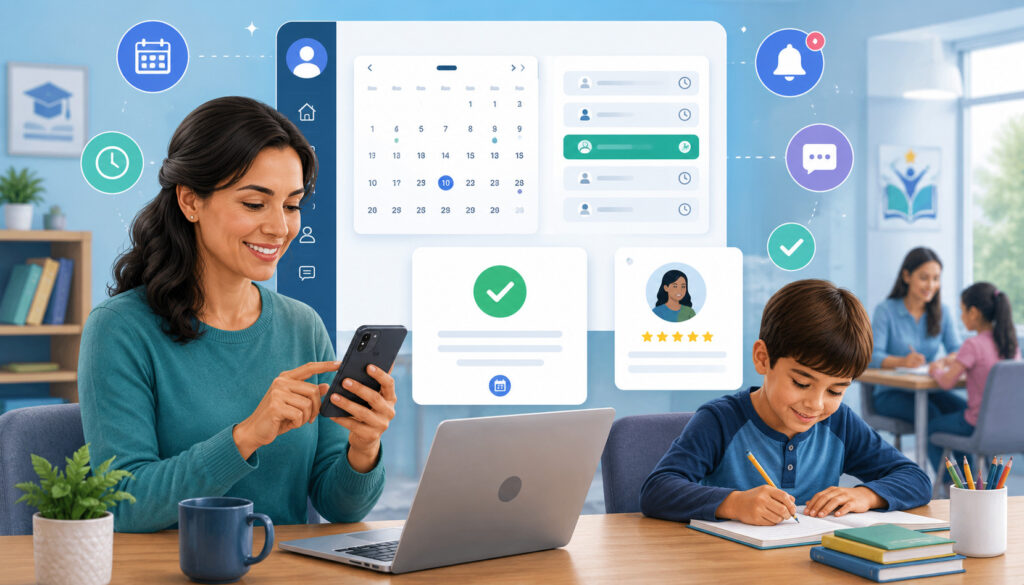
Parent portal scheduling allows families to request or book appointments through a centralized account. Depending on the system, parents may also see upcoming meetings, receive reminders, access documents, and review communication history.
Online tools can help coordinate:
- Available time slots
- Appointment categories
- Staff calendars
- Meeting formats
- Confirmations
- Automated reminders
- Video links
- Rescheduling
- Meeting history
- Follow-up tasks
Technology should support the workflow rather than dictate it. Before opening parent access, staff should test every appointment type and confirm what information parents and employees can see.
Benefits of Parent Portal Scheduling
A portal gives parents one place to manage appointment information. They may be able to book a progress review, view the assigned staff member, receive the meeting link, and reschedule without calling the office.
For administrators, centralized scheduling reduces duplicate data entry and improves visibility across teams. Staff can see which parent requests are pending and which appointments require preparation.
Parent portal scheduling may also connect the appointment to the correct student profile. This can make it easier for authorized staff to review lesson notes and record follow-up tasks.
Access should be role-based. Parents, tutors, teachers, administrators, and billing staff may need different information and permissions.
Settings to Review Before Using Online Booking
Before using online booking, review:
- Staff availability
- Appointment duration
- Buffer time
- Minimum booking notice
- Maximum advance-booking period
- Daily appointment limits
- Cancellation settings
- Rescheduling permissions
- Time zones
- Video-link generation
- Calendar synchronization
- Email and SMS notifications
- Parent access permissions
- Staff access permissions
- Information displayed in messages
Test exceptions as well as normal bookings. Staff should know what happens when a calendar connection fails, a parent enters an incorrect address, or a meeting is moved manually.
Common Parent Appointment Scheduling Mistakes
Many scheduling problems come from inconsistent processes rather than lack of effort. Staff may communicate carefully but still rely on outdated calendars, vague messages, or scattered records.
Common mistakes include:
- Unclear appointment purposes
- Too many booking steps
- Outdated staff availability
- No buffer time
- Missing time zones
- Incorrect meeting links
- No reminders
- Unclear cancellation rules
- Unprepared staff
- Incomplete notes
- No follow-up owner
- Sensitive information sent through unsuitable channels
Reviewing appointment outcomes can reveal where the process fails. Track no-shows, late cancellations, booking errors, and unresolved follow-up tasks.
Too Much Back-and-Forth Communication
Manual scheduling becomes frustrating when staff repeatedly ask parents to suggest times without first checking availability.
A better approach is to offer several confirmed options or a booking link that displays current time slots. Parents can then select from times the staff member can actually accept.
Back-and-forth also increases when the appointment purpose is unclear. Staff may need several messages just to decide who should handle the request.
Clear categories, intake questions, and accurate calendars eliminate much of this avoidable communication.
Not Preparing Before the Meeting
A scheduled appointment does not guarantee a productive meeting. Staff still need to review records and understand the parent’s reason for attending.
Poor preparation may lead to:
- Time spent searching for information
- Conflicting explanations
- Missed parent questions
- Unsupported recommendations
- Forgotten previous commitments
- Unclear next steps
A standard preparation checklist helps every staff member arrive ready. It also gives managers a consistent expectation for meeting quality.
Parent Appointment Scheduling Checklist
The following checklist can be used before, during, and after a parent appointment.
| Checklist Area | What to Confirm | Why It Matters |
| Appointment purpose | Reason for the meeting | Keeps the discussion focused |
| Parent details | Name and contact information | Prevents communication errors |
| Student records | Progress, attendance, and notes | Supports preparation |
| Staff availability | Tutor, teacher, or manager calendar | Prevents conflicts |
| Time slot | Date, time, time zone, and length | Sets clear expectations |
| Meeting format | Online, phone, or in person | Avoids confusion |
| Confirmation | Complete details sent to the parent | Reduces misunderstandings |
| Reminder | Email, SMS, calendar, or portal alert | Helps reduce no-shows |
| Agenda | Topics, questions, and meeting goal | Improves meeting quality |
| Follow-up | Notes, owners, and next steps | Keeps progress moving |
How to Use the Checklist
Before booking, confirm the appointment purpose, parent details, assigned staff member, and time slot.
Before the meeting, verify the format, send reminders, review student records, and prepare the agenda.
During the appointment, document decisions and action items. Afterward, assign responsibilities, send the summary, update schedules, and arrange the next check-in when needed.
Organizations can adapt the checklist by appointment type. Enrollment consultations, billing discussions, and academic progress reviews may require different preparation fields.
Records to Keep for Parent Appointments
Organized records may include:
- Booking request
- Confirmation
- Reminder history
- Parent messages
- Appointment status
- Attendance or cancellation status
- Progress reports reviewed
- Meeting notes
- Decisions
- Action items
- Schedule changes
- Follow-up summary
- Next appointment date
Records should be stored in an approved location with appropriate permissions. Avoid creating unnecessary duplicate copies.
The Federal Trade Commission provides information about children’s privacy and education technology, including concerns about how student information may be collected, used, secured, and shared. Organizations should review relevant education-technology privacy guidance and seek professional advice for their specific obligations.
Best Practices for Parent Appointment Scheduling
The best practices for parent appointment scheduling are practical habits that make the process easier to follow and more consistent.
Organizations should:
- Define the appointment purpose clearly.
- Offer simple booking options.
- Keep staff availability updated.
- Use clear time slots.
- Display the correct time zone.
- Send confirmations immediately.
- Send useful reminders.
- Include meeting links or location details.
- Prepare student records in advance.
- Use a focused meeting agenda.
- Leave buffer time between appointments.
- Track cancellations and reschedules.
- Write factual and respectful notes.
- Assign every follow-up task.
- Send post-meeting summaries.
- Use role-based access for records.
- Review scheduling performance regularly.
- Seek professional guidance for privacy, legal, contractual, or education compliance questions.
These practices are most effective when they form one repeatable process rather than separate suggestions.
Creating a Repeatable Scheduling Workflow
A standard workflow might follow these stages:
- Request: Parent or staff member identifies the meeting need.
- Route: Appointment category determines the correct employee.
- Book: Parent selects from approved time slots.
- Confirm: System sends complete appointment details.
- Prepare: Staff review records and create an agenda.
- Remind: Parent receives scheduled notifications.
- Meet: Participants discuss the stated topic.
- Document: Staff record decisions and action items.
- Follow up: Summary and resources are sent.
- Review: Next appointment is scheduled when appropriate.
Document the workflow so new employees can follow it. Assign ownership for calendar updates, template maintenance, failed notifications, and unresolved requests.
Keeping Parent Communication Clear and Respectful
Parent appointment messages should be polite, specific, and timely. They should focus on the meeting purpose and student support rather than creating unnecessary concern.
Useful communication practices include:
- Use a descriptive subject line.
- State the reason for the appointment.
- Avoid unexplained education or software terminology.
- Include all practical details.
- Provide a contact for questions.
- Make cancellation and rescheduling easy.
- Respect the parent’s preferred communication channel.
- Avoid assumptions or judgmental language.
- Follow up when promised.
Clear communication does not require long messages. It requires the right information at the right time.
How Scheduling Software Can Help With Parent Appointments
Scheduling software can support parent appointment management by connecting availability, booking, confirmations, reminders, meeting links, and calendars.
Depending on the system, it may provide:
- Online booking
- Parent portal access
- Team calendars
- Calendar sync
- Automated reminders
- Video meeting links
- Recurring appointments
- Rescheduling tools
- Appointment categories
- Intake forms
- Notes
- Staff permissions
- Reporting
Software should not replace thoughtful parent communication. It should remove repetitive administrative steps so staff can focus on preparation and student support.
Reducing Administrative Work
Automation can reduce manual tasks such as:
- Offering available times
- Checking calendar conflicts
- Creating calendar events
- Sending confirmations
- Sending reminders
- Generating meeting links
- Updating rescheduled appointments
- Recording appointment status
A guide to automating lesson and calendar scheduling demonstrates how centralized calendars, availability rules, recurring scheduling, confirmations, and role-based access can work together.
Automation requires maintenance. Staff calendars, templates, appointment categories, and notification rules should be reviewed regularly.
Improving Visibility for Staff and Parents
A centralized calendar helps staff see who is meeting with a parent, why the appointment was scheduled, and what preparation may be required.
Parents benefit from having a dependable record of appointment details and a clear method for making changes.
Managers may also use reporting to review:
- Number of parent appointments
- Appointment categories
- No-show rates
- Cancellation patterns
- Staff workload
- Booking lead time
- Follow-up completion
- Common parent concerns
Reports should be used to improve the workflow rather than evaluate individual families unfairly.
How to Choose Parent Appointment Scheduling Tools
The right tool should fit the organization’s actual parent communication workflow. A long feature list is not useful if parents find booking difficult or staff continue using separate calendars.
Evaluate tools based on:
- Online booking
- Parent portal access
- Staff availability rules
- Calendar synchronization
- Appointment categories
- Automated confirmations
- Email and SMS reminders
- Phone, video, and in-person options
- Rescheduling
- Recurring meetings
- Intake forms
- Meeting notes
- Student-record connections
- Role-based permissions
- Reporting
- Mobile usability
- Training
- Support
- Total cost
- Data privacy and security considerations
Run a small test before changing the entire organization. Include administrators, tutors or teachers, and a few people who can test the parent experience.
Questions to Ask Before Choosing Scheduling Tools
Ask vendors or internal reviewers:
- Can parents book without creating a complicated account?
- Can staff define different appointment types?
- Can appointment types use different lengths?
- Can buffers and daily limits be configured?
- Does availability sync with staff calendars?
- Can parents reschedule or cancel?
- Are email and SMS reminders supported?
- Can the system generate video links?
- Can appointments connect to student profiles?
- Can staff create factual follow-up notes?
- Can access be limited by role?
- Can administrators see appointment history?
- Are reports available?
- What happens when a calendar connection fails?
- What training is provided?
- What support channels are available?
- What is included in the total cost?
- How is data collected, stored, retained, and deleted?
- Which professional reviews are needed before implementation?
Document the answers and test important functions rather than relying only on demonstrations.
Comparing Workflow Fit Over Feature Lists
A tool with fewer well-designed functions may be more useful than a complex platform that staff and parents struggle to use.
Create realistic test scenarios, such as:
- A parent books a progress review.
- A coordinator schedules on a parent’s behalf.
- A tutor becomes unavailable.
- A parent reschedules a recurring appointment.
- A video link fails.
- Two siblings need separate meetings.
- A manager needs to review follow-up tasks.
- An employee should not see certain student records.
The best parent scheduling software is the one that supports these everyday situations with the least confusion while meeting the organization’s operational and professional requirements.
Frequently Asked Questions
What is parent appointment scheduling?
Parent appointment scheduling is the process of arranging meetings between parents or guardians and tutors, teachers, administrators, enrollment employees, or academic staff.
The process includes defining the meeting purpose, identifying the correct staff member, offering available time slots, confirming the meeting, sending reminders, preparing relevant information, and documenting next steps. Appointments may take place by phone, video call, or in person.
How do you schedule appointments with parents effectively?
Start by identifying why the meeting is needed and who should attend. Collect basic information about the student, parent, topic, preferred format, and suitable times.
Offer specific time slots or a booking link based on current staff availability. Send a complete confirmation that includes the date, time, time zone, meeting format, location or link, purpose, and rescheduling instructions.
Before the meeting, review student records and prepare a simple agenda. After the appointment, document decisions and send a follow-up summary.
What are the best practices for parent appointment scheduling?
Best practices include keeping calendars current, defining appointment categories, offering easy booking options, using clear meeting lengths, leaving buffer time, and sending immediate confirmations.
Organizations should also send useful reminders, prepare records in advance, use agendas, document decisions, assign follow-up tasks, and provide easy cancellation or rescheduling options.
Access to student records should be limited appropriately, and qualified professionals should review specific privacy, legal, contractual, or education compliance questions.
How can reminders reduce missed parent meetings?
Reminders bring the appointment back to the parent’s attention and provide quick access to the meeting details.
An effective reminder includes the date, time, time zone, meeting format, staff member, location or link, and rescheduling instructions. Common reminder points include immediately after booking, approximately one day before, and shortly before the appointment.
Reminders are most helpful when they are brief and sent through a communication channel the parent regularly uses.
What should be included in a parent meeting agenda?
A parent meeting agenda may include the meeting purpose, parent questions, student progress, attendance, strengths, current challenges, learning goals, tutor or teacher observations, recommendations, scheduling needs, and next steps.
The agenda should fit the appointment length and stated purpose. It should also leave time for the parent to share observations and ask questions. End the agenda by confirming action items, responsible participants, and any follow-up date.
How should tutoring centers manage parent appointment scheduling?
Tutoring centers should create separate appointment types for enrollment, progress reviews, tutor-parent meetings, scheduling changes, billing questions, and general support.
Each appointment type should have an assigned staff role, expected duration, preparation checklist, confirmation template, reminder sequence, and note format.
Centers should connect appointment calendars with tutor availability and student records where appropriate. They should also provide phone or email support for parents who cannot use online booking.
Can online scheduling tools help with parent meetings?
Yes. Online tools can allow parents to select available times, receive confirmations, add appointments to calendars, access meeting links, and reschedule when necessary.
They can also help staff prevent conflicts, apply buffer time, manage recurring meetings, send reminders, and track appointment history.
The tool must be configured carefully. Availability, permissions, notifications, meeting lengths, cancellation settings, and calendar connections should be tested before launch.
Conclusion
A reliable parent appointment scheduling guide helps tutoring programs, schools, learning centers, and independent educators turn parent meetings into organized and productive conversations.
Effective scheduling begins with a clear appointment purpose. It continues with accurate information, suitable time slots, easy booking, complete confirmations, helpful reminders, prepared agendas, and the correct meeting format.
The process does not end when the conversation is over. Respectful notes, assigned action items, follow-up summaries, and appropriately timed check-ins help ensure that decisions lead to meaningful action.
Organizations do not need an overly complicated system. They need a repeatable scheduling workflow that parents can understand and staff can follow consistently.
By keeping calendars current, making appointments easy to manage, preparing student information carefully, communicating respectfully, and documenting next steps, education teams can reduce no-shows, improve administrative efficiency, strengthen parent engagement, and provide more coordinated support for student progress.