By Jennifer Parker September 10, 2026
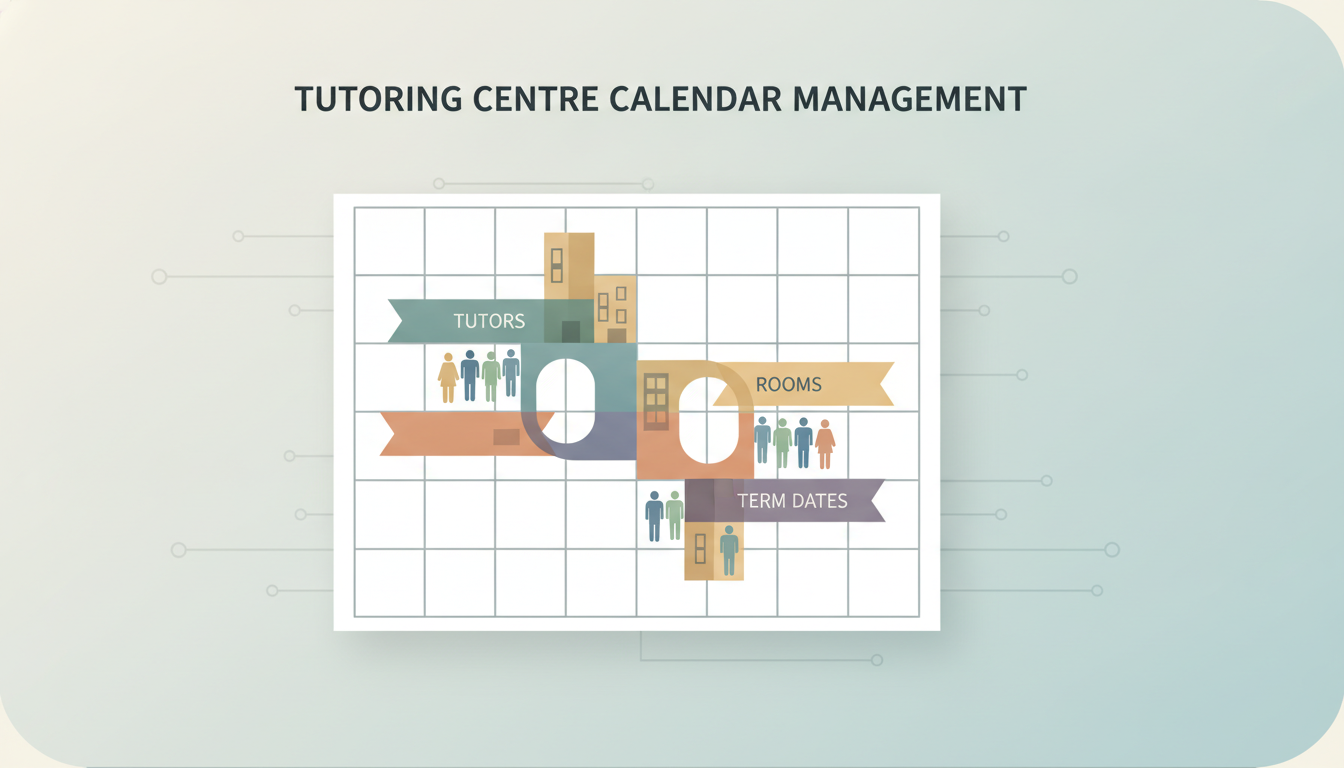
Tutoring Centre Calendar Management: Tutors, Rooms, Terms Book tutor, room and term date as three separate resources. A lesson confirms only when all three are simultaneously free, so no double-booking survives.
One calendar, three resources: tutors, rooms, term dates
A session is bookable when three things agree. There’s a tutor who is available and approved to teach the subject, there’s a free room or a free seat in a room, and the date falls inside a published term with no closure flag on it. Miss any one and the booking should be refused at entry, not discovered on the morning it fails.
The mechanism that makes this work is unglamorous. Room and tutor each have their own availability record in the system, with working hours, capacity and exceptions attached. They are not text fields typed into a booking form. When “Room 2” is a string of characters, nothing stops a second booking from carrying the same string at the same hour. When Room 2 is a resource with a capacity of six and an availability window, the second booking collides and the software says so.
Parallel calendars fail in ways every centre owner recognizes. Two tutors claim the quiet room for a Thursday diagnostic because each was looking at their own Google Calendar. A tutor who works Saturdays at your second site gets booked at the first because the site calendars never met. A whole week of recurring Year 11 sessions lands on a public holiday because the holiday lived in a spreadsheet nobody imported. That’s the ordinary shape of Common Tutoring Management Mistakes, and it’s the case for Centralized Tutor Scheduling vs. Manual Planning: Which Works Best? coming down on the side of one shared record.
Term dates are the outer boundary, which is why you enter them before anything else. Define term start, term end, holidays and closure days first, then let recurrence generate lessons inside that frame. Recurrence that outruns the term is how you end up billing for sessions the building was shut for.
One calendar doesn’t mean one view. Real tutoring centre calendar management gives the front desk the room grid, the tutor a personal roster, and the parent a single child’s upcoming sessions, all read from the same underlying bookings.
Set up the term calendar before you book a single lesson
Build order matters because recurring bookings inherit whatever the calendar knew at the moment you saved them.
- Enter term start and end dates, public holidays and any centre closure as blocking events on the calendar itself, not as notes in a description field. Check that a test booking on a closure date is refused.
- Define every room with its seat capacity and its equipment constraint, so the quiet room used for assessments, the computer room and the whiteboard room are distinguishable to the software rather than to whoever remembers.
- Add tutor availability as recurring weekly windows tagged by subject, then set the turnaround buffer each tutor needs between sessions, longer for anyone traveling between sites.
- Build the recurring group classes first. They eat the most room-hours, and fitting one-to-one lessons around a fixed group grid is far easier than the reverse, which is the logic behind most Automated Class Scheduling for Tutoring Centers setups.
- Turn conflict blocking to hard refusal, so a double-booked room or tutor fails on save. A warning that appears after the record is written gets clicked through by a busy receptionist.
- Run one dry week with no parent notifications, then open the room utilization view and look for rooms sitting empty at peak and rooms booked wall-to-wall.
Watch the buffer trap during that dry week. Back-to-back bookings with no gap read as efficient utilization and produce a cascade: the four o’clock runs ten minutes over, the four-thirty starts late, and by six the tutor is apologizing to a parent in the corridor. Our guide to Automating Lesson Scheduling for Tutoring Centers (Complete Operations Guide) covers buffer defaults in more depth.
The conflict rules worth enforcing in software
A rule that lives in someone’s head isn’t a rule.
| Rule | What it blocks | Where it usually breaks |
|---|---|---|
| One tutor per timeslot, across every location | The same tutor promised to two students at once | Separate tutor records per site, so each branch sees them as free |
| Room capacity ceiling | Group sessions added as one booking with a headcount the room never checks | |
| Subject-qualification match | A primary literacy tutor assigned to A-level chemistry | Cover bookings made in a hurry when someone calls in sick |
| Term-date boundary | Lessons landing in the holidays nobody will attend | Recurring series that repeat past the end-of-term date |
| Closure-day block | Sessions on bank holidays and staff training days | Closures added to the calendar after recurring bookings were generated |
| Minimum turnaround buffer | Back-to-back lessons with no room reset or handover | Manual bookings that override the default gap |
| Maximum consecutive teaching hours per tutor | Hours split across two sites, each under the cap alone |
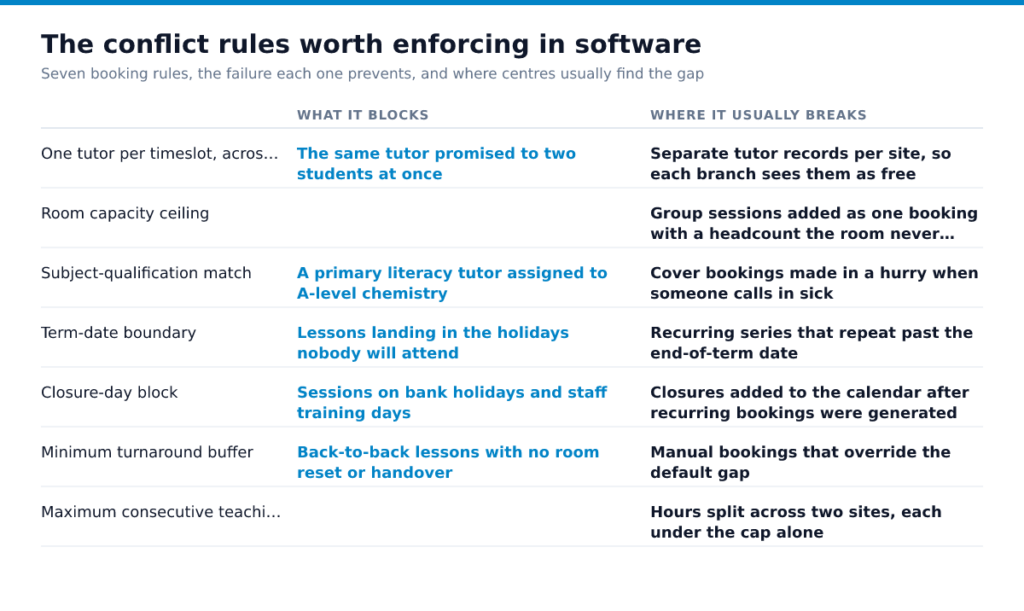
Notice how many rows fail the same way. If you run more than one site, one shared tutor record is the prerequisite for all of it, which is why we treat cross-site resource visibility as the first question in Tutoring Software for Multi-Location Learning Centers. Cancellation and reschedule permissions belong in the same settings screen. Decide who can move a booking, whether parents can self-reschedule, and how many hours ahead the window closes.
Who sees what: access, parents and student records
A parent should log in and see one child’s bookings, that child’s tutor, and the open slots they’re allowed to fill. Nothing else. Not the roster, not other families’ names, not a tutor’s full day. Tutors see their own schedule and the rooms assigned to them, which is enough to teach and not enough to browse. The front desk sees everything, because someone has to answer the phone. Set those tiers before you import a single student, the way we describe in the Parent Appointment Scheduling Guide.
Keep the calendar to time, place and person. Session notes, assessment scores and progress comments belong in the student record behind a login, not in a shared invite that forwards to anyone with the link. Notes for Managing One-on-One Tutoring Sessions are the most likely thing to leak this way.
If your centre works under contract with a school district and handles education records, FERPA lets the district share those records with school officials who have a legitimate educational interest (34 CFR 99.31), and that is not every employee (Under FERPA, may an educational agency or institution…). The district must publish its criteria in its annual notification (34 CFR 99.7). Ask for that text, then build your access levels to match. Certain requests and disclosures must be recorded (34 CFR 99.32), so pick software that logs who viewed and changed each record.
What to check before you commit to a platform
Demos hide the weak points. The calendar looks tidy until one tutor works in two branches, a room goes offline for testing, or spring break moves after you’ve built recurring lessons. When you compare tools, use a live script, not a feature grid. Our notes on Best Tutor Scheduling Software for Growing Businesses help you build that shortlist, but your test should match how your center actually books.
Make the vendor show these actions in one session:
- Rooms booked as resources with their own availability
- Term dates imported, with bulk shifting for a recurring series
- One tutor record shared across every location
- Conflicts blocked on save for tutor, room, and student overlaps
- Two-way Google or Outlook sync, including cancellations
- Waitlist and standby flows for full group classes
- Exports for room utilization, tutor hours, and unfilled slots
Then read the contract before you score the demo. If a platform handles tutoring centre calendar management well but traps your data, you still have a bad platform. Ask how booking records, attendance, notes, and parent contacts come out on exit, what cancellation notice the agreement requires, and whether card readers or front-desk hardware sit on a separate lease. Ask for a sample invoice with each line item named, including per-tutor, per-location, and per-SMS charges, plus the source of each line, such as subscription, messaging pass-through, or a connected service.
A system that opens student records to all staff misses the access rule. Only school officials with legitimate educational interests should have access (34 CFR 99.31) (Under FERPA, may an educational agency or institution…). You’ll see the same pattern in scheduling, billing, and parent communication problems covered in Top Challenges Tutoring Centers Face (and How Software Solves Them) and Benefits of Cloud-Based Tutoring Management Platforms.
Send vendors your script before the demo and require screen sharing on each step. Then ask for the contract and a real invoice sample the same day, while the missing pieces are still obvious.
Frequently Asked Questions
What is the best scheduling software for tutoring businesses?
The best one is whichever tool treats rooms and tutors as separate bookable resources and lets you export your own data on demand. Ask any vendor two questions before the demo ends: what format the data comes out in if you leave, and who at the vendor can view student records. If your center contracts with a school district, that second answer matters, because the district can only treat your platform as a school official acting under its direct control if the contract says so (34 CFR 99.31).
Your rate turns on subject and level, whether the session is one-to-one or small group, your tutors’ credentials, and what families in your catchment already pay for music lessons and test prep. The number that decides whether a rate works isn’t the headline hourly figure, it’s utilization: a tutor booked eight hours a week at a modest rate can earn the center more than one booked two hours at a premium. Suppose a room costs you a flat amount to keep open on a Tuesday evening. Two back-to-back paid sessions in that room change the math far more than a rate increase does, which is why your calendar’s fill rate is a pricing input, not just an admin metric.
How do you do calendar management for a tutoring centre with part-time tutors?
Collect availability once per term as a standing pattern, then require changes to that pattern in writing before a published cutoff date, and treat anything after the cutoff as a swap the tutor arranges from an approved cover list. Keep a short standby roster of tutors who’ve agreed to cover specific subjects, and log every cover swap against the original booking so payroll and attendance still reconcile at month end.