
Recurring payments can turn tutoring billing from a stressful monthly chore into a predictable, organized workflow. For tutors, tutoring center owners, education business managers, academic coordinators, administrators, and learning center operators, the goal is simple: get paid on time while making payments easy for families.
When recurring billing is managed well, it supports predictable cash flow, fewer manual invoices, clearer tutoring payment plans, and less awkward follow-up with parents. It also helps align recurring tutoring sessions with payment schedules, package balances, credits, refunds, failed payments, and billing transparency.
To Manage Recurring Payments in Tutoring, you need more than automatic charges. You need clear billing rules, secure online payments for tutoring, consistent communication, reliable tutoring invoice management, and a system that connects scheduling, attendance, and payments.
What Are Recurring Payments in Tutoring?
Recurring payments in tutoring are scheduled payments that happen automatically at regular intervals. Instead of sending a new invoice after every lesson or reminding each parent to pay manually, the tutoring business sets up a billing arrangement that repeats based on the agreed plan.
This may mean a parent is charged every week, every two weeks, every month, or whenever a tutoring package renews. The payment can be tied to a fixed monthly subscription, a set number of recurring tutoring sessions, a prepaid lesson package, or a membership-style tutoring plan.
For example, a student who attends math tutoring twice per week may be enrolled in a monthly tutoring subscription billing plan. Another student may purchase a 10-session package that renews automatically when the balance gets low. A learning center may use recurring billing for tutoring services to collect tuition on the same date each month.
Common recurring payment structures include:
- Weekly auto-pay for ongoing sessions
- Biweekly payments for families who prefer smaller installments
- Monthly tutoring payment plans
- Prepaid packages with auto-renewal
- Subscription-based tutoring memberships
- Program-based billing for test prep or academic support
The key difference between recurring payments and one-time invoices is consistency. Recurring billing creates a repeatable system for payment collection, receipts, reminders, and records.
Why Tutoring Businesses Use Recurring Billing

Tutoring businesses use recurring billing because manual billing becomes harder as enrollment grows. A solo tutor may be able to track payments with a calendar and spreadsheet at first, but once multiple students, parents, tutors, packages, and make-up sessions are involved, billing can quickly become messy.
Recurring billing for tutoring services helps reduce late payments by creating a predictable payment schedule. Parents know when they will be charged, and the business does not need to send repeated reminders every billing cycle. This makes payment collection smoother and more professional.
It also improves cash flow. When payments arrive consistently, tutoring businesses can plan tutor payroll, rent, software costs, curriculum expenses, and marketing with more confidence. Predictable revenue is especially important for centers that run recurring tutoring sessions every week.
Recurring billing also reduces administrative work. Instead of creating invoices manually, following up on overdue balances, and checking payment status one family at a time, tutors can automate recurring payments tutoring workflows through tutor billing software.
For parents, recurring billing can be more convenient. A parent payment portal, saved payment method, automated receipt, and clear invoice history can reduce confusion. Parents do not have to remember every due date, and they can see what they paid for.
Recurring billing also creates better records. When payments, sessions, credits, refunds, and balances are tracked in one place, tutoring business billing becomes easier to review. This helps administrators answer parent questions quickly and avoid disputes.
Common Recurring Payment Models for Tutors

There is no single best recurring payment model for every tutoring business. The right structure depends on how sessions are scheduled, how predictable student attendance is, how families prefer to pay, and how much administrative control the business needs.
Some tutors prefer monthly subscription plans because they create stable revenue and make enrollment feel simple. Others prefer weekly or biweekly auto-pay because it keeps payments smaller and closer to lesson delivery. Larger centers may use prepaid packages with auto-renewal because packages are flexible and easier to connect with attendance.
The best model is the one that matches your tutoring service delivery. If students attend the same number of sessions every week, monthly billing may work well. If students have changing schedules, package-based billing may be better. If families want budget-friendly installments, weekly or biweekly recurring billing may be more comfortable.
Here is a practical comparison:
| Payment Model | Best For | What to Watch For |
| Monthly subscription plans | Stable weekly tutoring, memberships, academic support programs | Clearly define included sessions, rollover rules, and missed-session policies |
| Weekly auto-pay | Ongoing tutoring with frequent sessions | Make sure attendance and billing stay aligned |
| Biweekly auto-pay | Families who prefer smaller recurring payments | Avoid confusion around months with extra weeks |
| Prepaid packages with auto-renewal | Flexible scheduling, test prep, enrichment programs | Track remaining sessions and renewal triggers carefully |
| Membership billing | Learning centers offering access, support, or bundled services | Explain what is included beyond session time |
| Program-based recurring billing | Exam prep, seasonal programs, academic coaching | Set clear start dates, end dates, and refund rules |
A useful resource on designing tuition plans, session packs, subscriptions, and milestone billing can help tutoring businesses think through plan structure before automating payments.
Monthly Subscription Plans
Monthly subscription plans charge families a fixed amount each month for a defined tutoring arrangement. This might include one session per week, two sessions per week, access to a learning program, or a reserved tutoring slot.
This model works well when students attend consistently. For example, a reading support student may attend every Tuesday and Thursday. Rather than invoicing after each lesson, the tutoring business charges a set monthly fee that covers the agreed schedule.
Monthly tutoring subscription billing gives the business predictable revenue. It also gives parents a clear expectation of what tutoring will cost. This can make budgeting easier and reduce payment delays.
However, monthly plans need clear service rules. Parents should know what happens during holidays, cancellations, no-shows, tutor absences, and months with more or fewer scheduled days. Without clear terms, subscription billing can create confusion.
A strong monthly plan should define:
- Number of sessions included
- Billing date
- Cancellation deadline
- Make-up session policy
- Credit and refund rules
- Auto-renewal terms
- How parents can pause or cancel
Weekly or Biweekly Auto-Pay
Weekly or biweekly auto-pay charges parents on a shorter recurring cycle. This can be helpful for families who prefer smaller payments instead of one larger monthly charge.
For ongoing tutoring sessions, weekly billing can feel natural because the payment happens close to the lesson schedule. If a student attends every week, the parent is charged every week. If the student attends multiple sessions, the invoice can reflect those sessions based on the billing rules.
Biweekly auto-pay can also work well for tutoring businesses that want predictable payments without asking families to commit to a full monthly subscription. It can be especially useful when schedules vary slightly but the student remains active.
The challenge is timing. Some months have more billing dates than others. Parents should understand that weekly billing is based on the billing cycle, not always a neat monthly total.
To manage weekly or biweekly auto-pay well, connect billing with attendance records. If a student cancels within the allowed window, the system should show whether the session is credited, rescheduled, or still billable.
Prepaid Packages With Auto-Renewal
Prepaid packages allow families to buy a block of tutoring sessions in advance. For example, a parent may purchase 5, 10, or 20 sessions. Each completed session reduces the remaining balance.
Auto-renewal adds convenience by renewing the package automatically when the balance reaches a certain point or when a billing cycle ends. This helps prevent interruptions in learning and reduces last-minute payment requests.
This model works well for students with flexible schedules, test prep programs, enrichment lessons, and families who do not want a fixed monthly subscription. It also helps tutoring businesses collect payment before sessions are delivered.
The main risk is package confusion. Parents need visibility into how many sessions were used, how many remain, and when the next renewal will happen. This is where tutoring invoice management and parent payment portal access become important.
Prepaid packages should clearly explain:
- Number of sessions purchased
- Session length
- Expiration rules, if any
- Auto-renewal trigger
- Refund eligibility
- Make-up and cancellation rules
- Whether unused credits roll over
Step-by-Step Guide to Manage Recurring Payments in Tutoring
A good recurring payment system starts before the first automatic charge. The setup process should define what is being billed, when payment happens, how parents are notified, what happens when sessions change, and how the business handles exceptions.
To Manage Recurring Payments in Tutoring successfully, think of billing as part of the full tutoring workflow. Scheduling, attendance, parent communication, payment processing, failed payment management, credits, refunds, and reporting should work together.
Start by documenting your billing policies. Then choose tools that support those policies. After that, connect billing to the tutoring schedule so charges reflect actual enrollment and attendance rules.
It is also important to test your process before rolling it out broadly. Run through common scenarios: a parent enrolls, a card expires, a session is canceled, a student receives a make-up credit, a package renews, or a family pauses tutoring.
A strong recurring billing setup should answer these questions:
- What is the family paying for?
- When will they be charged?
- What happens if payment fails?
- How are cancellations handled?
- How are credits and refunds recorded?
- Who can adjust billing?
- Where can parents view invoices and receipts?
Step 1: Define Your Billing Rules
Before choosing software or collecting payment details, define your billing rules. This step prevents confusion later and helps your team apply policies consistently.
Start with session frequency. Decide whether students will be billed weekly, biweekly, monthly, per package, or by subscription. Then define payment timing. Will parents pay before sessions, after sessions, at the start of the month, or on a rolling schedule?
Next, set clear billing cycles and due dates. For example, monthly tuition may be charged on the first day of each month, while weekly auto-pay may run every Monday. Package renewals may trigger when a student has one session remaining.
Also document cancellation rules, no-show policies, make-up credits, and refund guidelines. These policies should be easy for parents and staff to understand.
Your billing rules should cover:
- Session frequency
- Payment schedule
- Billing cycle start and end dates
- Auto-renewal terms
- Late payment process
- No-show handling
- Cancellation deadlines
- Make-up credit rules
- Refund eligibility
- Package expiration or rollover
Step 2: Choose Tutor Billing Software
The right tutor billing software can reduce manual work and improve accuracy. Look for software that supports the way your tutoring business actually bills families.
At minimum, the system should support recurring invoices, saved payment methods, online payments for tutoring, automated receipts, billing history, parent payment portal access, and failed payment alerts. If you offer packages, subscriptions, or memberships, make sure the software can track those models clearly.
For growing teams, billing software should also connect with session tracking, tutor schedules, attendance, reporting, and student records. This helps prevent the common problem of charging families without knowing whether sessions were attended, canceled, or rescheduled.
Helpful features include:
- Recurring invoices
- Automatic payment collection
- Parent payment portal
- Payment reminders
- Saved payment methods
- Failed payment notifications
- Package balance tracking
- Credit and refund records
- Session-based billing
- Billing reports
- Role-based staff access
For a deeper feature breakdown, this guide to tutoring billing software is useful when comparing invoicing, autopay, reminders, packages, and payment workflows.
Step 3: Connect Payments With Scheduling
Recurring payments should align with recurring tutoring sessions. If billing and scheduling are disconnected, administrators may spend hours checking calendars, attendance notes, invoices, and payment records manually.
When payments connect with scheduling, it becomes easier to answer parent questions. If a parent asks why they were charged, your team can review the session date, tutor, attendance status, cancellation record, and payment entry in one workflow.
This connection is especially important for recurring tutoring sessions. If a student attends every week, the billing system should reflect that schedule. If a session is canceled within policy, the billing record should show whether the parent receives a credit, owes payment, or receives a make-up session.
Scheduling alignment also helps with packages. Each completed session should reduce the student’s package balance. If a session is rescheduled, the balance should not be reduced until the session is completed according to your rules.
A resource on automating lesson scheduling for tutoring centers can help connect booking, reminders, attendance, and billing into a smoother operational process.
Step 4: Communicate Terms Clearly to Parents
Recurring payments only work well when parents understand the terms before enrollment. Clear communication builds trust and reduces billing questions later.
Parents should know how much they will pay, when charges will happen, what the payment covers, whether the plan renews automatically, how to cancel, and what happens if a payment fails. They should also know how to contact your team with billing questions.
Present billing terms before collecting payment details. This can be done through an enrollment form, parent agreement, welcome email, payment authorization page, or parent portal message.
Important terms to explain include:
- Payment amount
- Billing frequency
- Payment date
- Auto-renewal terms
- Included sessions
- Cancellation policy
- Make-up session policy
- Refund rules
- Failed payment process
- Contact information
Avoid surprising parents with charges they did not expect. Even when a charge is allowed by policy, unclear communication can damage trust.
How to Handle Failed Payments and Expired Cards
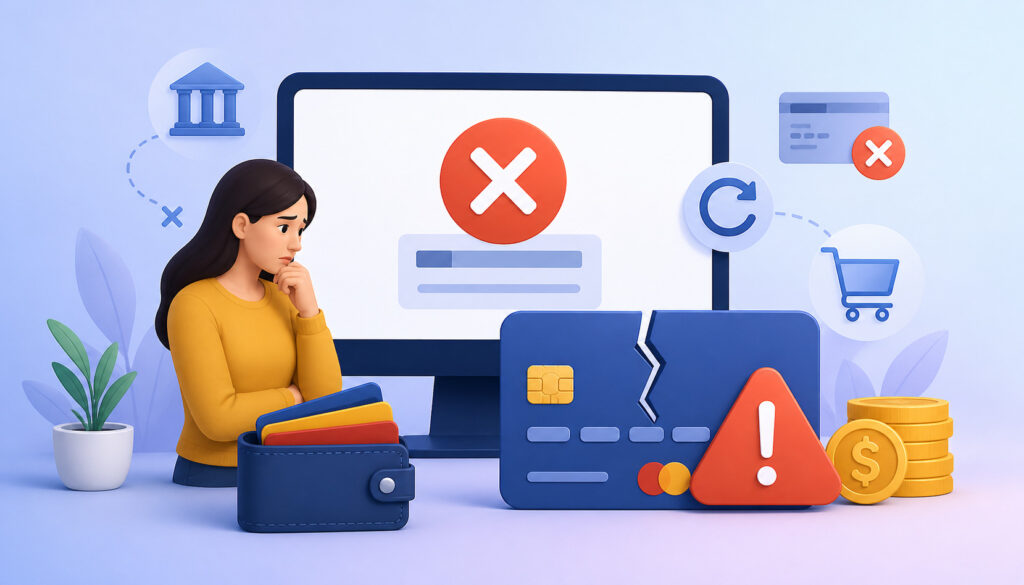
Failed payments are normal in recurring billing. Cards expire, banks decline transactions, payment limits change, and families sometimes forget to update billing details. The goal is not to eliminate every failed payment. The goal is to manage failed payment management in a calm, consistent, and professional way.
Start with automatic retry rules. Many payment systems allow a failed charge to retry after a set period. This can recover payments without staff involvement, especially when the decline is temporary.
Next, notify the parent promptly. The message should explain that the payment did not go through, provide a secure way to update the payment method, and state when the next attempt will occur. Keep the tone helpful rather than accusatory.
A parent payment portal can make this process easier. Parents can update expired cards, add backup payment methods, view outstanding balances, and pay open invoices without waiting for staff.
Set a grace period policy. For example, tutoring may continue for a short period after a failed payment, but accounts with unresolved balances may be placed on hold. Make sure this rule is communicated before enrollment.
A failed payment workflow may include:
- Automatic decline notification
- Secure payment update link
- Retry after a set number of days
- Reminder before account hold
- Manual follow-up for unresolved balances
- Clear record of all attempts and messages
Managing Credits, Refunds, and Make-Up Sessions
Credits, refunds, and make-up sessions are where tutoring billing often becomes complicated. A parent cancels in advance. A tutor gets sick. A student misses a session. A package expires. A family pauses tutoring. Each situation affects billing differently.
The most important step is to define the difference between a credit, refund, and make-up session. A credit usually means value remains on the account for future use. A refund means money is returned. A make-up session means the student receives another lesson instead of a billing adjustment.
Your policies should state when each option applies. For example, a cancellation made before the required deadline may qualify for a make-up credit, while a no-show may still be charged. If a tutor cancels, the student may receive a make-up session or account credit.
Track every adjustment in writing. Do not rely on memory or informal messages. Parents should be able to see why a credit was issued, which session it applies to, and whether it expires.
For package-based billing, credits and make-ups need careful tracking. If a session is canceled and not counted, the package balance should remain unchanged. If a session is completed, the balance should decrease. If a refund is issued, the package balance may need adjustment.
Good tutoring invoice management should make these records visible to administrators and understandable to parents.
Security and Compliance for Recurring Tutoring Payments
Recurring billing often involves saved payment methods, which means security must be taken seriously. Tutors and learning centers should never store card numbers manually in spreadsheets, notes, forms, emails, or messaging apps.
Instead, use secure payment processors and billing platforms that protect payment information through tokenization. Tokenization replaces sensitive card details with a secure token that can be used for future charges without exposing the actual card number to staff.
Access controls are also important. Not every staff member needs access to billing settings, refunds, payment reports, or parent financial information. Limit access based on job responsibilities.
Parents should also receive receipts and payment confirmations. These records help families track charges and help the business maintain clear billing history.
Security practices should include:
- Using a secure payment processor
- Avoiding manual card storage
- Enabling parent self-service payment updates
- Limiting staff access to payment tools
- Keeping billing records organized
- Sending receipts automatically
- Reviewing refund permissions
- Training staff on privacy practices
For more payment safety considerations, this guide on secure online payments for tutors explains practical payment security concepts for tutoring businesses.
Best Practices for Recurring Tutoring Payment Management
Managing recurring payments well is about building habits that keep billing accurate, transparent, and easy to review. Automation helps, but it should be supported by consistent oversight.
Use itemized invoices whenever possible. Instead of a vague charge, show the plan name, billing period, sessions included, discounts, credits, and balance due. Itemization helps parents understand what they are paying for.
Create clear parent agreements. These agreements should explain payment timing, cancellation rules, make-up policies, failed payment procedures, auto-renewal terms, and refund rules. A parent should not have to guess how billing works.
Automated reminders are also valuable. Send reminders before upcoming charges, when payment methods need updating, and when balances are overdue. This reduces surprise and gives parents time to act.
Review billing weekly. Even with automation, someone should check failed payments, unusual credits, refunds, unpaid invoices, package balances, and upcoming renewals.
Strong best practices include:
- Use itemized invoices
- Confirm terms before enrollment
- Send automated payment reminders
- Track attendance accurately
- Review failed payments weekly
- Keep refund rules consistent
- Maintain clear package balances
- Reconcile payments regularly
- Give parents access to receipts
- Document exceptions
Common Mistakes to Avoid
One of the biggest mistakes in recurring tutoring billing is unclear auto-renewal language. Parents should know whether their plan renews automatically, when it renews, how much they will be charged, and how to cancel or change the plan.
Another mistake is billing without attendance tracking. If your system charges families but does not connect to session records, it becomes difficult to explain charges, apply credits, or resolve disputes.
Poor failed payment follow-up is also common. Some tutoring businesses wait too long to contact parents, while others use inconsistent rules. A clear failed payment workflow protects cash flow and keeps communication professional.
Manual card storage is a serious mistake. Card details should not be kept in notebooks, spreadsheets, emails, shared documents, or screenshots. Use secure payment tools instead.
Inconsistent cancellation rules can also create tension. If one family receives a credit for a late cancellation and another does not, parents may feel the process is unfair. Staff should follow the same policy unless a documented exception is approved.
Watch out for these issues:
- Unclear auto-renewal terms
- Billing not connected to attendance
- Confusing package balances
- Manual payment detail storage
- Inconsistent refund decisions
- Weak failed payment management
- No weekly reconciliation
- Lack of parent receipts
- Overcomplicated plan structures
When to Automate Recurring Payments for Tutoring
Tutors often wait too long to automate billing. Manual invoicing may feel manageable at first, but it can become a major time drain as the student roster grows.
Automation is especially useful when you have frequent recurring tutoring sessions, multiple tutors, several billing models, package balances, parent questions, or late payments. If administrators are spending too much time sending invoices, checking payments, and updating spreadsheets, it may be time to automate recurring payments tutoring workflows.
Signs you need automation include:
- You send the same invoices repeatedly
- Parents often forget to pay
- You track package balances manually
- Failed payments are easy to miss
- Families ask for payment history often
- Multiple tutors need attendance-based billing
- Make-up credits are hard to track
- You spend too much time reconciling payments
- Parent payment questions slow down your team
- Growth is limited by administrative workload
Automation also helps create a more professional experience. Parents can pay online, receive receipts, update payment methods, and view billing history without waiting for manual replies.
However, automation should be introduced thoughtfully. Start with clear billing rules, then configure software to match those rules. Train your team before making recurring payments the default.
FAQs
How do tutors manage recurring payments?
Tutors manage recurring payments by setting clear billing rules, choosing a payment schedule, collecting secure payment authorization, and using tutor billing software to automate invoices, reminders, receipts, and payment collection. Billing should also connect with scheduling and attendance so cancellations, credits, and make-up sessions are handled accurately.
What is recurring billing for tutoring services?
Recurring billing for tutoring services is a payment arrangement where families are billed automatically on a repeating schedule, such as weekly, biweekly, monthly, or when a tutoring package renews. It helps tutoring businesses reduce late payments, improve cash flow, and simplify administration.
Can tutors set up automatic payments?
Yes. Tutors can set up automatic payments using secure tutor billing software or payment tools that support recurring charges. Parents usually authorize the payment method and agree to the billing terms before automatic payments begin.
How should failed tutoring payments be handled?
Failed tutoring payments should be handled with a consistent process that includes automatic notifications, secure payment update links, retry rules, grace periods, and manual follow-up when needed. Clear failed payment management helps protect cash flow while keeping parent communication professional.
Should recurring payments connect with scheduling?
Yes. Recurring payments should connect with scheduling whenever possible. This helps ensure billing matches recurring tutoring sessions, completed lessons, cancellations, make-up sessions, and package balances.
How do tutoring businesses manage make-up credits?
Tutoring businesses manage make-up credits by defining when credits are allowed, recording them clearly, and applying them consistently. Credits should be linked to the original session and visible in the student or family account.
Is it safe to store payment details for recurring billing?
It is safe only when payment details are handled through a secure payment processor or billing platform. Tutors should not manually store card numbers in spreadsheets, emails, notes, or forms. Secure systems use protected payment workflows and tokenization.
When should tutors use billing software?
Tutors should use billing software when manual invoicing becomes time-consuming, payments are often late, package balances are hard to track, or parent billing questions are increasing. Billing software is especially useful for recurring payments, subscriptions, packages, and online payments for tutoring.
Conclusion
To Manage Recurring Payments in Tutoring, tutoring businesses need clear billing rules, secure payment tools, parent communication, scheduling alignment, failed payment workflows, credit tracking, and organized reporting.
Recurring billing can save time, improve cash flow, reduce late payments, and create a better experience for families. It also helps tutors and learning centers move away from scattered invoices, manual reminders, and confusing package records.
The best approach is practical and consistent. Define your payment models, explain terms before enrollment, connect billing with recurring tutoring sessions, use secure online payments for tutoring, and review billing activity regularly.
When recurring payments are managed well, families gain clarity, administrators save time, and tutors can focus more energy on student progress.