
By Jennifer Parker February 24, 2026
If you’re running a tutoring center in a local market, scheduling is either your quiet competitive advantage—or the daily bottleneck that drains your team.
When you manage multiple tutors, classrooms, subjects, and parent expectations, “just use a shared calendar” stops working fast. The real issue isn’t effort; it’s that manual coordination can’t consistently enforce rules, prevent conflicts, or scale without adding more admin hours.
This guide is a practical operations playbook for automating lesson scheduling for tutoring centers. We’ll translate “tutoring center scheduling automation” into workflows you can actually implement: a central calendar, rule-based tutor availability management, recurring lesson scheduling, automated booking confirmations, and role-based access for admins, tutors, and parents.
You’ll also see how lesson scheduling software for tutoring centers typically runs end-to-end—from inquiry to reporting—plus setup steps, policies, scenarios, a 30/60/90-day rollout roadmap, and an implementation checklist.
The goal isn’t to buy software and hope it fixes operations. The goal is to design a scheduling system your team can run confidently, even as you add tutors, classrooms, group programs, and new enrollment cycles.
Why Tutoring Centers Struggle With Manual Scheduling

Manual scheduling breaks down for the same reason manual payroll or manual inventory does: too many moving parts and too little structure. A tutoring center isn’t scheduling “appointments.” You’re scheduling relationships (tutor-student fit), resources (rooms, materials), and commitments (packages, recurring sessions), all while responding to cancellations and family logistics.
The most common friction points show up quickly:
- Overlapping bookings when multiple staff members schedule in parallel or when room/resource assignments aren’t tracked.
- Tutor under/over-utilization because availability lives in people’s heads, text threads, or fragmented calendars.
- Last-minute cancellations that trigger a cascade of rescheduling messages and unused capacity.
- Parent communication overload as families ask for confirmations, reminders, make-up options, and changes.
What makes it worse is the hidden labor: chasing replies, reconciling different calendars, and manually enforcing policies. Over time, these inefficiencies become culture problems—tutors feel jerked around, admins feel behind, and parents feel uncertain.
Pro Tip: If your admin team is “good at scheduling,” that often means they’ve built personal workarounds. Automation succeeds when you convert those workarounds into visible rules, not when you try to replace people with software.
What manual scheduling costs you operationally
Manual scheduling isn’t just slow; it creates inconsistency. The same request handled by two different staff members can result in different outcomes: different cancellation decisions, different room assignments, different “one-time exceptions” that become expectations.
Operationally, manual scheduling often leads to:
- More rework due to errors and missed details
- Lower attendance because reminders are inconsistent
- Weaker capacity planning for tutoring centers because data isn’t clean
- Uneven tutor workload balancing and avoidable burnout
- Slower response time to new inquiries and trial bookings
In other words, manual scheduling creates a center that “runs on heroics.” That’s not a scalable operating model.
Manual Vs Automated Tutoring Center Scheduling: What Changes

The difference isn’t that automated systems never make mistakes. The difference is that automation makes rules visible, repeatable, and auditable. When your tutoring center scheduling software becomes the system of record, the team stops debating “how we usually do it” and starts following a consistent workflow.
Below is a simple comparison you can use in leadership discussions.
| Area | Manual scheduling | Tutoring center scheduling automation |
|---|---|---|
| Time to book/reschedule | Multiple back-and-forth messages; depends on staff availability | Rule-based options; parents/admins book in minutes |
| Error rate | Higher risk of double-booking and wrong room/tutor | Built-in conflict checks and resource limits |
| Scalability | Adds admin headcount as volume grows | Adds programs/tutors with far less admin increase |
| Policy enforcement | Inconsistent; depends on who handles the request | Consistent cancellation windows, limits, and rules |
| Visibility | Hard to see true utilization and capacity | Reporting and attendance tracking are structured |
| Parent experience | Confusing confirmations; reminder gaps | Automated booking confirmations + reminders |
| Tutor experience | Schedule changes via texts; unclear expectations | Tutor portal + stable recurring schedules |
Automation doesn’t eliminate judgment. It eliminates ambiguity—so your team can use judgment on student placement and quality, not on calendar chaos.
What Tutoring Center Scheduling Automation Means In 2026

In 2026, tutoring center scheduling automation should be understood as an operating system for lessons—not just a calendar tool. The automation you want is the combination of a centralized schedule, configurable rules, and role-based access that makes scheduling reliable across your staff and your programs.
At a minimum, automation includes:
- A central calendar that reflects tutors, students, rooms, and group programs in one view
- Rule-based availability for tutor availability management and resource scheduling
- Automated booking confirmations so every appointment has a consistent trail
- SMS and email lesson reminders to reduce no-shows and late changes
- Role-based access so admins, tutors, and parents each see and do what they should
Done correctly, automation creates a “single source of truth” for your student scheduling system. That reduces internal debate, improves parent confidence, and makes growth operationally safer.
Role-based access: admin, tutor, parent
Role-based access is one of the most underestimated pieces of automating lesson scheduling for tutoring centers. Most scheduling failures happen when too many people can do too many things, or when the right people can’t see what they need.
A clean permission model typically looks like this:
- Admin roles
- Create session types and programs
- Set tutor availability rules and room constraints
- Override bookings when needed, with audit trails
- Manage cancellations and rescheduling policies
- Run reporting and attendance tracking
- Tutor roles
- View schedule, rosters, student notes, and goals
- Submit attendance and progress notes
- Request schedule changes through an approved workflow
- Indicate time-off availability (not directly rebook families)
- Parent roles
- Access a parent booking portal for approved session types
- Confirm, reschedule, or cancel within policy
- Receive reminders and confirmations
- View package balances, invoices, and session history (if enabled)
How Lesson Scheduling Software For Tutoring Centers Works End-To-End
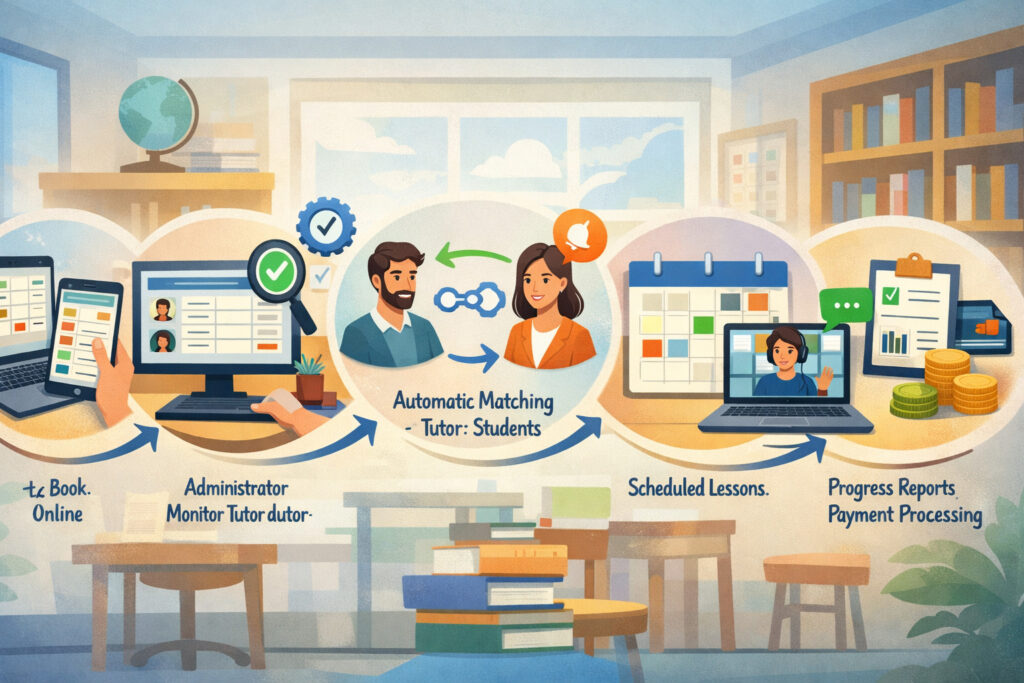
A strong lesson scheduling software for tutoring centers connects the full lifecycle: inquiry → intake → placement → booking → reminders → attendance → rescheduling → reporting. When the workflow is connected, you stop re-entering the same information in multiple places, and families experience a smooth process.
Here’s the operational flow to aim for:
- Inquiry captured (web form, phone call, walk-in)
- Intake forms and student placement (needs, goals, availability, learning profile)
- Tutor match + program recommendation (subject fit, level, schedule constraints)
- Booking (admin books, or parent books within controlled rules)
- Automated booking confirmations (instant, consistent, logged)
- SMS and email lesson reminders (timed, customizable)
- Attendance + progress notes captured immediately after session
- Rescheduling within policy (self-serve or admin-managed)
- Reporting for utilization, attendance trends, program performance, and payroll inputs
When your student scheduling system is designed end-to-end, scheduling stops being a separate admin function and becomes part of service delivery and retention.
Inquiry to intake: building the data foundation
Scheduling automation succeeds only when intake data is structured. If your intake process produces vague notes in an email thread, the scheduling tool can’t reliably match students to the right services and times.
A modern intake process typically includes:
- Student name, grade/level, subjects, and goals
- Availability windows and preferred cadence (1x/week, 2x/week)
- Learning needs and accommodations (as appropriate)
- Program preference (1:1, small group, cohort)
- Guardian contact preferences and consent for SMS reminders
- Billing preference (package billing and memberships, per-session, monthly)
With intake forms and student placement tied to your scheduling platform or CRM integration for tutoring centers, you reduce “placement drift” where students get booked into whatever slot exists rather than the right slot.
Pro Tip: Treat intake like an operations asset. Your best scheduling outcomes come from clear constraints—not from “we’ll figure it out later.”
Booking to attendance: the operational loop
Once booked, your automation should shift from “creating appointments” to “running reliable sessions.” That means turning each booking into a predictable loop:
- Confirmation → reminder → check-in → attendance → notes → follow-up → next booking
Key automation points to configure:
- Confirmation messages that include location/classroom details
- Reminder timing rules (for example: 24 hours and 2 hours before)
- No-show workflows (auto-tag, message template, and admin alert)
- Attendance logging requirements (so reporting stays clean)
- Progress note prompts tied to session type or subject
When attendance and notes live inside the same system, your reporting becomes meaningful. You can actually see patterns: which time slots no-show most, which tutors carry the highest reschedule load, and which programs have recurring churn.
Core Features Tutoring Centers Need in 2026
Not all scheduling tools are built for multi-tutor education environments. A general appointment tool might handle one staff member and one calendar well, but struggle with group programs, classroom and resource scheduling, and package billing.
In 2026, a practical feature set for tutoring centers includes:
- Multi-tutor calendar management with tutor availability management rules
- A configurable student scheduling system (1:1 and group)
- Recurring lesson scheduling with clear exception handling
- Group class scheduling software capabilities (cohorts, rosters, capacity)
- Classroom and resource scheduling (rooms, devices, testing stations)
- Waitlist management that can auto-fill slots based on priority rules
- Automated booking confirmations + SMS and email lesson reminders
- Strong cancellation and rescheduling policies enforcement
- Online payments and invoicing, including package billing and memberships
- Reporting and attendance tracking with exportable data
- CRM integration for tutoring centers (high-level: leads, follow-ups, retention)
- Tutor workload balancing and utilization visibility
- Tutor payroll tracking (high-level) inputs: hours, session counts, rates
You don’t need every feature on day one. But you do need the foundation to avoid rebuilding your workflow later.
Feature checklist by center size
Use this as a practical guide for scoping what you need now versus what you should plan for.
| Feature area | Small center | Mid-size center | Multi-location |
|---|---|---|---|
| Multi-tutor calendar management | ✅ | ✅✅ | ✅✅✅ |
| Tutor availability management rules | ✅ | ✅✅ | ✅✅✅ |
| Recurring lesson scheduling | ✅ | ✅✅ | ✅✅✅ |
| Parent booking portal | Optional | ✅ | ✅✅ |
| Group class scheduling software | Optional | ✅ | ✅✅✅ |
| Classroom and resource scheduling | Optional | ✅ | ✅✅✅ |
| Waitlist management | Optional | ✅ | ✅✅✅ |
| Cancellation and rescheduling policies enforcement | ✅ | ✅✅ | ✅✅✅ |
| Online payments and invoicing | Optional | ✅ | ✅✅✅ |
| Package billing and memberships | Optional | ✅ | ✅✅✅ |
| Reporting and attendance tracking | ✅ | ✅✅ | ✅✅✅ |
| CRM integration for tutoring centers | Optional | Optional | ✅✅ |
| Tutor workload balancing tools | Optional | ✅ | ✅✅✅ |
| Tutor payroll tracking (high-level) | Optional | ✅ | ✅✅ |
Legend: ✅ basic need | ✅✅ strong need | ✅✅✅ essential
Pro Tip: If you run group programs, prioritize roster management and capacity rules early. Group scheduling is where general-purpose tools tend to fail.
Common Scheduling Conflicts and the Automation Solution
Conflicts don’t happen because your team isn’t trying. They happen because manual systems can’t consistently check every constraint. Scheduling automation works when you design constraints into the system so conflicts are prevented before they occur.
| Common conflict | What causes it | Automation solution |
|---|---|---|
| Double-booked tutor | Separate calendars, manual entry, last-minute changes | Central calendar + conflict detection + role limits |
| Room overcapacity | Room not treated as a resource | Classroom/resource scheduling with capacity limits |
| Student booked into wrong session length | Session types unclear or too many options | Standardized session types + controlled booking rules |
| Recurring series breaks | Holidays/time-off not accounted for | Recurring lesson scheduling with blackout dates |
| No-shows rising | Inconsistent reminders and unclear policy | Automated reminders + policy-based cancellation workflows |
| Admin reschedule overload | Families can’t self-serve within rules | Parent booking portal with policy-bound rescheduling |
| Tutor utilization uneven | No visibility into workload | Tutor workload balancing reports + utilization targets |
| Group roster chaos | Manual attendance and late additions | Cohort rosters + waitlist management + cutoffs |
| Payments misaligned | Sessions delivered without tracking packages | Package billing and memberships linked to booking |
| Reporting unreliable | Attendance not logged consistently | Required attendance tracking + dashboards |
Automation is strongest when it handles the “always” rules (capacity, conflicts, reminders) and gives admins tools for exceptions (manual overrides with notes).
Setting Up Automation Correctly: The Operations-First Approach
Most implementation problems come from starting with software screens instead of operating decisions. Before you click through settings, you need a clear policy and program model. Your center’s scheduling system is a reflection of how you deliver service.
The operational setup sequence that works best:
- Define your programs and session types
- Define availability rules and constraints
- Define capacity limits for tutors and rooms
- Define cancellation and rescheduling policies
- Decide what parents can self-serve
- Configure payments, packages, and invoicing logic
- Align attendance, notes, and reporting expectations
- Train staff with real scenarios (not generic demos)
When those decisions are made first, any tutoring center scheduling software becomes easier to configure—and your team experiences less confusion.
Define availability rules that match reality
Availability rules are not “when tutors think they can work.” Availability rules are the center’s commitment to families. That means rules must include buffers, transition time, and resource constraints.
A strong availability model includes:
- Tutor working blocks (days/times)
- Minimum notice rules for new bookings
- Buffers between sessions (especially for room changes or student handoffs)
- Maximum sessions per day per tutor (fatigue management)
- Subject-specific availability (not every tutor is interchangeable)
- Time-off workflows (request, approval, and replacement options)
If you treat availability as flexible and informal, you’ll end up reintroducing manual coordination. If you treat it as policy-backed capacity, your automation becomes reliable.
Pro Tip: Build availability from the center’s perspective: “These are the bookable blocks we will honor,” not “these are the times we might be able to fit something in.”
Step-By-Step Setup Guide For Tutoring Center Scheduling Software
This section is a practical setup guide you can follow regardless of vendor. The labels in your platform may differ, but the sequence holds.
Step 1: Map your service catalog (session types and programs)
Start by creating a simple, controlled catalog of what can be booked. This prevents the common mistake of offering too many booking options.
Create session types such as:
- 30/60/90-minute 1:1 sessions
- Small group (2–4 students) by subject/level
- Cohort classes (fixed roster) for test prep or curriculum programs
- Assessments or placement sessions
- Make-up sessions (if you allow them)
For each session type, define:
- Duration and buffer time
- Location requirements (specific classrooms or resources)
- Eligible tutors (by subject/level)
- Booking rules (who can book it and how far in advance)
- Pricing and package eligibility (if integrated)
Keep it tight. A clean catalog reduces errors and shortens staff training.
Pro Tip: If staff keep asking, “Which option do I choose?” you have too many session types or unclear naming.
Step 2: Build your resource model (tutors, rooms, and constraints)
Next, build the resource layer so the system can prevent conflicts automatically.
Configure:
- Tutors as bookable staff resources
- Classrooms as bookable resources (with capacity)
- Special resources (testing station, computer lab, materials kit)
- Travel/transition buffers if rooms are far apart
- Limits on concurrent sessions per room and per tutor
Then assign relationships:
- Which tutors can teach which subjects/levels
- Which session types require which rooms/resources
- Which tutors can run which group programs
This is where classroom and resource scheduling becomes real—not just a note in a calendar entry.
Step 3: Configure recurring lesson scheduling correctly
Recurring lessons are the backbone of most tutoring revenue and retention. But recurring series must be designed with exceptions in mind.
Configure:
- Recurrence patterns (weekly, twice-weekly, alternating weeks)
- Holiday and blackout dates
- Make-up session rules (if used)
- Tutor time-off behavior (skip, substitute, or reschedule)
- Series ownership (who can edit one instance vs the whole series)
Train admins on a key concept: editing a single occurrence vs editing the series. Many scheduling disasters happen when someone edits the series to fix a one-time change.
Pro Tip: Set a rule that only admins can modify series-level settings during the first rollout phase.
Step 4: Set capacity limits and guardrails
Capacity planning for tutoring centers depends on guardrails that reflect reality.
Set limits such as:
- Max sessions per tutor per day
- Max group size per class type
- Room capacity limits (and whether capacity includes parents/siblings waiting)
- Cutoff times for bookings (minimum notice)
- Cutoff times for cancellations and rescheduling policies
Guardrails reduce exceptions. Exceptions should be rare, documented, and reviewed.
Step 5: Build cancellation, no-show, and rescheduling workflows
Policies are only real when the system enforces them.
Configure:
- Cancellation window (example: same-day changes handled differently than earlier changes)
- Late cancellation handling (fee, session forfeited, limited make-up logic)
- No-show logic (how it’s recorded and what communication triggers)
- Waitlist management rules (auto-offer or admin review)
- Rescheduling limits per month or per package (if relevant)
Then create templates:
- Cancellation confirmation
- Late cancellation notice
- No-show follow-up
- Waitlist opening offer
- Make-up scheduling instructions
Your team shouldn’t have to write these messages from scratch under pressure.
Step 6: Enable parent booking portal with safe boundaries
Parent self-service is powerful when it’s bounded. If you open everything, you’ll get chaos. If you open nothing, you’ll keep the admin bottleneck.
A balanced parent booking portal typically allows:
- Booking only pre-approved session types
- Selecting from tutor options within a placement group
- Rescheduling within policy
- Viewing confirmations and reminders
- Seeing package balances or invoices (if you enable it)
It typically does not allow:
- Switching subjects/levels without admin approval
- Overriding room constraints
- Editing recurring series parameters
- Booking outside defined availability windows
Pro Tip: Start with rescheduling self-serve first. That’s often the fastest way to reduce admin burden without introducing new booking complexity.
Step 7: Integrate payments, invoicing, and packages
If you want predictable operations, tie scheduling to billing. Otherwise you’ll keep delivering sessions that are hard to reconcile.
Configure online payments and invoicing features such as:
- Payment required to confirm booking (for certain session types)
- Package billing and memberships (session credits, expiration rules)
- Auto-invoicing cadence (weekly, monthly, per booking)
- Receipts and balance notifications
- Refund/credit logic aligned to cancellation policy
Keep accounting integrations high-level:
- Export invoices and payments to your accounting tool
- Reconcile payout batches weekly
- Maintain a clean chart of accounts mapping for tutoring services
The point is operational clarity, not accounting complexity.
Step 8: Set attendance and progress-note expectations
Automation without data discipline becomes “a fancy calendar.” To get value, attendance must be captured consistently.
Define:
- Who marks attendance (tutor, front desk, or admin)
- When attendance must be submitted (same day is best)
- Progress note prompts (short and structured)
- Escalation rules (missed notes trigger reminders)
- Reporting cadence (weekly ops review, monthly leadership review)
This is where reporting and attendance tracking becomes your management dashboard, not a neglected feature.
Step 9: Train your team using real scenarios
Training should mirror your real day-to-day:
- New inquiry → intake → placement → booking
- Parent reschedules within policy
- Late cancellation and fee application
- Tutor calls out sick and substitution workflow
- Room conflict discovered and resolved
- Group class roster changes and waitlist fill
Keep training short and repeated. People learn scheduling systems through repetition, not lectures.
Pro Tip: Run a “simulation week” internally. Have staff process sample scenarios before you fully migrate live families.
Policies That Support Scheduling Automation
Scheduling automation is only as strong as the policy scaffolding underneath it. If your center regularly makes exceptions without recording why, no system will feel accurate. Policies protect the schedule and reduce decision fatigue.
Your policies should be written in plain language and reflected in the system rules. The goal is fairness, clarity, and predictability for families and tutors.
No-show and late cancellation rules that are enforceable
A good policy is one your team can enforce calmly and consistently. Keep rules simple enough that parents understand them and staff can apply them quickly.
A workable policy structure includes:
- Definition of late cancellation (for example: within a set number of hours)
- Definition of no-show (missed session without notice)
- What happens in each case (fee, session forfeited, limited make-up options)
- How many exceptions are allowed and who can approve them
- How exceptions are documented in the system
When you integrate cancellation and rescheduling policies into your booking workflow, you reduce conflict. Parents don’t feel “surprised” because the rules are visible at the moment they take action.
Pro Tip: Don’t hide policies in a long handbook. Put them in confirmations, portals, and reminder messages where decisions happen.
Make-up session logic and tutor substitution workflow
Make-up sessions often create operational debt. If you allow them, define them tightly.
Common make-up structures:
- Limited number per package or per month
- Must be scheduled within a defined window
- Can only be booked into designated make-up slots
- Not guaranteed with the same tutor
- Not available for certain group programs
Tutor substitution should also be clear:
- When substitution is allowed (tutor absence, emergency)
- How matching works (same subject/level, approved substitute list)
- How parents are notified
- How notes and continuity are handled
- How the system records the substitution for reporting
These workflows reduce frantic “who can cover this?” messaging and protecting tutor workload balancing.
Operational Benefits You Can Expect When Automation Is Done Right
Automation is not a magic button. But when implemented as a system, it produces predictable operational improvements that your team feels immediately.
The most reliable benefits include:
- Reduced admin hours spent on confirmations, reminders, and rescheduling coordination
- Better tutor utilization because availability and demand become visible
- Fewer scheduling errors due to conflict checks and resource constraints
- Improved parent experience with faster booking, clear reminders, and fewer surprises
- Cleaner reporting for attendance, capacity, and program performance
- More stable delivery for recurring lesson scheduling and group programs
The leadership benefit is often the biggest: you move from reactive scheduling to proactive capacity planning for tutoring centers.
Predictability without exaggeration
It’s tempting to frame scheduling automation as a revenue engine. The reality is simpler and more honest: it’s a reliable engine.
Reliability leads to:
- Fewer lost sessions due to preventable conflicts
- Higher attendance consistency due to reminders and clarity
- Better renewal conversations because you can show attendance history and progress notes
- Stronger staffing decisions because you can see utilization and demand patterns
This is operational maturity. It’s not hype—it’s control.
Real-World Scenarios: How Automation Plays Out In Different Centers
Different tutoring models stress the schedule in different ways. Use these scenarios to sanity-check your setup and identify where you need stronger rules.
Scenario 1: Small after-school tutoring center
A small center often starts with a few tutors and one or two rooms. The scheduling pain arrives when you add a second subject offering, a third tutor, and recurring schedules across multiple families.
A practical automation setup for a small center focuses on:
- Multi-tutor calendar management with clean weekly availability blocks
- Simple recurring lesson scheduling (weekly 1:1 sessions)
- Automated booking confirmations plus SMS and email lesson reminders
- Basic cancellation and rescheduling policies enforcement
- Light parent booking portal options (rescheduling only, at first)
In this model, automation primarily reduces admin interruptions. The center can still use human judgment for student placement, but it stops relying on constant texting to run the week.
Pro Tip: Small centers win by keeping booking options narrow. Offer fewer session types and expand only when your team can consistently deliver them.
Scenario 2: Multi-subject academic center
Multi-subject centers struggle with matching: the “right tutor” matters, and parents may want back-to-back sessions in different subjects. Without structure, this becomes a daily Tetris problem.
Your automation emphasis should include:
- Tutor availability management tied to subject/level qualifications
- Session types that clearly separate subject categories
- Classroom and resource scheduling (especially if subjects have different room needs)
- Tutor workload balancing visibility (to avoid one tutor becoming the bottleneck)
- Intake forms and student placement data that drives eligibility rules
This is also where CRM integration for tutoring centers can help at a high level: lead follow-up, placement status, and reactivation campaigns work better when scheduling data is consistent.
Scenario 3: Test prep center with cohort classes
Cohort programs introduce a new complexity: you’re not just booking sessions, you’re managing rosters, start dates, and capacity over time. Manual tools often fail here because they treat classes like appointments instead of programs.
A strong setup includes:
- Group class scheduling software with roster and attendance tools
- Cohort templates (fixed schedule series with clear start/end dates)
- Waitlist management that fills seats when someone drops
- Cutoff policies (enrollment deadlines, make-up constraints)
- Automated reminders tailored to group sessions, not 1:1 messaging
Because cohorts have predictable schedules, automation can provide major stability—if your policies are clear and your roster management is disciplined.
Pro Tip: For cohorts, prioritize consistency over flexibility. Too much flexibility turns cohorts into a rescheduling nightmare.
Scenario 4: Multi-location tutoring brand
Multi-location scheduling adds brand-level consistency requirements. Parents expect the same rules and experience everywhere, but each location has different tutor teams and room capacities.
Your automation model should include:
- Location-based resource scheduling (rooms and equipment per site)
- Standardized session types and policy templates across locations
- Local variations in availability rules without changing core policy
- Shared reporting across locations for capacity planning and performance
- Role-based access that prevents cross-location editing mistakes
This is where robust reporting and attendance tracking become leadership tools. You can see which locations are capacity constrained, which programs expand cleanly, and where tutor utilization is uneven.
Common Mistakes To Avoid
Most failures are not software failures. They’re design and change-management failures. Avoid these mistakes and you’ll protect your rollout.
Overcomplicating booking options
Too many session types and too many parent choices create confusion and support load. If parents need to think hard about what to book, they will message your team.
Keep booking options:
- Clear, minimal, and named in parent language
- Tied to placement eligibility (not every option available to everyone)
- Expanded gradually after staff mastery
Not enforcing policies consistently
If your team overrides late cancellations without documenting why, families will learn that rules are negotiable. That increases conflict and undermines the system.
Create a simple exception protocol:
- Only certain roles can override
- Overrides require a short note
- Exceptions are reviewed weekly for patterns
Failing to train tutors on the system
Tutors don’t need to be admins, but they must be consistent in attendance and notes. If tutors resist the system, your reporting will be incomplete and your automation will feel “wrong.”
Train tutors on:
- Viewing schedules and rosters
- Marking attendance
- Writing short, structured progress notes
- Requesting time off and substitutions through the workflow
Ignoring reporting dashboards
If you don’t review dashboards, the system becomes a calendar and nothing more. Leadership value comes from using data for decisions.
Track a few operational metrics weekly:
- Tutor utilization by subject/level
- No-show and late cancellation rate
- Waitlist volume by program
- Room capacity conflicts
- Attendance submission compliance
Pro Tip: If you review the same dashboard weekly, your team will keep it accurate. If you never review it, data quality will decay quickly.
30/60/90-Day Rollout Roadmap
A phased rollout protects quality and reduces staff overwhelm. Below is a practical roadmap aligned with the most stable implementation order.
Days 1–30: Calendar + basic automation
Focus on schedule stability first:
- Configure tutors, rooms, session types, and availability rules
- Launch multi-tutor calendar management
- Turn on automated booking confirmations
- Configure SMS and email lesson reminders
- Implement basic cancellation and rescheduling policies
- Train admins and tutors on attendance capture (even if simple at first)
Deliverables by day 30:
- One system of record for scheduling
- Fewer double-bookings and fewer missed reminders
- A repeatable booking workflow for new inquiries
Days 31–60: Payments + packages + reporting
Once scheduling is stable, connect billing and data:
- Enable online payments and invoicing where appropriate
- Configure package billing and memberships (credits, expiration, rules)
- Align pricing to session types and programs
- Tighten attendance and progress notes requirements
- Establish reporting and attendance tracking dashboards
- Introduce parent booking portal features in a limited scope (often rescheduling first)
Deliverables by day 60:
- Clean reconciliation between delivered sessions and billed sessions
- Reliable attendance reporting
- Lower admin load for routine reschedules and reminders
Days 61–90: Optimization + workload balancing + advanced features
Now improve efficiency and planning:
- Implement waitlist management and auto-fill rules
- Expand group class scheduling software workflows for cohorts
- Refine tutor workload balancing targets and reports
- Improve substitution workflows and communication templates
- Add higher-level CRM integration for tutoring centers if needed
- Run a capacity planning review for the next term cycle
Deliverables by day 90:
- Strong utilization visibility and fewer scheduling fires
- More consistent parent experience across programs
- Data that supports staffing and program decisions
Pro Tip: Don’t migrate every legacy edge case in month one. Stabilize the core workflow, then handle complexity with intention.
FAQs
Q1) What is tutoring center scheduling automation?
Answer: Tutoring center scheduling automation is the use of a centralized scheduling system that applies rules to bookings, reminders, and resource allocation. Instead of relying on manual coordination, the system enforces tutor availability management, prevents double-booking, and sends automated booking confirmations and reminders.
The best setups include role-based access for admins, tutors, and parents so each group can take appropriate actions without breaking constraints. The point isn’t just speed—it’s consistency, fewer errors, and cleaner data for decisions.
Q2) How does lesson scheduling software work for multi-tutor centers?
Answer: Lesson scheduling software for tutoring centers typically manages a multi-tutor calendar management layer where each tutor has defined availability rules and qualifications.
When a booking is created, the system checks tutor availability, room/resource constraints, and session type requirements. It then triggers confirmations and SMS and email lesson reminders automatically.
After sessions, tutors or admins record attendance and notes, which feeds reporting and attendance tracking dashboards. In mature setups, packages, payments, and waitlists are tied directly to bookings.
Q3) Can parents book sessions directly?
Answer: Yes—many centers use a parent booking portal, but the key is boundaries. Parents should only see eligible session types based on placement, along with available times that already respect tutor availability management and classroom/resource limits.
Many centers start by allowing parents to reschedule within policy first, then later expand to new bookings once internal operations are stable. This approach reduces admin load without creating confusion or uncontrolled scheduling.
Q4) How do recurring lessons work?
Answer: Recurring lesson scheduling creates a repeating series (weekly, twice-weekly, etc.) based on a rule and a start date. The system reserves time with the tutor and room (if required) and generates each session instance.
Good systems allow editing a single occurrence without disrupting the series, and they support blackout dates for holidays. The most important operational step is defining who can modify the series and how make-ups are handled so one-off changes don’t break the schedule.
Q5) Can I manage group classes and private sessions together?
Answer: You can, as long as your system supports both 1:1 scheduling and group class scheduling software features like rosters, capacity, and attendance workflows.
Private sessions rely more on tutor matching and flexible scheduling, while group programs depend on consistent series schedules and enrollment rules. The key is treating classes as programs with capacity limits and clear start/end dates, not as simple “appointments.”
Q6) How do I prevent double-booking?
Answer: Double-booking prevention requires three ingredients: a central calendar, conflict checking, and permission control. The system should check tutor schedules and classroom/resource schedules before confirming any booking.
Then you enforce role-based access so only authorized roles can override conflicts, and overrides require notes. When this is done, double-booking becomes a rare exception rather than a recurring fire.
Q7) Does scheduling software track attendance?
Answer: Most tutoring center scheduling software includes reporting and attendance tracking, but it only works if your team uses it consistently. Define who marks attendance, when it must be done, and what happens if it’s missed.
Connect attendance to progress notes prompts so tutors capture short, structured updates. Over time, attendance data becomes a leadership dashboard: utilization, no-show trends, and program performance become visible.
Q8) Can I integrate payments into scheduling?
Answer: Yes. Many centers connect online payments and invoicing to bookings so sessions align with packages, memberships, or per-session billing.
You can require payment to confirm certain bookings, track package balances, and automatically invoice on a schedule. The operational benefit is fewer billing disputes and clearer visibility into what has been delivered versus what has been paid for—without needing manual reconciliation.
Q9) How long does implementation take?
Answer: A realistic rollout often follows a 30/60/90-day structure. In the first month, focus on the calendar, availability rules, session types, and reminders. In the second month, connect packages, invoicing, and reporting workflows.
In the third month, optimize with waitlists, group programs, and workload balancing. The exact pace depends on program complexity and how disciplined your current data is, but phased rollout is consistently safer than “big bang” migration.
Q10) What features are essential for growing tutoring centers?
Answer: For growing centers, prioritize multi-tutor calendar management, tutor availability management rules, recurring lesson scheduling, cancellation and rescheduling policies enforcement, and automated reminders.
If you offer group programs, you also need group class scheduling software features like rosters and capacity. As you scale further, classroom and resource scheduling, waitlist management, package billing and memberships, and strong reporting and attendance tracking become essential for capacity planning and staff decisions.
Q11) How do I handle last-minute tutor absences?
Answer: You need a substitution workflow: an approved substitute pool, rules for subject/level matching, and a communication template that goes out automatically when an admin makes the change.
The system should record the substitution so notes and reporting remain accurate. The goal is to minimize disruption for the family while keeping tutor workload balancing under control.
Q12) What’s the best way to reduce parent communication overload?
Answer: Automate what parents repeatedly ask for: confirmations, reminders, location details, and policy visibility at the moment of cancellation/reschedule.
Use a parent booking portal for controlled self-service and standardize communication templates for edge cases like late cancellations and no-shows. When parents can self-serve within boundaries, they message less—and when they do message, it’s usually about learning needs rather than logistics.
Q13) Do I need CRM integration for tutoring centers?
Answer: Not always on day one. CRM integration becomes valuable when you have a steady lead flow, multiple programs, and a need for consistent follow-up.
High-level integration can reduce manual work by linking inquiry status, intake completion, placement decisions, and first booking. The key is to avoid duplicating data entry. If your scheduling system already covers intake and follow-ups, keep CRM integration minimal until you have clear operational needs.
Q14) How should I approach tutor payroll tracking?
Answer: Treat the scheduling system as a clean input source, not the full payroll engine. Track delivered sessions, hours, pay rates (if supported), and attendance completion. Export structured data for payroll processing.
Keep policies clear for paid vs unpaid no-shows, substitutions, and group session compensation. This keeps tutor payroll tracking (high-level) accurate without turning scheduling into an accounting system.
Conclusion
Automating lesson scheduling for tutoring centers is an operations decision more than a software decision. When you build your system around a central calendar, rule-based tutor availability management, recurring lesson scheduling, classroom/resource constraints, and clear policies, you reduce admin load and deliver a calmer, more consistent parent experience.
In 2026, the most effective tutoring center scheduling automation connects the full lifecycle: inquiry and intake forms and student placement, booking, automated booking confirmations, SMS and email lesson reminders, attendance and progress notes, rescheduling within policy, and reporting that supports capacity planning for tutoring centers and tutor workload balancing.